
HtmlDrive - Free Dhtml scripts,Jquery plugins,Javascript,CSS,CSS3,Html5 Library. Download details: Internet Explorer Application Compatibility VPC Image. How to Check Your Website with Multiple Browsers on a Single Machine (Cross-Browser Compatibility Checking) To Check Your Site for Cross-Browser Compatibility by Christopher Heng, thesitewizard.com We all know the importance of checking our web pages with multiple browsers, especially when we are designing a new layout for a website.

This is the case even if we are writing validated standards-compliant code. The number of extant browsers we need to check with are enormous: Internet Explorer ("IE") 6 to 11, the current version of Firefox, the current version of Chrome (or Opera, which uses the same code), the current version of Safari, and so on. And then there are the different platforms: Windows, Macintosh (Mac), Linux, etc. Note that this article is written primarily from the point of view of a person using Windows (the majority of people reading this article), although it does address the issue of Mac browsers and Linux browsers as well. Firefox and Seamonkey It's possible for different versions of Firefox and Seamonkey to all co-exist on the same machine. And so on. Chrome, Opera and Safari. Ultimate IE6 Cheatsheet: How To Fix 25+ Internet Explorer 6 Bugs.
InShare33 The best strategy for dealing with Internet Explorer 6 is not to support it.

Stop. Ok, I feel your frustration. You're a web developer and you're ready to tear your hair out because you have to support Internet Explorer 6, but, to put it tactfully, IE6 doesn't support you. You've spent hours on it, but you just can't seem to get your layout right. This isn't one of those rants about IE6 or a campaign to try to kill it. I've scoured the web for resources and also included some of my own fixes for IE6 and now I've put it all together in this cheatsheet/reference manual as a resource for anyone who has to deal with Internet Explorer 6. This massive IE6 guide took a while to put together, so bookmark it, share it, tweet it, and use it to save yourself and your coworkers hours of screaming at your monitor and banging your head against your desk or other inanimate objects. Update: Yann Faurie has graciously provided a French translation of this article. CSS Compatibility and Internet Explorer.
The document is archived and information here might be outdated With each new release of Windows Internet Explorer, support for the World Wide Web Consortium (W3C) Cascading Style Sheets (CSS) standard has steadily improved.
Internet Explorer 6 was the first fully CSS, Level 1-compliant version of Internet Explorer. Internet Explorer 8 is fully compliant with the CSS, Level 2 Revision 1 (CSS 2.1) specification and supports some features of CSS Level 3 (CSS3). Internet Explorer 9 adds even more support for many CSS3 modules. Note It is important to remember that many CSS3 modules are still in the Working Draft or Last Call stages. The Perfect 3 Column Liquid Layout: No CSS hacks. SEO friendly. iPhone compatible.
Download this layout (25kb zip file).
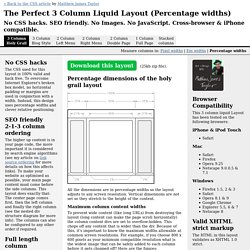
Percentage dimensions of the holy grail layout All the dimensions are in percentage widths so the layout adjusts to any screen resolution. Vertical dimensions are not set so they stretch to the height of the content. Maximum column content widths. HOW TO: Design & Program a Facebook Landing Page for Your Business. Jonathan Goldford is a partner at Wired Impact, a web design company that builds websites for nonprofits.

You can connect with Jonathan on Twitter and on the Wired Impact Facebook page. Right now Facebook Pages and custom landing pages are bigger than bottled water was on December 31, 1999. Michael Jackson, Lady Gaga, Starbucks, and the TV show House each have more than fifteen million "Likes" and are growing rapidly. Flipboard. Dynamic Site Solutions. W3C DOM Compatibility - CSS Object Model View. Is There A Standard Size? What Is The Most Common Dimensions? - Video Screencasts. #130: First Moments with Grunt There are all these tasks that we need to do as front end developers.
Concatenate and compress our files. Run our preprocessors. Optimize images. Run tests. LoadaverageZero - the design is in the Code. JPEG 101: A Crash Course Guide on JPEG. JPEG, a compression algorithm optimized for photographic images, is something we encounter on a regular basis.
JPEG is not limited to a certain amount of color (unlike GIF, for example) and is popular due to its variable compression range, meaning that you’re able to more easily control the amount of compression, and consequently, the resultant image quality. In this guide, we will discuss the important things you need to know about JPEG. Quick Overview of JPEG Here is a list of things you should know about JPEG: Semantics and Disambiguation: JPEG vs.
Many people refer to any image format that uses the JPEG compression algorithm as a "JPEG file. " Why Use JPEG? JPEG allows you to control the degree of "lossiness" by adjusting compression parameters. The second important advantage of JPEG is that it stores full color information: 24 bits per pixel (that means 16 million colors). JPEG Compression Lossy compression reduces the image size by discarding information. Baseline JPEG vs.