
How to Customize Browser Scrollbars Using CSS. We`re all using web browsers to navigate on internet.

Most of you(to be more specific, 65% according to my analytics) are using Chrome and Safari to navigate through this website. These 2 browsers have something in common: they are both built on the WebKit platform, or in other words, they are WebKit browsers. Although Google and Apple assigned them already some quite nice UI elements, some people thought that there is room for more. Did you know that you can customize the way a scrollbar looks? Let`s say you`ve built a great website but you want to make it awesome. Customizing scrollbars is easy, being based on a pure CSS solution, but there`s a glitch: custom scrollbars works only for WebKit browsers. Let`s write some code: As you noticed already, each element has the custom prefix ::-webkit-. The Best CSS3 Tools, Experiments And Demos For Web Developers. CSS3 is already the present on the Web.
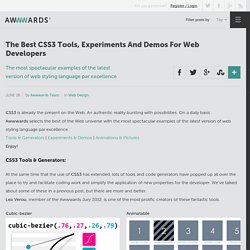
An authentic reality bursting with possibilities. On a daily basis Awwwards selects the best of the Web universe with the most spectacular examples of the latest version of web styling language par excellence.Tools & Generators | Experiments & Demos | Animations & PicturesEnjoy! CSS3 Tools & Generators: At the same time that the use of CSS3 has extended, lots of tools and code generators have popped up all over the place to try and facilitate coding work and simplify the application of new properties for the developer. We've talked about some of these in a previous post, but there are more and better.Lea Verou, member of the Awwwards Jury 2012, is one of the most prolific creators of these fantastic tools. Cubic-bezier Animatable The Web Font Combinator Prefix Free -prefix-free lets you use only unprefixed CSS properties everywhere. The Best CSS3 Tools, Experiments And Demos For Web Developers. CSS3 Button Generator.
Create a Drop-Down Navigation Menu with HTML5 and CSS3. There are some great solutions to drop-down navigation menus, like the superfish jquery plugin for example.
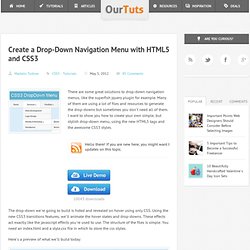
Many of them are using a lot of files and resources to generate the drop-downs but sometimes you don`t need all of them. I want to show you how to create your own simple, but stylish drop-down menu, using the new HTML5 tags and the awesome CSS3 styles. 10043 downloads The drop-down we`re going to build is hided and revealed on hover using only CSS. Using the new CSS3 transitions features, we`ll animate the hover states and drop-downs. Here`s a preview of what we`ll build today: Let`s begin with the HTML structure.
In the body part, we`ll add the html code for the nav menu. Now let`s stylize the navigation. Notice that ul#navigation li a has some transition styles. Now let`s stylize the drop-down menus: Now the menu is stylized and the developing process if finished. I thank you for your time and for any feedback/questions, don`t hesitate to leave a comment below! CSS3 Tutorials to Brighten Up Your Day. Jan 25 2011 As we all know, a lot of complicated CSS code snippets had to be used back then when you simply wanted to achieve a rounded corner, and even had to use JavaScript for simple animations.
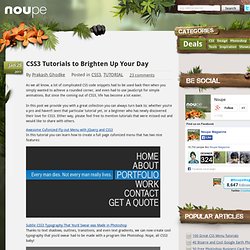
But since the coming out of CSS3, life has become a lot easier. In this post we provide you with a great collection you can always turn back to; whether you’re a pro and haven’t seen that particular tutorial yet, or a beginner who has newly discovered their love for CSS3. Either way, please feel free to mention tutorials that were missed out and would like to share with others. Awesome Cufonized Fly-out Menu with jQuery and CSS3 In this tutorial you can learn how to create a full page cufonized menu that has two nice features: Subtle CSS3 Typography That You’d Swear was Made in Photoshop Thanks to text shadows, outlines, transitions, and even text gradients, we can now create cool typography that you’d swear had to be made with a program like Photoshop.
Useful CSS3 Gradient Generators for Faster Development. Every web project starts from an idea, a design.

Most designs are made using design tools like the very popular Photoshop which can transform your ideas into great pieces of art. The ease of converting a PSD file to HTML depends, of course, on how detailed a design is. The old-school schema was to slice the design into images and implement them into the webpage using CSS. Recently, CSS decided to give designers a hand and to implement many design features from Photoshop to the brand new CSS3. Now you can create rounded corners, drop-shadows, and gradients using pure CSS. This was the good side of the story, but there`s of course a bad side. The solution is without a doubt, the awesome CSS3 generators. Colorzilla Gradient Generator CSS-Tricks Button Maker Westciv Gradient Generator CSS3 Gradient Generator by Damian Galarza Button Generator by DryIcons.
HTML5 & CSS3 Resources for Designers.