
Comment résoudre l'erreur fatale: Admis taille de la mémoire de 33554432 octets épuisé (tried to allocate 30720 octets) Recently, when either adding new plugins or upgrading plugins in WordPress, I encountered this error message: Fatal Error: Allowed memory size of 33554432 bytes exhausted (tried to allocate 30720 bytes)… This means that WordPress needs more memory to run a process than the default PHP setting (usually 12M, in some, 32M).
For a non-techie guy like me, the error is frustrating, and very alarming. Before you panic, there are actually simple solutions to this problem that even a non-techie person can do. The first solution is the “standard” or proper way to resolve it, however, it depends whether you have access to the file that needs to be updated. Solution 1: Modify your php.ini file The PHP.INI file can be found in your root directory, usually in /public_html/ directory. Find: memory_limit = 12M … change to 32M or higher Before the new settings could take effect, it “maybe” necessary to restart your webserver. Here With Me. Empêcher l’éditeur visuel (WYSIWYG) de Wordpress de supprimer les sauts de ligne - Yiannis Girod Informatique · Genève - Informatique Cours Formation Bureautique CMS Wordpress Joomla Création Hébergement Support Personnalisation Sites web Bernex Suisse. Aussi formidable soit le moteur de blog Wordpress, son éditeur visuel (WYSIWYG) a cette ennuyeuse inclination à vouloir transformer, automatiquement à l’enregistrement des billets, le code source de ces derniers.
Ainsi, par exemple, ne conçoit-il pas de laisser intact une balise <br /> (saut de ligne), voire une double balise <br /> qu’il remplace fièrement par une balise <p> (saut de paragraphe). WordPress Francophone » Archive du blog » Etendre les fonctionnalités de l’éditeur visuel de WordPress : TinyMCE. Support » Memory exhausted error in admin panel after upgrade to 2.8. How to install a WordPress plugin.
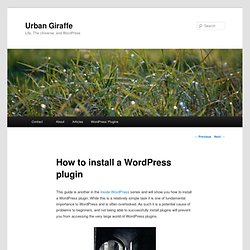
This guide is another in the Inside WordPress series and will show you how to install a WordPress plugin.
While this is a relatively simple task it is one of fundamental importance to WordPress and is often overlooked. As such it is a potential cause of problems to beginners, and not being able to successfully install plugins will prevent you from accessing the very large world of WordPress plugins. Problèmes Installation WORDPRESS 3.0 sur Hébergement FREE pages perso. Installer wordpress sur free. Problème d’installation de Wordpress 2.3 chez free. Embeds. Languages: English • Français • Hrvatski • Italiano • 日本語 • Nederlands • Português do Brasil • Русский • 中文(简体) • (Add your language) It's super easy to embed videos, images, tweets, audio, and other content into your WordPress site.
Usage To embed a video or another object into a post or page, place its URL into the content area. Make sure the URL is on its own line and not hyperlinked (clickable when viewing the post). Incorporer la vidéo bouton manquant dans Wordpress 3.1? Il ne reviendra pas. Problèmes Installation WORDPRESS 3.0 sur Hébergement FREE pages perso. Help: Fatal error: Allowed memory size of 33554432 bytes exhausted. WordPress and Wishlist Member plugin and theme. Is your wordpress two slow? Did you get an error that display not enough memory to run current script? Did you get error like this one? Or PHP Fatal error: Allowed memory size of 33554432 bytes exhausted (tried to allocate 6233929 bytes) in /home/…/press/wp-includes/cache.php on line 330.
PHP « Programming « Portfolio. The number of times my 21 WordPress Plugins have been downloaded according to the official WordPress Plugins Repository. FreeMyInternet 0.01 WordPress 2.8 & Up · 439 Downloads Automatically places the FreeMyInternet banner from FreeMyInternet.com on your WordPress website. Galerie «Assistance - WordPress.com. Image galleries on WordPress.com are a great way to share your pictures with your friends, family, and your followers.
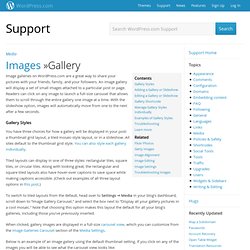
An image gallery will display a set of small images attached to a particular post or page. Readers can click on any image to launch a full-size carousel that allows them to scroll through the entire gallery one image at a time. With the slideshow option, images will automatically move from one to the next after a few seconds. Gallery Styles You have three choices for how a gallery will be displayed in your post: a thumbnail grid layout, a tiled mosaic-style layout, or in a slideshow.
Dropdown Menu CSS Generator. Dropdown Menu CSS Generator This is a very old tool I built many years ago.
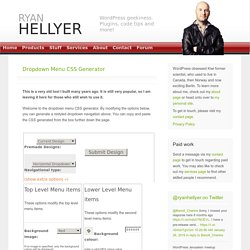
It is still very popular, so I am leaving it here for those who still wish to use it. Welcome to the dropdown menu CSS generator. By modifying the options below, you can generate a restyled dropdown navigation above. You can copy and paste the CSS generated from the box further down the page. CSS Code. Wordpress hébergement. There are hundreds of thousands of web hosts out there, the vast majority of which meet the WordPress minimum requirements, and choosing one from the crowd can be a chore.
However, WordPress works best when it’s in a rich hosting environment. In our opinion, AccuWebHosting.Com represents one of the best and brightest of the hosting world. If you do decide to go with AccuWebHosting.com then use the coupon code BRL-10-DISC-FREE-DOM — so you will have 10% discount + a free domain name (as applicable in their plan) and have a great host and support WordPress at the same time. Get all the tools you need to run your WordPress site more effectively, saving you time and money. Précisez votre canoniques. Carpe diem on any duplicate content worries: we now support a format that allows you to publicly specify your preferred version of a URL.
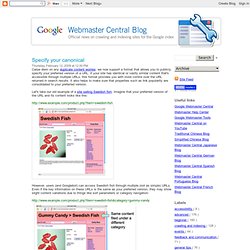
If your site has identical or vastly similar content that's accessible through multiple URLs, this format provides you with more control over the URL returned in search results. It also helps to make sure that properties such as link popularity are consolidated to your preferred version. Let's take our old example of a site selling Swedish fish. Créations et insertions de miniatures (thumbnails) Search Results Gallery « Support — WordPress.com. » Développement WordPress Wordpress 2.9 : la vignette d’un artic. Une des grande nouveauté de WordPress 2.9 est la possibilité d’affecter une image comme vignette d’un article sans recourir à un plugin.
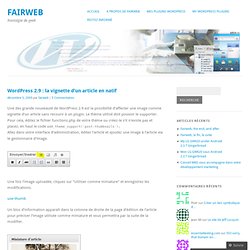
Le thème utilisé doit pouvoir le supporter. Pour cela, éditez le fichier functions.php de votre thème ou créez-le s’il n’existe pas et placez, en haut le code add_theme_support('post-thumbnails'); Allez dans votre interface d’administration, éditez l’article et ajoutez une image à l’article via le gestionnaire d’image. Une fois l’image uploadée, cliquez sur "Utiliser comme miniature" et enregistrez les modifications. Utiliser les vignettes avec WordPress 2.9. Si il y a une des fonctionnalités de le 2.9 qui me rend contente, c’est bien celle là.
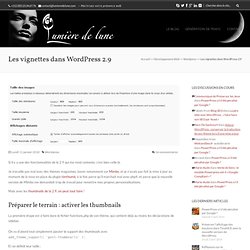
Je travaille pas mal avec des thèmes magazines, basés notamment sur Mimbo, et je n’avais pas fait la mise à jour au moment de la mise en place du plugin timthumb, à la fois parce qu’il marchait mal avec php4, et parce que la nouvelle version de Mimbo me demandait trop de travail pour remettre mes propres personnalisations. Mais avec les thumbnails de la 2.9, on peut tout faire ! Préparer le terrain : activer les thumbnails La première étape est à faire dans le fichier functions.php de son thème, qui contient déjà au moins les déclarations de sidebar. Un hack pour réparer sa base de donnée depuis Wordpress. Changing File Permissions. Languages: English • Español • 日本語 • Français • Português do Brasil • (Add your language) On computer filesystems, different files and directories have permissions that specify who and what can read, write, modify and access them.
This is important because WordPress may need access to write to files in your wp-content directory to enable certain functions. Permission Modes 7 7 7 user group world r+w+x r+x r+x 4+2+1 4+0+1 4+0+1 = 755 The permission mode is computed by adding up the following values for the user, the file group, and for everyone else. Tutoriel video : editeur d'article wordpress. Tuto Worpress editeur. Everything you need to know about WordPress 2.9′s post image fea. You may have heard a bit of news about a new thumbnail feature for themes coming to WordPress 2.9. Yes, you’ll be able to easily upload a post thumbnail. However, it’s not just thumbnails. The image will have various sizes. So, I’m going to refer to this feature as the post image feature.
In this tutorial, I’ll be covering the various things you can do with the post image feature. One important thing to note is that this new feature is an image-based representation of a post. How does an end user make use of this feature? First, your theme must add support for it. Plugins, plugin wordpress,