
Ipads in the Classroom. iPad and me. 8 Free Calendar Tools for Educators for Better Time Management. Most of you use online calendars both for personal and professional uses.
The reasons you would opt for an online calendar are multifarious such as scheduling important dates, meetings, to do lists and many more. However, not all of you use simple ones. The thing with some popular online calendars is that they are too complicated to work with and have many features that we do not even use. Below is an aggregation of some of handy and practically simple calendars available for free and that teachers can use to organize their tasks and better manage their time. It is taken for granted that you are already using Google Calendar or you know about so I am not including it here.
Education Week Teacher Professional Development Sourcebook: Writing Re-Launched: Teaching with Digital Tools. Published Online: April 4, 2011 Published in Print: April 4, 2011, as Writing Re-Launched: Teaching with Digital Tools Second grader Daisy Mora Gomez uses an iPad application called "Puppet Pals" to work on her pre-writing skills.

Bloom's iPad Taxonomy. UDL and The Flipped Classroom: The Full Picture. A List of Interesting Mobile Learning Links. Enterprise - Google+ - Tune into the inaugural Google Enterprise Hangout On Air on… Going Low-Tech to Teach New Literacies. Ethnic Studies professor Wayne Yang takes a distinctive approach to new media literacies to get UC San Diego students to host their own Comic-Con comic book convention with original graphic novel projects.

Although print artifacts are central to the culminating activity of the course, students also work on their digital skills as they lay out pages in software programs such as Adobe Photoshop or post the video “trailers” that advertise their wares on sites such as YouTube. Top 10 Things NOT to do in a 1:1 iPad Initiative « Part of the benefit of jumping forward with a 1:1 iPad deployment like we have tried is that we get the opportunity to impart knowledge to other districts looking to do a similar initiative.
While that might not seem like a benefit, it actually also means we can make some mistakes because there is not a long history of this type of deployment in the world. Many districts have had 1:1 Laptop projects, which we have benefited from and could easily be applied to this list I’m about to share. However, for the sake of our specific district, and the questions I get from other districts on a daily basis, I’m going to break down the ten things you should NOT do when implementing a 1:1 iPad program. 1. Do NOT wait until the last minute to give them to staff. Disposable Twitter Accounts for Classroom Use. Twitter comes up frequently on ProfHacker.

We write about Twitter in the classroom, Twitter for conference (and unconference) backchannels, and using Twitter as part of a web presence strategy. One of my first ProfHacker posts was all about how and why academics should consider using the service. When it comes to the classroom, however, there are complications with requiring Twitter. New York Middle School Students Participate in Online Cultural Exchange Program. Collaboration | News New York Middle School Students Participate in Online Cultural Exchange Program By Tim Sohn Middle school students in New York's White Plains Public Schools are participating in a virtual cultural exchange program.

Fifty-seven students in grades 6-8, from the Eastview and Highlands campuses of White Plains Middle School, are taking part in the Schoolwires Greenleaf Virtual Cultural Exchange Program . Broadcast Yourself. Khan Academy, Gaming, and Badges: Panacea, Accelerated Pedagogical Malpractice. THE FROG AND THE FLY.
Suggested Apps. VoiceThread- free Create and share dynamic conversations around documents, snapshots, diagrams and videos -- basically anything there is to talk about.

You can talk, type, and draw right on the screen. VoiceThread takes your conversations to the next level, capturing your presence, not just your comments. Tiny Tap - free It’s a beautiful and simple way to create games that will keep your little ones entertained for hours. Every time your kids play a game, they will hear someone they love playing with them. Three Digital Response Genres « Steve J. Moore. Below I will share 3 different modes of digital response to the same text and prompt.

After reading by Whitney Tyrell. I first wrote this response: When I was reading King of Kings County, by Whitney Tyrell, I had three significant revelations about the writing, the history, and the story. Each of these questions came up during my reading and stayed with me through out the book. In any book I read, it’s always the questions that endure. Teachers: Please stop prohibiting the use of Wikipedia. This plea doesn't apply to the teachers (or administrators, for that matter) who have figured out that Wikipedia is an incredible knowledge store, cornucopia of primary sources, and go-to site for most the free world.

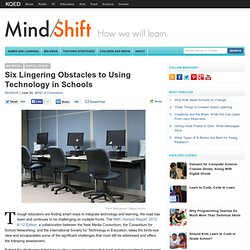
Rather, this plea is for those who, instead of teaching students about Internet site credibility, fact checking, verification, and crowdsourcing, choose to simply prohibit the use of Wikipedia. Two of my kids were assigned papers within the last week and told they could use any sources other than Wikipedia. Seriously. Because apparently, the first three hits on Google are outstanding information sources. Six Lingering Obstacles to Using Technology in Schools. Big Ideas Digital Tools Flickr:Marygrove College Library Though educators are finding smart ways to integrate technology and learning, the road has been and continues to be challenging on multiple fronts.
Quotebot. Turning the traditional classroom on its head “The Flipped Classroom” The “Flipped Classroom” is a reversed teaching model. Bringing the classroom to the students’ “home” through interactive on-line delivering methods and moving the homework into the classroom. This model allows the student to work through the lecture on their own time and within their own space, communicating with piers and instructors via online discussions. Within the classroom setting the teacher can focus their time on questions, work through problems together and engage through collaborative learning. Facebook and YouTube Offer Guidelines to Help Schools and Parents. Culture Flickr:Dan Taylor By Matt Levinson Online social giants YouTube and Facebook have taken big steps to attempt to provide guidance on digital citizenship for kids online.
Google (which owns YouTube) just launched its ten-step online program for smart and safe YouTube use, with a series of instructional videos that hit on topics from cyberbullying to privacy. Activity 2: Setting Up Pages – About, Blogging Guidelines and Contact. Welcome to the second post in our free professional development series on class blogging! To celebrate Connected Educator Month , we’ll be publishing posts over the next few weeks that walk you through the process of class blogging. While many of the class blog examples we’ve included are from primary grades, the same principles apply for class blogs regardless of student age (including adult learners). Why Blog? As I reflect on my continuous evolution as an educational leader I am constantly amazed at how things have changed over the course of three years. It was in March of 2009 that I decided to give this social networking tool Twitter a try. Ipad Apps. Apple Unveils E-Textbook Strategy for K-12. A Vision of K-12 Students Today - 2011.
Methods of Modern Learning. Did you know that if you are a student or teacher in the Saint Joseph School District with an iPad, you already have a Google Drive Account? It’s true! For teachers, simply use your district email address as your username and the district created password. Why A Colorado K-12 School Now Resembles An Internet Café. Home Page. Text Messaging For Teachers. 50+Ways - home. 21 Map Creation Tools for Students and Teachers.
Yesterday, I published a review of MapFab which is a fabulous, free, and simple tool for creating maps online. Writing that post got me thinking about all of the other free map creation tools that I've reviewed over the years. Google Maps and Google Earth are my favorite tools for creating maps, but not every school allows teachers and students to download it. The Image Language. 80+ Google Forms for the Classroom. Evernote – an attempt at the definitive summary of teacher uses! Using Technology with Classroom Instruction that Works. Attend this workshop to improve your ability to integrate instruction with educational technology. Mashable. Google Drive has unlimited potential. The feature that lets users upload documents, images, spreadsheets and more has millions of neat little ways to boost your everyday activity.
Cloud Computing. Computers used to work alone, inside a home or business. Students Use Technology. Web 2.0 sites and Startups - Ziipa - Web 2.0... Applications web 2.0. Web 2.0 List o' Tools. Web 2.0 Hype ~ Management 2.0 developing social capital. Discovery Education Web2011 : Web 2.0 Tools - Presentation Tools.
PLN's. 40 Unusual Websites you should Bookmark. Ed Tech Tools. Broadcast Yourself. YouTube works with a wide range of browsers. However, if you'd like to use many of our latest and greatest features, please upgrade to a modern, fully supported browser. Find the latest versions of our supported browsers below. Dipity - Find, Create, and Embed Interactive Timelines. Learn It In 5 - Home. Free Data Visualization Software. Web 2.0 List o' Tools. About. Tools. Presentations 2.0. Student Teacher Connection. Photo Editing. Web Building. Art 2.0. Video Editing.