
Overview - MP Tutorial @ OFPEC Tutorials. Bohemia Interactive Simulations Monthly Newsletter. BISim is proud to support the UK MOD and Royal School of Artillery at the upcoming Concept Capability Demonstrator (CCD).
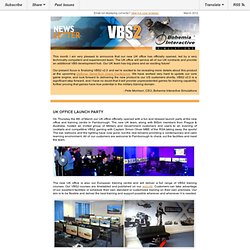
The CCD is to take place over 3 days at UK MOD Land Warfare Centre, Warminster, from March 27-29. The key new VBS2 feature on display will be VBS2 running on a 9 meter 360° dome via our multi-screen implementation. This will have a multi-directional treadmill and tracked weapon for dismounted solider training. In addition to the 9m dome there will be a 12m 360° VBS2 powered dome demonstrating the ability to integrate real vehicles into synthetic training. Capt Oliver MBE RSA said, “The British Army's simulation concept capability demonstration shows how serious gaming can be a serious game-changer for the professional soldier. In addition to these new capabilities being demonstrated, VBS2 will also be used throughout the CCD demonstrating cost effective delivery of real training solutions. Arma Stack - News. VBS2 Content, available in version 1.50. Monthly Newsletter Bohemia Interactive Simulations. Index page. Texture Tools. From Second Life Wiki The purpose of this page is to increase awareness of resources that'll help you texture better in Second Life.
Texturing is a fundamental part of a building skillset, as evidenced when you put that dang plywood texture on everything. This list includes but isn't limited to: programs, tutorials, and packs of textures themselves. Please share what you've found useful — keep the list up-to-date and formatted neatly! Texture-making programs Gimp (Free Software/Open Source) - The Gimp, or GNU Image Manipulation Program, is a freely distributed piece of software for such tasks as photo retouching, image composition and image authoring. Texture utilities Here's some stuff you may never of heard of; I hope it'll make your Second Life texturing easier! SL Clothes Previewer (free, Windows and Mac) - By Johan Durant. Texture tutorials Texture tutorial and library Texture packs and libraries Torley Textures. BISim Wiki - Main Page. Model Config. From BISim Wiki Description The model configuration file (model cfg for short) is the interface between a (P3D) model and the program.
It is a look-up table which is processed during the binarization process, to tell the program what the various sections of the model are, which skeleton it uses and how it is animated. LOD. From BISim Wiki What's a LOD?
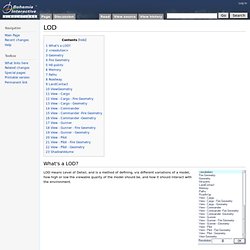
LOD means Level of Detail, and is a method of defining, via different variations of a model, how high or low the viewable quality of the model should be, and how it should interact with the environment. Defines which model to use, depending on several, interdependent in-game conditions (view-distance, number of objects, video quality, CPU utilization, etc.).
This LOD shouldn't contain any empty Named Selections which are used in animations or by the game engine (wheels, etc.), as that might cause the game to crash once the LOD becomes active. To demonstrate the complexity of the LOD selection, and the effect the resolution name has on LOD switching, a series of tests have been documented here: Resolution LOD Samples Geometry Defines where the model will collide with other objects. Object must be named ComponentXX (where XX is a consecutive number between 01 and 99). Geometry objects should have a thickness of at least 0.5 meters in order to work properly. How to create destroyable wheels. From BISim Wiki The Principle The model already contains the destroyed wheels, but they are hidden with animations.
These animations uses the damage value of hitpoints to switch the wheels when needed. Prepare the model In the case of wheels it makes sense to create an extra model for a destroyed wheel. The Animations You should have some basic knowledge about animations and model.cfg as this is not covered here. The following class is an example animation that makes the destroyed wheel visible: class wheel_1_1_destruct_unhide { type="hide"; source="HitLFWheel"; sourceAddress="mirror"; selection="wheel_1_1_unhide"; minValue = -1; maxValue = 0; minPhase = -1; maxPhase = 0; hideValue = 0.010000; }; File:Structure Projects.gif. Models. From BISim Wiki LODs Visual These are LODs which are rendered by the GPU and are visible to the player, sometimes called resolution LODs, but it would be better to say that visual LODs can have a number of resolutions, each becoming progressively more simplistic.
Damage Modeling: Objects. From BISim Wiki As a part of damage model implementation, the object in question needs to be properly configured for the VBS2 engine.
To achieve this, the config.cpp containing the object needs to be created (if non-existent) or modified to include properties essential to the damage model. This page refers to the common properties shared between all damage models. armor.
VBS2 Scenario Development.