
SetMarkerLayers. VBS2: Startup Parameters. Category:Animations. Description.ext. SetFace. Scripting Grammar. Control Structures. From BISim Wiki Control Structures are statements which are used to control execution flow in the scripts.
They are sequences of scripting code which help to control complex procedures. You can use control structures to define code which is only executed under certain conditions or repeated for a couple of times. Category:VBS2: Dialogs. ArmA: Introduction to Scripting. During mission editing and addon editing you may come across situations where actions or features you would like to have in your mission or addon cannot be accomplished using the basic (or even the more advanced) capabilities of the mission editor or within config files (in the case of addons).
Some examples of this might be really cinematic cutscenes in missions or special animations for an addon. The solution to this is to take advantage of the game-engines ability to call on an even more advanced feature known as scripting. Armed Assault's scripting language gives you more direct control of core game commands. With any combination of these scripting commands you can then create custom processes that meet the specific needs of your mission or addon. Terms Before getting started, you should understand the meaning of these terms. Script Game Engine. SetCamRadar. Category:VBS2: Event Handlers. From BISim Wiki Event Handlers (EHs) are attached to objects, and allow you to automatically execute custom code upon particular events being triggered by that object.
These event handlers are added to objects using the addEventHandler command, or in the object's configuration file (see below). SetVideoSetting. Category:Common Scripting Errors. Category:Syntax. SetVelocity. NearRoads. Unlimited ammo made simple! Say. Unit will say given sound.
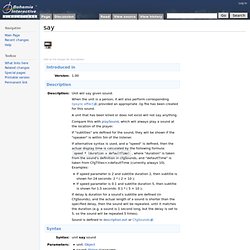
When the unit is a person, it will also perform corresponding lipsync effect, provided an appropriate .lip file has been created for this sound. A unit that has been killed or does not exist will not say anything. Compare this with playSound, which will always play a sound at the location of the player. If "subtitles" are defined for the sound, they will be shown if the "speaker" is within 5m of the listener. Overview - MP Tutorial @ OFPEC Tutorials. Fire. VBS2PluginFileAccess. Traffic Script Revisited. Well this following script may be considered flogging a dead horse, but it illustrates a few key points about using the format command together with iteration.
Below is the script, and the init.sqf, both of which intended to be saved to your PC. //init.sqfsleep 0.1; // wait until the sim is really started (post-brief)[car1, "M", "NOCYCLE"] execVM "PathA.sqf"; // exec script for car1 on path M (e.g. m1, m2 , m3, m4), no cycle. // PathA.sqf// Version 1.01a (31 OCT 08)// by Jamie Coombs// Purpose: To facilitate vehicle movement by markers on various terrains, allows ability to cycle.// Useage: [car, prefix, "NOCYCLE"] execVM "PathA.sqf";// car - the name of the car as it is in the OME/RTE// prefix - the marker prefix for the pre-set track, e.g. if your marker series is named A1 thru A20 the prefix is "A".
VBS2: AI Combat Modes. DisableAI. Category:ArmA: Editing. Fn vbs boatRadar. AttachTo. From BISim Wiki Click on the images for descriptions Notes Only post proven facts here.
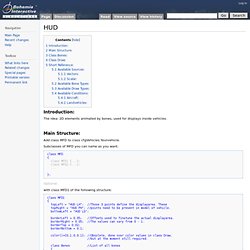
Use the talk page or the forums for discussions. Posted on Feb 15, 2008 General Barron Positional offset is in meters, and is in the format [right, front, up]. Note that this is relative to the host object's 'vectorDir' and 'vectorUpDir'! Also note that you may want to adjust the attached objects orientation after issuing the attachTo command, using the setVectorUp and setVectorDir commands. Posted on Aug 23, 2010 Kuro Mempoints for people are righthand, lefthand, head, neck, rightfoot, leftfoot, pelvis,... HUD. From BISim Wiki Introduction: The idea: 2D elements animated by bones, used for displays inside vehicles.
Animate. Category:Demo Missions. From BISim Wiki Miscellaneous Mission pack Collection of 23 missions that demonstrate basic concepts in mission building and scripting.File:Example Missions.zip Fast-roping.
GetCrewPos. Category:VBS2: Scripting Functions. From BISim Wiki Introduction The function library adds a range of additional functions for use in scripts.
These are not scripting commands, but rather sub-routines created with existing script commands (background info). Multiplayer scripting. Scripting for multiplayer missions is difficult for many scripters and mission editors to understand.
Systems that work perfectly in the mission editor environment can fail miserably when run on a dedicated server, resulting in an inconsistent gameplay experience for clients and frustration for the editor. The keys to success at multiplayer scripting are learning the properties of every scripting command, devising ironclad methods for propagating messages, and testing in an appropriate environment. Many scripts fail in a multiplayer environment because they rely on inconsistent variables. Armed Assault Info. General information (v1.01 - 17th of March): The goal of this tutorial is to show the potential and basics of SQF. I'll start by describing how to execute SQF scripts, explaining the basic structures and loops used in SQF syntax before proceeding to converting SQS to SQF.
Multiplayer Server Commands. From BISim Wiki The following commands are available to you once you have connected to a server. You can access the command line by pressing the / key, which allows you to type any of the following commands in. You have to include the # before the command. Administration Commands #login password Log in as the admin #logout Admin log out #mission filename Select mission with known name #missions Select mission #restart Restart mission #reassign Start over and reassign roles #kick (name, ID or Player#) Allows you to kick the nickname #shutdown Shuts down the server #init Reload server config file loaded by –config option #monitor (interval in sec) Shows performance information of the server.
HendoSandbox. Modeling Modeling tips, links, and tutorials VBS2 Specific Stuff Links HowTo. Category:VBS2: Scripting. From BISim Wiki Introduction. S Urban Patrol Script. Allows easy creation of randomly patrolling units, with improved AI behaviour. PlannedAssault. FORUMS - Mission editing Newbie FAQ. VBS2 VTK User Reference. VBS2 Content, available in version 1.50.