
Carefully Crafted UI Design Assets. Custom UI Component Database for iOS and Mac OS X. 7 User Experience Lessons from the iPhone (Introducing UX) All the sizes of iOS app icons. Books in the Age of the iPad. For too long, the act of printing something in and of itself has been placed on too high a pedestal.
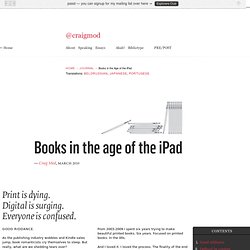
The true value of an object lies in what it says, not its mere existence. And in the case of a book, that value is intrinsically connected with content. Let's divide content into two broad groups. Content without well-defined form (Formless Content (Fig. 1)) Content with well-defined form (Definite Content (Fig. 2)) Formless Content can be reflowed into different formats and not lose any intrinsic meaning. When Danielle Steele sits at her computer, she doesn't think much about how the text will look printed.
PodCamp Nashville 2010 Presentation. For the few dozen faithful of you that attended PodCamp Nashville 2010 (and the even fewer dozen that read my articles) (lots of love to you all), here are the slides from my segment of Griffin Technology's presentation, entitled “Is The iPad Just A Big iPhone?”
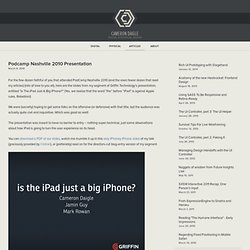
(Yes, we realize that the word “the” before “iPad” is against Apple rules. Rebellion!) We were (secretly) hoping to get some folks on the offensive (or defensive) with that title, but the audience was actually quite civil and inquisitive. Which was good as well! Design & Code a Cool iPhone App Website in HTML5. HTML5 is definitely the flavor of the month, with everyone in the design community getting excited about its release.
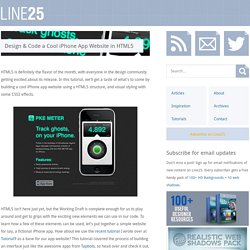
In this tutorial, we’ll get a taste of what’s to come by building a cool iPhone app website using a HTML5 structure, and visual styling with some CSS3 effects. HTML5 isn’t here just yet, but the Working Draft is complete enough for us to play around and get to grips with the exciting new elements we can use in our code. To learn how a few of these elements can be used, let’s put together a simple website for say, a fictional iPhone app. How about we use the recent tutorial I wrote over at Tutorial9 as a base for our app website? This tutorial covered the process of building an interface just like the awesome apps from Tapbots, so head over and check it out, then we’ll be ready to build an accompanying website for our PKE Meter application. Design Trends: 25 Of The Coolest iPhone APP Website Designs. Regardless if you have an iPhone or not (I currently do not – I’m a die hard blackberry addict) you have to admit that the Mac/iPhone style of design is super sleek and very pleasing on the eyes.
A specific type of design trend I’ve seen a lot lately are the iPhone app websites. They generally all follow the same plan of attack (for good reason) but it makes me wonder – are these sites being built to just blend in with the rest of the pack or are there some that stand out? I went around online and found 25 of the coolest iPhone app websites – not necessarrally the coolest APPS, but the coolest website designs. What I found was a lot of the big iPhone image on the page, showcasing how the app actually looks. I also found a lot of darker website designs. The one thing I did notice – and loved – was the couple websites that did things differently.
Weightbot ↓ Dig Deep Fitness ↓ Where Cloud ↓ PokeSEO ↓ Birdfeed ↓ GoBible ↓ iPad Stencil for Omnigraffle. iOS Human Interface Guidelines: Introduction. iPad Application Design » Matt Legend Gemmell. I held a 6-hour workshop at NSConference in both the UK and USA recently, focusing on software design and user experience.
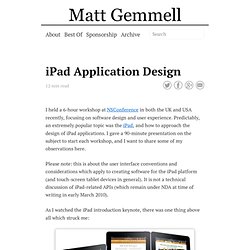
Predictably, an extremely popular topic was the iPad, and how to approach the design of iPad applications. I gave a 90-minute presentation on the subject to start each workshop, and I want to share some of my observations here. Please note: this is about the user interface conventions and considerations which apply to creating software for the iPad platform (and touch-screen tablet devices in general). It is not a technical discussion of iPad-related APIs (which remain under NDA at time of writing in early March 2010). As I watched the iPad introduction keynote, there was one thing above all which struck me: That’s iWork (Keynote, Pages and Numbers) for iPad. iPad Apps: Physicality and Heightened Realism. One of the more unique iPad User Experience Guidelines from Apple suggests that applications designed for the iPad should have a realistic, physical dimension.
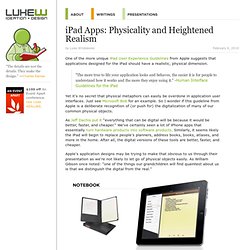
"The more true to life your application looks and behaves, the easier it is for people to understand how it works and the more they enjoy using it. " -Human Interface Guidelines for the iPad Yet it's no secret that physical metaphors can easily be overdone in application user interfaces. Just see Microsoft Bob for an example.
So I wonder if this guideline from Apple is a deliberate recognition of (or push for) the digitalization of many of our common physical objects. As Jeff Dachis put it "everything that can be digital will be because it would be better, faster, and cheaper. " Apple's application designs may be trying to make that obvious to us through their presentation as we're not likely to let go of physical objects easily. iPad GUI PSD Design Template. Now that Apple has officially released the iPad we want to start designing for it.
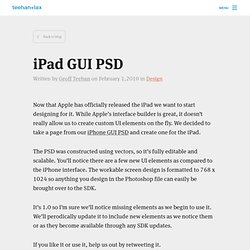
While Apple’s interface builder is great, it doesn’t really allow us to create custom UI elements on the fly. We decided to take a page from our iPhone GUI PSD and create one for the iPad. The PSD was constructed using vectors, so it’s fully editable and scalable. iPad Scrubber Navigation Elements. iPad UI Conventions. iPhone and iPad Development GUI Kits, Stencils and Icons. Apple don’t have any comprehensive pre-built GUI resources for app development, making it very hard to match the uniformed style of the iPhone or the iPad.
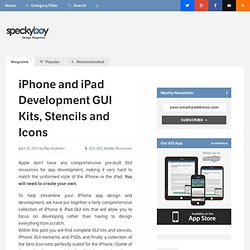
You will need to create your own. To help streamline your iPhone app design and development, we have put together a fairly comprehensive collection of iPhone & iPad GUI kits that will allow you to focus on developing rather than having to design everything from scratch. Within this post you will find complete GUI kits and stencils, iPhone GUI elements and PSDs and finally a collection of the best icon-sets perfectly suited for the iPhone.
SnippetSpaceSnippetSpace. iWebKit is a file package designed to help you create your own iPhone, iPod Touch and iPad compatible website or webapp.
The kit is accessible to anyone even people with little html knowledge and is simple to understand thanks to the included user guide. In a couple of minutes you will have created a professional looking mobile website. iWebKit is the framework of choice because it is very easy to use, loads extremely fast, is compatible with all devices & extendable. It is simple html that anyone can edit contrary to some other solutions that use a lot of javascript & Ajax. Resolution independence. Resolution independence is where elements on a computer screen are rendered at sizes independent from the pixel grid, resulting in a graphical user interface that is displayed at a consistent size, regardless of the size of the screen.
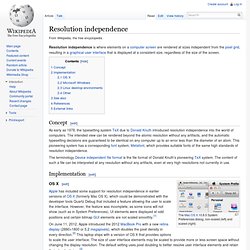
Concept[edit] As early as 1978, the typesetting system TeX due to Donald Knuth introduced resolution independence into the world of computers. Safari Web Content Guide: Optimizing Web Content. The first step in optimizing web content for iOS is to separate your iOS-specific content from your desktop content and the next step is to tailor the web content for iOS. You might want to follow these steps even if iOS is not your target platform so your web content is more maintainable in the future. Use conditional CSS so that you can create iOS-specific style sheets as described in “Using Conditional CSS.” You can also use object detection and WebKit detection as described in “Follow Good Web Design Practices” to use extensions but remain browser-independent. Only if necessary, use the user agent string as described in “Using the Safari User Agent String” to detect Safari on iOS or a specific device. After optimizing your content, read the rest of the chapters in this document to learn how to set viewport properties, adjust text size, lay out forms, handle events, use application links, and export media for iOS.
Using Conditional CSS Listing 2-1 Screen-specific style sheet webkit. Software Downloads 2. TestiPhone.com - iPhone Application Web Based Simulator. Write Web Pages for the iPhone - Tips to Design Web Pages that Work on Small Screen Mobile Devices. Chances are you’ve seen how the iPhone can flip and expand web pages. It can show you the entire web page at a glance or zoom in to make the text you’re interested in readable. In one sense, since the iPhone uses Safari, web designers shouldn’t have to do anything special to create a web page that will work on the iPhone.
But do you really want your page to just work? Most designers want their pages to shine! When you build a web page you need to think about who’s going to view it and how they are going to view it. How do I design web pages for the iPhone? : Apple's iPhone is an exciting device.