
Gabriel Vasile - Google+ - UNDERSTANDING GOOGLE+ v2.0 Ok, so this is the second… 10 astuces pour mieux utiliser google plus. Juillet 8, 2011 | | Google 0inShareinShare0 Google plus occupe le devant de la scène depuis une semaine.
Tout le monde ne parle plus que de cela. Chacun y va de son analyse, de son conseil, de ses louanges. Il faut dire que pour tout ceux qui sont réfractaires à Facebook, il n’existait jusqu’à maintenant aucune alternative crédible. 28 Google+ Tips to Enhance Your Google Plus Experience.
40 Google+ tips and tricks for power users. Google+ is all the rage right now.
Even under its limited-invite "field trial" phase, the social sharing service is growing in leaps and bounds, with oodles of new users joining every day and even more champing at the bit to get in. Most of us, however, are only beginning to scratch the surface of what Google+ can do; like many Google products, G+ is brimming with advanced features and untapped tweaks. 5 Google+ Tips And Tricks. 101 Google+ Tips. Although Google+ has just born for a few days in a limited trial field, it already has over 10 million users who share 1 billion items every day.
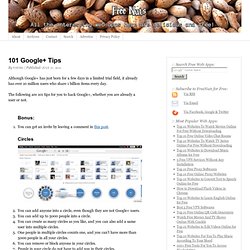
The following are 101 tips for you to hack Google+, whether you are already a user or not. Bonus: You can get an invite by leaving a comment in this post. Adopter Google+ Akasha Tsang. G+ Tips Compilation #googleplustips #gplustipsI update this post with new links when I find them.
You might want to bookmark it.Public: (Links shortened with goo.gl extension) If you are new to Google+, here's my general advice: Click through every single setting you can find in every single menu to familiarize yourself with where everything is. I do this any time I sign up with a new website, buy a new device, get a new OS, etc. You'll save yourself a lot of time from reading most of these guides by doing that and then you can focus on finding solutions to specific answers. Trust me, it's worth it. Private Messages Several of the G+ Guides below cover the details on how to do this. Google Plus: 8 Quick Tips and Tricks.
Google Plus (aka Google+), Google's new social network, might offer the right mix of sharing and privacy to woo you away from your Facebook account.
If you don't know how to use it, though, it's just a confusing mess of circles and contacts. Google+ Apps & Icons. Google+ Pro Tips Round-Up: Week 3. Google+ Tips & Tricks: 10 Hints for New Users. Using Google+?
Add Mashable to your circles. You'll get the latest about new Google+ features and tips and tricks for using the platform as well as top social media and technology news. Do you still consider yourself a noob when it comes to Google's social platform? If so, we've got some handy hints to help you out. From quicker sharing options to better content curation via savvy privacy settings, we're bringing you 10 tips and tricks that will soon have you Google Plussing like a pro. Take a look through the image gallery below and please share in the comments any Google+ tips we haven't mentioned — your suggestion could be featured in a forthcoming Mashable article. Google+ Tips and Tricks. This post is meant to be a getting started guide for those of us who got an invite and are now wondering how to use Google+ .
If you’re looking for an overview of Google+ check out Part 1 of this post: Google+ and World Domination. Start with your Google Profile Your profile is going to list your +1′s, posts on Google+ and more soon we don’t know about yet. Fill out your about section. Make sure you add links to your other networks, your blog and your syndicated content (here’s how). If you don’t want people to see your videos, photos, buzz, you can turn those tabs off in the settings.
How to search Google Plus. Plus Minus. The best tips, tricks & add-ons for Google+ It’s been 2 weeks, and Google+ has captured the attention of the tech community in a very real way. Since the initial invite seed, hundreds of articles about the service have been written, and it has been the talk of every news source I have seen. Facebook responded to Google+ within a week by offering similar services and promising much more on the way, and Google’s been tweaking the service nonstop. Despite Google’s previous failures, it would appear that this will soon become a legitimate social network in direct competition with Facebook. So, as invites begin to ebb and flow from Google, and more users flock to the service, we’ve compiled a list of tips, tricks, and add-ons that have already surfaced to complete your Google+ experience. These are, in essence, services that are built in but not highly advertised. . – You are able to both delete comments that other users make on your posts and report them if they are abusive.
The Google+ Cheat Sheet [PIC] The Google+ Start-Up Guide. The Mother of All Google+ Resource Lists - TNW Apps. Much has been said about how Twitter and Facebook should be worried about Google’s behemoth social network which gained 10 million followers in 16 day, as compared to Twitter’s 780 days, and Facebook’s even longer 852 days.
But like any new service online, people may be signing up and doing very little with their accounts. In fact, they’re probably the same people who signed up for a Twitter account, updated once with something along the lines of “I’m just trying to figure this Twitter thing out,” and disappeared just as fast leaving in their wake a sad little egg avatar and little else. But Google+ launched just barely under a month ago, and the sheer volume of extensions, third party sites and enhancements that have already emerged may be proof of the social network’s staying power.
If this list is anything to go by, people like Google+, and they’re willing to make the effort to improve the experience for all involved. So in no particular order, here is a list of ways to do just that. The Top Google Plus Tips and Tricks - International Business Times. Tips and Tricks. Tricks, Cords, File Extension Hacks. Readers offer their best tips for formatting text in Google Plus, organising cords with Pringles cans, and avoiding unwanted image uploads by tweaking file extensions.

About the Tips Box: Every day we receive boatloads of great reader tips in our inbox, but for various reasons — maybe they’re a bit too niche, maybe we couldn’t find a good way to present it, or maybe we just couldn’t fit it in — the tip didn’t make the front page. From the Tips Box is where we round up some of our favourites for your buffet-style consumption. Got a tip of your own to share? Email it to tips at lifehacker.com.au.