
Welcome to ds106. Syllabus. Computer Science 106: Digital Storytelling (Affectionately known as ds106) Instructors: Jim Groom and Paul Bond Location: The Internet Term: Fall 2014 Email, Office Hours, and Location Emails: jimgroom@gmail.com; phb256@gmail.com; Twitters: @jimgroom;@phb256 Office: ITCC 410 or the Internet Office Hours: 4-6 Tues/Thursday or by appointment Please Note: the course syllabus is subject to change depending on the way in which the class unfolds.

This class is not premised upon coverage, but rather focused on creative application and interaction with a series of ideas and a wide-range of media. This 15 week session is completely online. Success in this class hinges on managing time, proactively seeking assistance when needed, and committing regular effort several days a week on the work. Review advice from previous students. Offliberty - evidence of offline life. Help Center. Teaching with Video - Educators sharing experiences using GoAnimate For Schools.
PowToon, free business presentation software animated video maker and PowerPoint alternative. iPad Presentation Support Page - Kathy Schrock's iPads4teaching. PART 2 iBooks Author Tutorial - Create a Custom Template. PART 1 iBooks Author Tutorial - Create a Custom Template. Technology and Education.
Visible Tweets – Twitter Visualisations. Now with added prettiness! Create. Great Tech Tools. Every year, so many new technology tools for teachers are launched into the market that it can be nearly impossible to keep up with them all.
Google Url Shortener. Posted by Michael Hermanto, Software Engineer, Firebase We launched the Google URL Shortener back in 2009 as a way to help people more easily share links and measure traffic online.
Since then, many popular URL shortening services have emerged and the ways people find content on the Internet have also changed dramatically, from primarily desktop webpages to apps, mobile devices, home assistants, and more. To refocus our efforts, we're turning down support for goo.gl over the coming weeks and replacing it with Firebase Dynamic Links (FDL). FDLs are smart URLs that allow you to send existing and potential users to any location within an iOS, Android or web app. We're excited to grow and improve the product going forward.
For consumers Starting April 13, 2018, anonymous users and users who have never created short links before today will not be able to create new short links via the goo.gl console. Access your bookmarks anywhere. 50 Ways to Use Wikis for a More Collaborative and Interactive Classroom. Wikis are an exceptionally useful tool for getting students more involved in curriculum.
They’re often appealing and fun for students to use, while at the same time ideal for encouraging participation, collaboration, and interaction. Read on to see how you can put wikis to work in your classroom. Resource Creation Using these ideas, your students can collaboratively create classroom valuables. Student Participation These projects are sure to get your students involved. Group Projects Allow wikis to facilitate group work by using these ideas. Student Interaction. 5 Ways Apps Fit Into Curriculum and Learning Strategies. As the recently released "2012 Horizon Report: K-12 Edition" suggests, mobile devices and apps will become mainstream in a year or less.
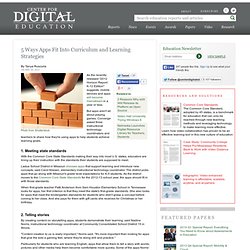
But apps aren't all about playing games. Converge asked three instructional technology coordinators and teachers to share how they're using apps to help students achieve learning goals. 1. Meeting state standards With the Common Core State Standards making their way into most U.S. states, educators are lining up their instruction with the standards their students are supposed to meet. Ladue School District in Missouri chooses apps that support learning and introduce new concepts, said Carol Kliesen, elementary instructional technology coordinator. When first-grade teacher Patti Anderson from Sam Houston Elementary School in Tennessee looks for apps, her first criterion is that they meet the state's first-grade standards. 2. Diigo - Web Highlighter and Sticky Notes, Online Bookmarking and Annotation, Personal Learning Network. Delicious.com - Discover Yourself!
Online Team Collaboration. Organize your resources in an online binder - LiveBinders. FindingDulcinea. Glogster EDU - 21st century multimedia tool for educators, teachers and students. Artful storytelling. Zotero. Track Changes on an iPad with Office2. For many academics, the ability to track changes and otherwise make comments on a shared document is an essential part of one’s work.

Many people use this word processing tool to collaborate on writing projects, and probably at least as many use it to comment on or grade student writing. For these folks, the fact that no iPad-based word processor supported track changes dramatically limited the device’s utility. Mac OS X keyboard shortcuts. By pressing certain key combinations, you can do things that normally need a mouse, trackpad, or other input device.
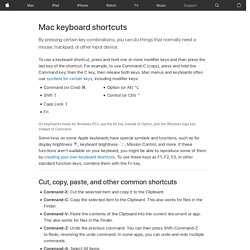
To use a keyboard shortcut, press and hold one or more modifier keys and then press the last key of the shortcut. For example, to use Command-C (copy), press and hold the Command key, then the C key, then release both keys. Mac menus and keyboards often use symbols for certain keys, including modifier keys: Command (or Cmd) ⌘Shift ⇧ Option (or Alt) ⌥Control (or Ctrl) ⌃ How to Use Google Search More Effectively [INFOGRAPHIC] Among certain circles (my family, some of my coworkers, etc.)
![How to Use Google Search More Effectively [INFOGRAPHIC]](http://cdn.pearltrees.com/s/pic/th/google-effectively-infographic-127984952)
I'm known for my Googling skills. I can find anything, anywhere, in no time flat. My Google-fu is a helpful skill, but not one that's shrouded in too much mystery — I've just mastered some very helpful search tricks and shortcuts and learned to quickly identify the best info in a list of results. Sadly, though web searches have become and integral part of the academic research landscape, the art of the Google search is an increasingly lost one. A recent study at Illinois Wesleyan University found that fewer than 25% of students could perform a "reasonably well-executed search. " Teaching with Evernote: A 6th and 8th Grade Science Teacher Shares His Top Tips (Back-to-School Series)
Posted by Kevin Buran on 30 Aug 2011 Comment Bio Kevin Buran teaches 6th and 8th grade science to students at Carmel Middle School.
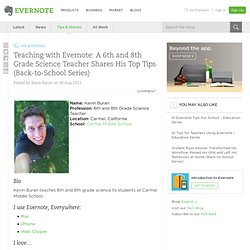
I use Evernote, Everywhere: Home. 62 EdTech Resources You May Have Missed–Treasure Chest June 12, 2011. Developing a Digital Classroom – Working Smarter Not Harder – Part 1. So in this first of many in the series, I would like to cover some of the simple and easy things you can do to help bring some of your course content into the digital age.
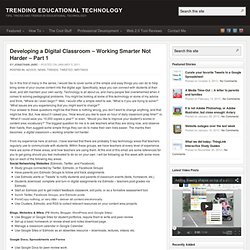
Specifically, ways you can connect with students at their level, and still maintain your own sanity.
Flipped Classroom. Tech Teaching Tool Links. Discovery Education's Puzzlemaker: Create your own cross word puzzles! Pixton - Comic Making Tool. 92 Teen Text Terms Decoded for Confused Parents. 7 Ways To Keep Students Focused While Using Technology. When used effectively, technology plays an important role in enhancing the learning process.