
Does Windows 8 succeed as a true tablet operating system? Among desktop users, Windows 8's user interface has been met with a lukewarm reception, inspiring a recurring refrain: "Why have they put a tablet interface on my desktop system?
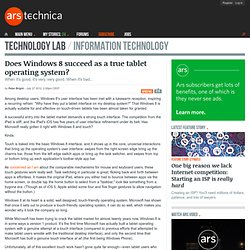
" That Windows 8 is actually suitable for and effective on touch-driven tablets has been almost taken for granted. A successful entry into the tablet market demands a strong touch interface. The competition from the iPad is stiff, and the iPad's iOS has five years of user interface refinement under its belt. Has Microsoft really gotten it right with Windows 8 and touch? Kinda. Touch is baked into the basic Windows 8 interface, and it shows up in the core, universal interactions that bring up the operating system's user interface: swipes from the right screen edge bring up the charms bar, those from the left edge switch apps or bring up the task switcher, and swipes from top or bottom bring up each application's toolbar-style app bar.
Touch-first design For example, consider the "long press" gesture. Staying fluid. Microsoft Windows 8 goals revealed. Microsoft has released an extensive blog post that looks back at the history of Windows and then points to where it's headed for the future.
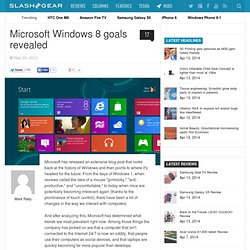
From the days of Windows 1, when reviews called the idea of a mouse "gimmicky," "anti-productive," and "uncomfortable," to today when mice are potentially becoming irrelevant again (thanks to the prominence of touch control), there have been a lot of changes in the way we interact with computers. And after analyzing this, Microsoft has determined what trends are most prevalent right now. Among those things the company has picked on are that a computer that isn't connected to the Internet 24/7 is now an oddity, that people use their computers as social devices, and that laptops are quickly becoming far more popular than desktops.
Incorporating that functionality, here are the defined goals of Windows 8: 1. "Our vision for Windows 8 was to create a modern, fast and fluid user experience that defines the platform for the next decade of computing. Windows 8 Metro style apps can hibernate and resume quickly to free up memory. Microsoft has detailed its power efficiency work for Metro style apps previously, involving suspending apps to save power, but the company is now revealing exactly how the method works.
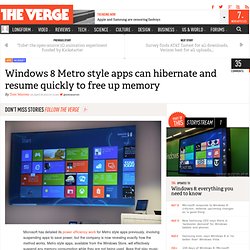
Metro style apps, available from the Windows Store, will effectively suspend any memory consumption while they are not being used. Apps that play music in the background or send and receive messages will be able to utilize scenario-focused multitasking APIs, but the majority of apps will simply suspend — allowing Windows 8 users to run a large amount of concurrent apps that can resume quickly. The feature is available to test in the Windows 8 Consumer Preview and judging by the video below it appears near-instantaneous on Microsoft's own system, resuming in milliseconds. Fast resume using hibernation technique Although the memory in working sets of Metro style apps will still be allocated to the individual app, Microsoft has developed a method to reclaim memory from a suspended Metro style application. Windows 8 to provide more intelligent network awareness and data monitoring.