
NLog – Advanced .NET Logging. Artykuł - WCF w praktyce. Część 1 - Wstęp. Kontrakt - definiujemy usługę - www.codeguru.pl. Zapraszam do lektury pierwszego z serii artykułów mającej na celu praktyczne przybliżenie technologii Windows Communication Foundation.

Krok po kroku przejdziemy przez proces tworzenia, hostowania i testowania usługi oraz przyjrzymy się nowościom oferowanym przez WCFv4. Częśc pierwsza podejmuje temat tworzenia kontraktu usługi WCF. Pora zacząć praktyczny przewodnik po technologii WCF. Dawno temu ukazały się na ten temat dwa artykuły ( oraz które opisują tę technologię, natomiast postanowiłem przygotować serię artykułów, które podejmą ten temat od strony czystej praktyki w wykorzystaniu i wdrożeniu. Przez trzy lata od publikacji wyżej wymienionych artukułów trochę się zmieniło, zatem pozwolę sobie w niektórych miejscach uaktulaniać informacje w nich zawarte. Windows Communication Foundation został stworzony w celu ujednolicenia różnych sposobu komunikacji z punktu widzenia programisty, a właściwie z punktu widzenia logiki tworzonej przez programistę. Artykuł - WCF w praktyce. Część 2 - Host - udostępniamy usługę - www.codeguru.pl. Drugi artykuł z wyklu "WCF w praktyce" traktujący na temat hostowania usług.
W poprzednim artykule stworzyliśmy kontrakt usługi IGreetingService wraz z jej implementacją. Sama biblioteka nie jest przydatna, jeżeli nie będzie dostępna dla klientów. Przyszedł zatem czas, aby stworzyć projekt, który będzie ją hostował. Istnieje kilka możliwości udostępnienia usługi i są to:1) self hosting2) hostowanie poprzez windows service3) IIS / WAS Pierwsze dwa sposoby są do siebie bardzo zbliżone i różnią się praktycznie metodą, w której umieszczamy kod uruchamiający serwis. Przyjrzyjmy się zatem poszczególnym przykładom i zacznijmy od self hosting. Artykuł - WCF w praktyce. Część 3 - Klient - korzystamy z usługi - www.codeguru.pl. Trzeci artykuł serii poświęconej Windows Communication Foundation "WCF w praktyce".
Tym razem przyjrzymy się procesowi tworzenia klienta i korzystania z usługi. W części drugiej serii "WCF w praktyce" udostępniliśmy naszą usługę tworząc hosta. Dla przypomnienia, stworzyliśmy dwa projekty umożliwiające hostowanie kontraktu IGreetingService poprzez aplikację konsolową oraz poprzez plik serwisu webowego (*.svc). Z racji na zdecydowaną przewagę zalet tej drugiej opcji, w dalszej części będę korzystał z hostowania poprzez IIS (lub wbudowany w Visual Studio serwer WWW).
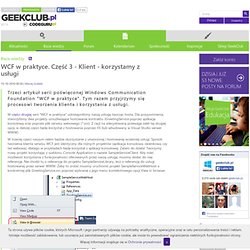
W trzeciej części naszym celem będzie skorzystanie z utworzonej i hostowanej wcześniej usługi. Serwis działa, czego dowodem jest strona otworzona w przeglądarce z informacjami o serwisie. W okienku w polu adresu wpisujemy url widniejący w przeglądarce oraz klikamy przycisk GO. Zatrzymam się jeszcze chwilę przy tym oknie. Należy oczywiście pamiętać o używaniu klauzuli try-catch oraz tworzeniu obiektu klienta w obrębie using.
Artykuł - WCF w praktyce. Część 4 - Wcf Test Client - www.codeguru.pl. Czwarta część cyklu WCF w praktyce, tym razem poświęcona narzędziu Wcf Test Client.

Po lekturze pierwszych trzech artykułów dotyczących Windows Communication Foundation przyszedł czas na przyjrzenie się narzędziu, które okazuje się niezbędne do szybkich testów i diagnostyki pracy serwisu. Dla ustalenia uwagi dodam, że WcfTestClient nie zwalnia z tworzenia testów jednostkowych do naszych serwisów. Oczywiście muszą one być przygotowywane dla sprawdzenia poprawności działania naszej implementacji interfejsów! Samo narzędzie jest jednak wygodne do szybkiego korzystania z serwisów, sprawdzania otrzymywanych od nich danych oraz poprawności konfiguracji np punktów nasłuchu (chociaż i to można zrobić przy pomocy testów jednostkowych). Może też okazać się pomocne przy "wymyślaniu" przypadków użycia implementowanych następnie w testach (w przypadku Test Driven Development wygląda to nieco inaczej, ale TDD nie leży w zakresie tego artykułu).
Artykuł - WCF w praktyce. Część 5 - kilka słów o konfiguracji - www.codeguru.pl. W poprzednich artykułach przeszliśmy przez proces tworzenia usługi, hosta i klienta.

Przyjrzeliśmy się również jednemu z narzędzi do pracy z Windows Communication Foundation jakim jest WCF Test Client. Artykuł - WCF w praktyce. Część 6 - Wiązania (binding) - www.codeguru.pl. W piątej części cyklu poruszyliśmy kwestię konfiguracji usługi.
Był to pierwszy artykuł, który po wstępnych informacjach przybliża nas do esencji świata Windows Communication Foundation. Przyszedł zatem czas aby ruszyć dalej i przyjrzeć się wiązaniom, które odgrywają istotną rolę w technologii WCF. Po nieco dłuższej niż zwykle przerwie przyszedł czas na kontynuację serii poświęconej Windows Communication Foundation. Artykuły i publikacje « Maciej Grabek. Design, Build and Release » Getting JQuery and WCF to talk (part two of two) Introduction.

Design, Build and Release » Getting JQuery and WCF to talk (part one of two) Introduction Windows Communication Foundation (WCF) is the swiss army knife of the software communication world.

Even though most seem to use it as a replacement for SOAP web services or remoting in their .NET framework applications, it is actually also darn good at talking and being exposed to other none .NET environments. In this and it’s accompanying post I am going to cover the steps required to get JQuery and WCF “talking”. This post will focus on the communication between the two using JQuery Ajax (Asynchronous JavaScript and XML). The concluding post will look at error/fault handling between the two. Creating Web Services with .Net and Visual Studio. By Rick Strahl Last Updated: 03/7/2002 (updated for .NET Release) Part 2: Passing data over .NET Web Services: Source code for this article: Over the last few months I've spent a lot of time talking about XML and Web Services and how you can build and consume them.
This time we'll look at the new features in Visual Studio.NET and ASP.NET that provide a very easy mechanism for creating Web Services and more importantly the easy mechanism used to consume those same Web Services using the .NET framework's built in support for Web Services. Web Services promise to bring information into your applications from the Internet in much the same way that browers have made information available to end users. Passing data over .Net Web Services. By Updated: 12/7/2001 Code for this article: Web Services are powerful technology even in its basic form. A .NET State Machine Toolkit - Part I. Download demo project - 152 Kb Contents Introduction State machines have always fascinated me. There is a clockwork precision to their inner workings that appeals to me on an aesthetic level. A .NET State Machine Toolkit - Part II. Download demo project - 136.1 KB Contents Introduction. A .NET State Machine Toolkit - Part III.
Download demo project - 116 KB Contents Introduction. Kurs C#, cz. I. Kurs C#, cz. II.