
Php - How do I correctly install PHPUnit with PEAR.
Tutorials. Regular Expression Quick Start. This quick start gets you up to speed quickly with regular expressions.
Obviously, this brief introduction cannot explain everything there is to know about regular expressions. For detailed information, consult the regular expressions tutorial. Each topic in the quick start corresponds with a topic in the tutorial, so you can easily go back and forth between the two. Many applications and programming languages have their own implementation of regular expressions, often with slight and sometimes with significant differences from other implementations.
When two applications use a different implementation of regular expressions, we say that they use different "regular expression flavors". Text Patterns and Matches. Gmail Email Relay using Postfix on Mac OS X 10.5 Leopard « Riverturn Blog. I use Postfix to relay system messages (e.g. a botched cronjob) over SSL to my Gmail account.
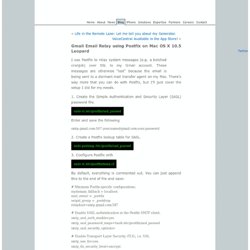
These messages are otherwise “lost” because the email is being sent to a dormant mail transfer agent on my Mac. There’s way more that you can do with Postfix, but I’ll just cover the setup I did for my needs. 1. Create the Simple Authentication and Security Layer (SASL) password file. sudo vi /etc/postfix/sasl_passwd Enter and save the following. Standard Configuration Examples. Purpose of this document This document presents a number of typical Postfix configurations.
This document should be reviewed after you have followed the basic configuration steps as described in the BASIC_CONFIGURATION_README document. In particular, do not proceed here if you don't already have Postfix working for local mail submission and for local mail delivery. The first part of this document presents standard configurations that each solve one specific problem. The second part of this document presents additional configurations for hosts in specific environments.
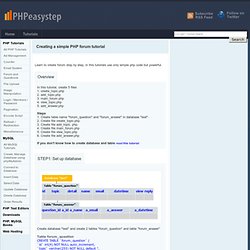
Postfix on a stand-alone Internet host Postfix should work out of the box without change on a stand-alone machine that has direct Internet access. Creating a simple PHP forum tutorial. PHP Tutorials MySQL Creating a simple PHP forum tutorial Learn to create forum step by step, in this tutorials use only simple php code but powerful.
Overview.
How to make a simple login system with PHP. So you’ve started learning PHP and want to learn how to create a login system?
It’s much easier than you think. Using PHP Sessions, we can easily keep track of who’s logged in and redirect unauthorized users away from private pages. There are two pages I will be using for this example: A login page, and a protected page. The tutorial below is an extremely simply example that can help you get started with a basic authentication system. How can we track logged in Users? It is surprisingly very simple to track logged in users. Here’s how Sessions work: As you can see, sessions are pretty easy to use. Our login page shall have the following logic: While the protected will have the following: If you understand this basic logic, you can move to the next section.
Two submit buttons in the same form? PHP Server Side Scripting forum at WebmasterWorld. User groups. PHP Help: PHP Freaks! San Diego PHP Users. Libraries. CakePHP: the rapid development php framework. Home. Introduction to SPL. By Kevin Waterson Contents What is SPL.
SPL provides a standard set of interfaces for PHP5. The aim of SPL is to implement some efficient data access interfaces and classes for PHP. Functionally it is designed to traverse aggregate structures (anything you want to loop over). This will provide you with a list something like this: What are iterators? An Iterator is an object that traverses a structure eg: an array or a directory listing or possibly a set of database result sets or other resource. Apply Callback Function to Iterators As Iterators are read-only, a callback cannot act directly on iterator values. <? /*** an array of aussies ***/ $array = array( 'dingo' , 'wombat' , 'wallaby' ); try { $it = new ArrayIterator ( $array ); iterator_apply ( $it , 'addCaps' , array( $it ) ); } catch( Exception $e ) { /*** echo the error message ***/ echo $e -> getMessage (); } ?
Note that the addCaps function returns bool true. Extending the DirectoryIterator class. } // end class ArrayObject.
5 useful PHP functions for MySQL data fetching - AnyExample.com. Mysql_set_charset. I just hope that the text below will help someone who is struggling with charset encoding, specially when php-charset is different from the mysql-charset.
Let me add that I really think that the php man-pages on the mysql-functions are lacking a lot of details on this important issues. Could someone add some useful text here? Here is my situation. PHP5.2.4, MySql 4.1.15. A php web-application fully utf-8 encoded and a mysql database in latin1 charset. To make this work I had to: 1. create and store all code files (php, html, inc, js, etc) in the utf-8 charset.
Debug. Debugging PHP. Komodo can be used to debug PHP programs locally or remotely.
Remote PHP debugging encompasses all types of PHP debugging not initiated from within Komodo, including debugging PHP scripts running under a local web server. The instructions below describe how to configure Komodo and PHP for debugging. For general information about using the Komodo debugger, see Komodo Debugger Functions. Debugger commands can be accessed from the Debug menu, by shortcut keys, or from the Debug Toolbar.
PHP/MySQL. Soap. Resources I recomend. Hi, The topics of recommended books & websites comes up very often, so rather than bringing it up every other class posting once seems to make more sense.
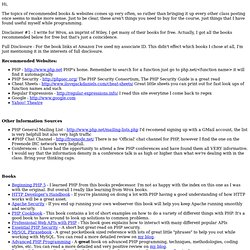
Just to be clear, these aren't things you need to buy for the course, just things that I have found useful myself while programming. Disclaimer #1 - I write for Wrox, an imprint of Wiley, I get many of their books for free. Actually, I got all the books recommended below for free but that's just a coincidence.