
Kessler Crane - Quality Professional Camera Cranes, Camera Jib, Camera Sliders, Camera Motion Control and Support Products. Into Tomorrow: Plustek OpticFilm 7300. Exchangeable image file format. This standard consists of the Exif image file specification and the Exif audio file specification. Background[edit] The Japan Electronic Industries Development Association (JEIDA) produced the initial definition of Exif.
Version 2.1 of the specification is dated 12 June 1998. JEITA established Exif version 2.2 (aka "Exif Print"), dated 20 February 2002 and released in April 2002.[3] Version 2.21 (with Adobe RGB support) is dated 11 July 2003, but was released in September 2003 following the release of DCF 2.0. The latest, version 2.3, released on 26 April 2010 and revised in May 2013, was jointly formulated by JEITA and CIPA. The metadata tags defined in the Exif standard cover a broad spectrum: Date and time information. Technical[edit] The Exif tag structure is borrowed from TIFF files.
When Exif is employed for JPEG files, the Exif data are stored in one of JPEG's defined utility Application Segments, the APP1 (segment marker 0xFFE1), which in effect holds an entire TIFF file within. Web - IPTC Core & Extension - IPTC-PLUS Photo Metadata Toolkit for Adobe CS. The IPTC-PLUS Photo Metadata Toolkit for Adobe CS includes: For the IPTC Core and IPTC Extension file-info panels built into CS5: a comprehensive User Guide for both schemasA plug-in IPTC-PLUS Metadata Panel for Bridge CS3/CS4 for the IPTC Core, IPTC Extension and the PLUS metadata - with a comprehensive User Guide for all fieldsExample images The panels built-into CS5 and the plug-in panels for Bridge CS3/CS4 include the granular metadata fields of the IPTC Photo Metadata and also a set of fields for the communication of image rights metadata, based on industry standard developed by the PLUS Coalition.
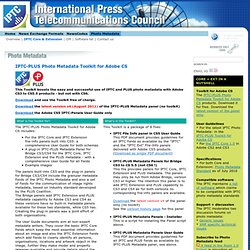
The Bridge panels add IPTC Extension and PLUS metadata capability to Adobe CS3 and CS4 as these versions have no built-in metadata panels available for these two standards, while CS5 has. Creating the plug-in panels was a joint effort of both organisations. The User Guide documents aim at non-expert metadata writers. Photo Metadata. Zoomify - Zoomable web images!
Face recog organize. Photoshop. Fd's Flickr Toys. Autostitch. AutoStitch works from unordered collections of images, automatically finding matches between images using the SIFT algorithm.

It then robustly aligns all images and uses advanced blending algorithms to form seamless panoramas (see below). For more details, see our research papers. 25 of 57 images aligned All 57 images aligned Final Result Note: Mobile versions of AutoStitch are developed by Cloudburst Research. AutoStitch is available to license from the University of British Columbia. AutoStitch is now available in the following commercial products: Autopano Pro www.autopano.net (Windows, Mac, Linux) Serif PanoramaPlus www.serif.com (Windows) Calico www.kekus.com (Mac) The University of British Columbia has also granted a commercial license to Industrial Light & Magic (ILM) www.ilm.com, a Lucasfilm Ltd. company, to use AutoStitch software to produce panoramas for film production.
The version of AutoStitch on this website is a demo only. Q: What projection method does AutoStitch use? TrigCamFlash SoundLight. Update: Check out my latest Camera Axe project for a much more robust device that handles this or my store where I sell the Camera Axe.

For those just wanting to see the pretty pictures, click here. This article focuses on making the sensors used to trigger a camera’s flash using a microphone or a cheap laser pointer. Since I’ve already described how to do the actual firing of a camera’s flash here I won’t focus on that part of this project today. There are a lot of places on the web that describe how to trigger a flash with an electrical circuit, but I feel that using a microcontroller like Arduino offers big benefits. For instance you can easily add new sensors, or even run multiple sensors at once. Now let’s talk about why we’re triggering the flash. Most SLR and DSLR cameras let you attach a cable to trigger the camera directly. When I’m using this flash trigger I work in a dim room and set my shutter speed to 10 seconds. Laser Sensor Here’s the circuit. Sound Sensor Flash Trigger. 90+ Online Photography Tools and Resources.
Dumpr - fun photo aps. Mosaic Maker: Create a photo mosaic from your digital photograph. Tons of fun stuff...

Give one of our toys a spin! Motivator, Framer, Mosaic Maker, Trading Card, FX, Mosaic Maker, Badge Maker, Billboard, Bead Art, Map Maker, Pop Art Poster, CD Cover, Lolcat Generator, Cube, Movie Poster, Wallpaper, Magazine Cover, Mat, Jigsaw, Color Palette Generator, Pocket Album, Calendar, Photobooth, Hockneyizer, Mosaic Maker, I know, right? It's a lot to take in.