
Converting SQL to LINQ, Part 7: UNION, TOP, Subqueries (Bill Horst) - The Visual Basic Team. This post assumes you’ve read the previous posts in this series: Converting SQL to LINQ, Part 1: The Basics Converting SQL to LINQ, Part 2: FROM and SELECT Converting SQL to LINQ, Part 3: DISTINCT, WHERE, ORDER BY and Operators Converting SQL to LINQ, Part 4: Functions Converting SQL to LINQ, Part 5: GROUP BY and HAVING Converting SQL to LINQ, Part 6: Joins This post will discuss UNION, TOP and Subqueries.

In SQL, a UNION clause joins the results of two SELECT queries into one set of data. The SQL TOP operator returns the first n results of a query. Take/Skip/While The Take clause is applied to the results of the clause that precedes it, and specifies a number of results to “take”, or return. The Skip clause specifies a number of results to be ignored at the “top” of a query result. The Take While clause specifies a condition, and takes results from the start of a query result until the condition evaluates to false.
To give concrete examples, the following queries returns the following result: LINQ to SQL (Part 4 - Updating our Database) Over the last few weeks I've been writing a series of blog posts that cover LINQ to SQL.

LINQ to SQL is a built-in O/RM (object relational mapper) that ships in the .NET Framework 3.5 release, and which enables you to easily model relational databases using .NET classes. You can use LINQ expressions to query the database with them, as well as update/insert/delete data. Below are the first three parts of my LINQ to SQL series: In today's blog post I'll cover how we we can use the data model we created earlier, and use it to update, insert, and delete data.
I'll also show how we can cleanly integrate business rules and custom validation logic with our data model. Northwind Database Modeled using LINQ to SQL In Part 2 of this series I walked through how to create a LINQ to SQL class model using the LINQ to SQL designer that is built-into VS 2008. For example, I could write the below LINQ expression to retrieve a single Product object by searching on the Product name: Insert and Delete Examples.
Human Resources Skills WinApp (EDM Sample Application) Human Resources Skills is a Windows Forms application that enables you to track the skills and personal references that an employee has obtained.

A single form enables you to create and view employees and their skills and references. For a given employee, you can add a new skill or reference. This sample shows how to use the Entity Framework to access and change entity data. Managing information about employee skills is an interesting scenario for an application that is built on the Entity Data Model (EDM). This application makes it easy for users to determine the skills of any employee included in the system or to find an employee with identifiable skills.
Information on employee skills is specified by using EDM entities and associations. This sample has a simplified design compared to a real-world application. In this sample, there are four abstract entities and three relationships among them. Employees References Skills SkillInfo. Entity Framework Documentation Samples for Visual Studio 2008 - Release: EF Documentation Samples for VS2008 SP1. Beginner's Guide to ADO.NET Entity Framework. This page provides an index of videos, tutorials, and advanced documentation to help you make the most of Entity Framework.
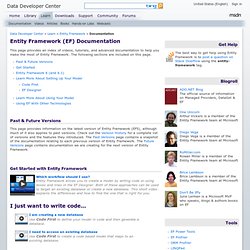
The following sections are included on this page. Past & Future Versions This page provides information on the latest version of Entity Framework (EF5), although much of it also applies to past versions. Check out the Version History for a complete list of versions and the features they introduced. The Past Versions page contains a snapshot of the documentation relating to each previous version of Entity Framework. ADO.NET Entity Framework. ADO.NET Entity Framework. Tareas de modelado con Entity Designer. Funciones de fecha y hora (Entity SQL) Funciones canónicas de agregado (Entity SQL) Trabajar con EntityClient (tareas de Entity Framework) Entity Framework 4. Videos, ejemplos y otros recursos disponibles gratis para descarga del evento en línea Entity Framework 4 Guía básica al Entity Framework 4 - Primera parte - Creando una base de datos a partir del modelo (El enfoque “model-first”) (1/2) Segmento 1 de 2.

Esta primera parte de la guía basica del Entity Framework esta dividida en 2 segmentos. En este primer segmento se presenta una introducción al Entity Framework y se muestra como crear un modelo de base de datos en Visual Studio 2010 utilizando la plantilla ADO.NET Entity Data Model.