
Virtual Networking with LogMeIn Hamachi² Centralized Software Deployment Save yourself onsite visits.
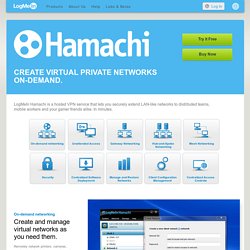
Quickly and easily dispatch virtual network client software to new computers remotely. Simply send end users a link to download and install the client to participate in a specific virtual network. Manage and Restore Networks Handle your virtual networks virtually. Manage and restore virtual networks for end-users with the click of a mouse, from anywhere via the web. Client Configuration Management Configure settings for individual networks and clients. Set default settings for individual networks and clients, with support for full, restricted and minimal client interface modes. Up to 256 clients per LogMeIn ID. Centralized Access Controls All network access and usage controls, in one place. Control network access and usage, including password management, network authentication, network locking, and ongoing network membership. VPN Setup - How to Set Up a VPN.
Virtual Private Networks (VPNs) are a more advanced form of computer networking, but setting up a VPN is not necessarily difficult.
A VPN setup involves both server and client configuration. Some details depend on the type of VPN and other network technologies involved. Common VPN Error Codes ExplainedUnderstanding the reasons for these common VPN error conditions will help you resolve technical issues faster and keep your VPN connections running. Set Up a VPN Connection to a Workplace in Windows VistaThis procedure sets up a Windows Vista PC for connections to a VPN server, enabing remote access to a workplace or other separate network.
Set Up an Incoming VPN Connection in Windows VistaThese instructions help you enable a Vista PC to accept VPN connections from an outside computer. How to Set Up VPN Connections in Windows XPFollow these instructions to set up new VPN connections from a Microsoft Windows XP client to a VPN server. VPN Router tutorial with IPSec Client software. VPN Setup for Routers - Getting it to work with an IPSec Client Configuration Challenge Level: Meduim Technical Summary: This article will show how to setup a Broadband Router that has IPSec VPN capabilities for secure remote access to your home network from anywhere on the Internet.
Detailed configuration will be shown for multiple brands of routers. The VPN IPSec client will be SSH-Sentinel since it is free for non-commercial use. Greetings! How many times have you been at a friends house or at work and said 'Gosh, I wish I could get at that file on my hard drive at home'. Our goal will be to establish an IPSec VPN connection from somewhere on the Internet to your home network. Possible Uses You can connect to your home hard drive: From work From a friends house. How to set up a VPN. If you work on the go fairly often, you've probably hopped on a public wireless network at least once or twice.
You should have also figured out how to keep your data safe when you're on such a network, by taking precautions such as using your company's virtual private network, if available, or an encrypted web tunnel such as Hotspot Shield. If you don't have a company VPN and you don't want to deal with Hotspot Shield's banner ads, however, you can still secure your wireless traffic without breaking the bank by setting up your own VPN and gaining a private, encrypted Internet connection free from eavesdroppers. Tunneling Your Traffic Whether the public wireless network you use is password-protected or pay-per-minute, anyone who connects to the network could spy on your HTTP traffic, restaurant patrons, other people in your airport concourse, or other paying subscribers of a commercial hotspot provider.
Easy, Cheap Security via SSH. VPN remote access server, connection and software set up. VPN Setup - How to Set Up a VPN. VyprVPN for Giganews Diamond Customers.