
Networks - Link Aggregation: LACP (LAG) configuration for EX Series Switches and Catalyst 6500 series Switches. LACP (LAG) interoperability between the EX Series Switches and Catalyst 6400 Series Switches.
A number of interfaces in a Link Aggregation Group (LAG) are not parsing traffic, resulting in packet loss. Removing and re-adding links to the aggregate does not resolve the issue. This scenario is for a LACP config with 4 interfaces in the LAG between the EX4200 Virtual Chassis (VC) and Cisco Catalyst 6500. When the aggregated links are brought online the immediate packet loss is about 60% from a number of PC endpoints (in different subnets but all on the same VLAN) When we take a link out of the LAG, the response improves marginally.
When a second link was re-added, the LAG was still 100% ping success and no packet loss. A third link was re-added to the LAG, and packet loss occurs. That same link was removed and re-added with no improvment. EX Switch: prompt> show lacp interfaces ae<interfacenumber> The output will look similar to this example: user@switch> show lacp interfaces ae1. Www.juniper.net/us/en/local/pdf/datasheets/1000282-en.pdf. Compare EX Series Products. Networks - SRX Getting Started - Factory Reset. This article describes how to return the configuration on a SRX or J Series device to the factory default version (configuration file that is shipped with the device).
For other topics about SRX, go to the SRX Getting Started main page. How to reset the configuration to the factory default. There are three ways to reset an SRX and J-Series device to its factory default configuration. Using the Reset Config Button (requires access to the front panel of the device) Using the load factory-default Command (requires login to the CLI) Using the Root Password Recovery Process (requires console access to the device) Www.juniper.net/techpubs/en_US/release-independent/junos/information-products/topic-collections/hardware/srx-series/srx210/srx210-hardware-guide.pdf. Cisco/Juniper Commands. Juniper SRX Basic System Setup « SpencerHibler.com. + New .COMs $7.99/yr plus 18 cents/yr ICANN fee. Discount based on new one-year registration prices as of 1/27/2012 with sale price reflected in your shopping cart at checkout. Discount applies to new registrations and renewals and cannot be used in conjunction with any other offer or promotion.
Domains purchased through this offer will renew at regular price after the initial term has expired. Offer ends May 31, 2012 5:00 pm (MST). † Good for one 1-year registration of any available .COM, .US, .BIZ, .INFO, .NET or .ORG ‡ Annual discounts available on NEW purchases only. Networks - Initial / default login name and password on EX-series switches. Configuring the Root Password - JUNOS 9.1 System Basics Configuration Guide. [ Contents] [ Prev] [ Next] [ Index] [ Report an Error] The JUNOS software is preinstalled on the router.
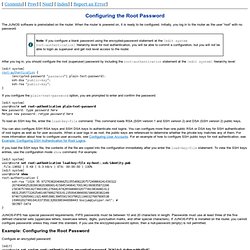
When the router is powered on, it is ready to be configured. Initially, you log in to the router as the user “root” with no password. After you log in, you should configure the root (superuser) password by including the root-authentication statement at the [edit system] hierarchy level: [edit system]root-authentication { Products and Services - Network Security Products and Services. How to Buy Products & Services High-performance network solutions and services that help you connect to greater business value.
Products Services Introducing the Software-Defined Secure Network Combat threats with dynamic policy control, detection, and enforcement. Learn More Scale beyond the competition MX Series routers unlock the doors to revenue growth. Learn more Software, Unleashed Disaggregating Junos software for data center innovation. Configuring PPP over ATM2 Encapsulation. Configure the Root Password. The use of a rib-group.