
WorldGuard/Regions. Regions in WorldGuard allow you to define rules for and protect certain areas.

Introduction Regions: Have a list of owners that can edit in the region Have a list of members that can build in the region May have a parent region and a priority Can have flags to disable certain features (such as PvP) Regions protect building and breaking blocks by default, and can have flags that disable other actions such as using doors, placing vehicles, and so on. Selecting regions Regions are selected using WorldEdit. Unfamiliar with WorldEdit? Give the worldedit.selection.* permission to allow users to select areas.
If you want to make the selection extend between sky and bedrock, use //expand vert. Check out the help for WorldEdit. Commands Permission must be given for /region for users to be able to use these commands. Defining regions /region define <id> [owner1] [owner2] [owner3] (etc.) This defines a new protected region. Claiming regions /region claim <id> Setting a region's flags Main article: Region Flags. Multiverse-Core. Multiverse Core Resources: Latest Awesome Build is 2.4-AB (This is super old, try the beta!)
Development builds of this project can be acquired at the provided continuous integration server. These builds have not been approved by the BukkitDev staff. Use them at your own risk. About MV2 Multiverse was created at the dawn of Bukkit multiworld support. In the second delivery of Multiverse, we've broken it up into several smaller plugins that are each feature packed but not bloated!
Multiverse is back, and works for the latest server build! MV2 Core Features Create multiple worlds of different types, seeds and with Custom GeneratorsKeep your skylands using a custom generator (MV 2.2+) Set the mode per world (creative or survival) Create Multiverse Portals to let users go between other portals, worlds, or locations Restrict users from going to specific worlds by using permissionsSuperPerms API Permissions support Economy Support!
Information Collection What is an Awesome Build? Ask us! [SEC/MISC] Cenotaph 2.1.2 - A Dead Man's Chest plugin [1.2.5-R1.0/2149] [SOLVED] Minecraft Server - Essentials Signs Permissions help? Join Date May 2011 Location 127.0.0.1 Posts236 Gamer IDs Ok so I have just configured permissions with bukkit, and it runs fine.
![[SOLVED] Minecraft Server - Essentials Signs Permissions help?](http://cdn.pearltrees.com/s/pic/th/essentials-permissions-82845619)
I am trying to allow the default members to use the shop which is run through signs on Essentials Economy. In my permissions I have allowed the member group to use the signs, but not to create them. All other permissions seem to work. Command Reference - Essentials. Sign Tutorial - Essentials. From Essentials Essentials Signs Since Essentials 2.8, all signs are now disabled by default.
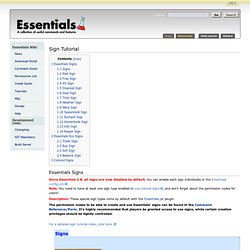
You can enable each sign individually in the Essentials config.yml.Note: You need to have at least one sign type enabled to use colored signs, and don't forget about the permission nodes for colors! Description: These special sign types come by default with the Essentials.jar plugin. The permission nodes to be able to create and use Essentials' signs can be found in the Command Reference/Perm. For a detailed sign tutorial video, click here. Signs Mail Sign Free Sign Kit Sign Disposal Sign Heal Sign Time Sign Weather Sign Warp Sign Spawnmob Sign Enchant Sign Gamemode Sign Info Sign Repair Sign Essentials Eco Signs These sign types are crucial to any server's economy. The creation of buy & sell signs are traditionally limited to administrators or moderators, because these are infinite shops. Trade Sign Buy Sign Sell Sign Balance Sign Colored Signs You can also make signs contain colored text, using Essentials.
[SEC] Lockette v1.7.4 - Simple chest and door lock, no databases! [1848-2317] (1.3.1-R1)