
Modernizr: the feature detection library for HTML5/CSS3. Bringing modern web standards to everyone. How to Make All Browsers Render HTML5 Mark-up Correctly - Even IE6. HTML 5 provides some great new features for web designers who want to code readable, semantically-meaningful layouts.
However, support for HTML 5 is still evolving, and Internet Explorer is the last to add support. In this tutorial, we'll create a common layout using some of HTML 5's new semantic elements, then use JavaScript and CSS to make our design backwards-compatible with Internet Explorer. Yes, even IE 6. Tutorial Details Technology: HTMLVersion: 5Difficulty: IntermediateEstimated Completion Time: 1 hour Prefer a Video Tutorial? The HTML 5 Working Draft provides a new set of semantically-meaningful elements for describing a typical web page layout.
The HTML 5 elements we'll be using are: headerfooternavarticlehgroup Just by reading the names of the elements, you should get a pretty good idea of what they're for, and that's the point! The one element that may not be obvious is <hgroup>. Step 1: The HTML We're going to recreate the most common layout on the Web, the 2-column layout: Quick Tip: Learning About HTML5 Local Storage. In today's video quick tip, we're going to build a working, though very basic, to-do list in just a minute or two.

Thanks to HTML5's local storage, we can make advanced browsers "remember" what we type, even after the browser is closed or is refreshed. "localStorage sets fields on the domain. Touch The Future: Create An Elegant Website With HTML 5 And CSS3. I’m sure that who chooses to work as web designer makes a choice of heart, a choice of love.

He/she decides to bet any given day on his creativity and his ability of producing an idea and of making it tangible, visible and perceptible for all. These crazy men have my respect. But, also when the creative side is very important for a work, there exists a logical (and technical) part in all creative process. There are some moments and situations in which the creative mind needs an analytical method to achieve the objective, that is, for us, the creation of a well-done website. In his article on Design Informer titled “Web Design Iterations And Algorithm,” Adit Gupta explains how we can approach a web design work and how a website project can be processed in a number of iterations following a main algorithm. The header element. Recently, we have seen a growing interest in HTML5 and its adoption by web professionals.

Within the HTML5 specification we can see that there have been a significant number of new elements added, one of these the <header> element is what we’ll be covering in this post. We’ll talk about when to use it, when not to use it, its must haves and must not haves. HTML5 Presentation. In March 1936, an unusual confluence of forces occurred in Santa Clara County.

A long cold winter delayed the blossoming of the millions of cherry, apricot, peach, and prune plum trees covering hundreds of square miles of the Valley floor. Then, unlike many years, the rains that followed were light and too early to knock the blossoms from their branches. Instead, by the billions, they all burst open at once. Seemingly overnight, the ocean of green that was the Valley turned into a low, soft, dizzyingly perfumed cloud of pink and white.
Uncounted bees and yellow jackets, newly born, raced out of their hives and holes, overwhelmed by this impossible banquet. Then came the wind. It roared off the Pacific Ocean, through the nearly uninhabited passes of the Santa Cruz Mountains and then, flattening out, poured down into the great alluvial plains of the Valley. Using HTML5 To Transform WordPress’ TwentyTen Theme. Last year, WordPress launched arguably its biggest update ever: WordPress 3.01.
Accompanying this release was the brand new default theme, TwentyTen2, and the promise of a new default theme every year. Somewhat surprisingly, TwentyTen declares the HTML5 doctype but doesn’t take advantage of many of the new elements and attributes that HTML5 brings. Now, HTML5 does many things, but you can’t just add <! Coding a CSS3 & HTML5 One-Page Website Template. Web development is an area in which you have to keep up with the latest technologies and techniques, so that you are at the top of your game.
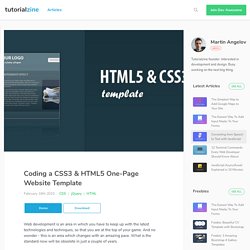
And no wonder - this is an area which changes with an amazing pace. What is the standard now will be obsolete in just a couple of years. But changes do not come from nowhere. The early adopters are already using what we are going to use day-to-day a few years from now. One of these technologies is HTML5 - the new version of the fundamental language of the web. Today we are making a HTML5 web template, using some of the new features brought by CSS3 and jQuery, with the scrollTo plug-in. Step 1 - The Design Every design process starts with an initial idea which you later build upon. After this, the design is hand coded with HTML and CSS going hand by hand, moving from designing the background, colors and fonts, to detail work on the content section. Code a Backwards Compatible, One Page Portfolio with HTML5 and CSS3.
25th January, 2010 Tom Kenny Tutorials HTML5 is the future of web development but believe it or not you can start using it today.

HTML5 is much more considerate to semantics and accessibility as we don’t have to throw meaningless div’s everywhere. It introduces meaningful tags for common elements such as navigations and footers which makes much more sense and are more natural. This is a run through of the basics of HTML5 and CSS3 while still paying attention to older browsers. HTML5 Unleashed: Tips, Tricks and Techniques.
Can we use HTML5 today?

What can we do with it? Is it really going to kill Flash? Some useful guidelines. In this post I want to illustrate some useful guidelines about how to implement a well organized CSS code structure in view of introduction of HTML 5 markup language.

They are not general rules but simple suggestions you can follow in order to improve the readability, manageability, and general organization of CSS code. These suggestions are especially useful if you have to work on complex CSS files that otherwise can be difficult to manage. I prefer to separate CSS code in three distinct sections: a first section that contains general HTML tags; a second section that contains structure tags; a last section with custom classes. Section 1: General HTML tagsIn this section I divide the code in two subsections. HTML5 and The Future of the Web. Advertisement Some have embraced it1, some have discarded it2 as too far in the future, and some have abandoned a misused friend3 in favor of an old flame in preparation.
Whatever side of the debate you’re on, you’ve most likely heard all the blogging chatter surrounding the “new hotness” that is HTML5. It’s everywhere, it’s coming, and you want to know everything you can before it’s old news. Things like jQuery plugins, formatting techniques, and design trends change very quickly throughout the Web community. And for the most part we’ve all accepted that some of the things we learn today can be obsolete tomorrow, but that’s the nature of our industry.
Code a Vibrant Professional Web Design with HTML5/CSS3. In this second part of this web design tutorial series, we will convert the vibrant and professional design we designed in Part 1. We will use HTML5 and CSS3, as a proof of concept and as a way for you to learn these upcoming W3C standards through practice. We will also use the 960 Grid System to speed up development time. Preview Demo Download Source.
HTML5 Tutorial – Getting Started. HTML5 is coming quicker than a lot of web designers are probably aware. You’ve probably seen the stories that it won’t actually be usable until 2022 but in reality, you can actually start using it today. Not all web browsers support CSS2.1, not all visitors are using software capable of using JavaScript but that doesn’t stop us from using it and it shouldn’t stop you using HTML5 either, and here’s why… Using progressive enhancement we can start using HTML5 while ensuring that visitors that are using outdated technology will still find your site usable and accessible.
HTML5 localStorage – Part One « PaperKilledRock.com. Designing a blog with html5. This article is an edited version of two articles published by Opera Web Evangelist, Bruce Lawson, reproduced with permission. All rights reserved. Much of HTML 5′s feature set involves JavaScript APIs that make it easier to develop interactive web pages but there are a slew of new elements that allow you extra semantics in your conventional Web 1.0 pages. In order to investigate these, let’s look at marking up a blog. Firstly what we’ll do is use the header, footer, and nav elements to mark up the broad structure of the page. We’ll make the blog comments form much smarter by using the new data types and built-in validation available in HTML 5-aware browsers.
An HTML5 Slideshow w/ Canvas & jQuery. Martin Angelov You’ve probably heard a lot about the new HTML5 canvas element. As the name implies, this is a special element that allows us to create and modify graphics. In addition, we can also use it like any other element on the page – apply jQuery animations on it, listen for events and integrate it deeply into our layouts.
All uses of canvas you’ve come so far are probably limited to games and other proof of concept demos. Today, however, we are doing something practical – we are making a progressively enhanced slideshow with a fancy transitioning effect, which is perfectly functional in older browsers as well. Update: Per popular demand, you can now download an auto-advancing version of this slideshow. HTML5 and CSS3 in Dreamweaver CS5.5 – Part 1: Building the web page. Thinking About HTML 5 canvas Accessibility. The canvas element is a new element of the ‘in progress’ HTML 5 specification, it provides the ability to create dynamically generated graphics in HTML in conjunction with JavaScript. It has rightly generated a lot of interest due to the possibilities it presents, canvas “can be used for rendering graphs, game graphics, or other visual images on the fly”. While its creative features are sophisticated, its ‘feature’ (duplicate all canvas content as HTML inside the canvas element) for providing an accessible content can best be described as a primitive example of ‘bolt on’ accessibility. canvas Accessibility Issues.
How to Draw with HTML 5 Canvas. Among the set of goodies in the HTML 5 specification is Canvas which is a way to programmatically draw using JavaScript. Building Web Pages With HTML 5. Depending on who you ask, HTML 5 is either the next important step toward creating a more semantic web or a disaster that’s going to trap the web in yet another set of incomplete tags and markup soup. The problem with both sides of the argument is that very few sites are using HTML 5 in the wild, so the theoretical solutions to its perceived problems remain largely untested.
That said, it isn’t hard to see both the benefits and potential hang-ups with the next generation of web markup tools. Bouncing a Ball Around with HTML5 and JavaScript. Create modern Web sites using HTML5 and CSS3. Before you start This tutorial assumes some basic experience with HTML, CSS, and JavaScript. Tutorial: Case Study with Html5 + CSS3. Last month I did a talk at the Campus Party, one of the biggest technology events of the world, talking about Fireworks, HTML5 and CSS3. WebOS HTML5 Database Storage Tutorial. WebOS skill level: BeginnerTechnologies covered: HTML5, SQL, JavascriptPrerequisite knowledge: Intermediate-level HTML, CSS, and Javascript With the release of Chapter 1 of Palm webOS by O'Reilly, Palm has confirmed that local storage will indeed be handled by HTML5's new local storage functionality. If you haven't been able to find any tutorials on HTML5's storage capability, you're not alone.
After looking around, we realized that the HTML5 spec is still at such an early revision that there are few resources out there that describe how it should be used. But with a little digging, we found this excellent little HTML5 database application over at webkit.org. We eagerly grabbed the source code, deconstructed it, and we're proud to bring you the first webOS / HTML5 database storage tutorial! Let's start from the top, shall we? Browser Storage for HTML5 Apps. For years one of the main advantages of writing desktop applications has been the easy access to local storage on the client machine.
View Source Tutorial: Sticky Notes With HTML5 and CSS3. Building Persistent Sticky Notes with Local Storage. HTML5 local storage is like cookies on steroids; it’s incredibly simple to use and yet still so powerful. In this tutorial, I’ll show you how to create “sticky notes” functionality, that allows your users to take persistent notes while browsing your site. Step 1: The HTML Because of the dynamic nature of this project, there isn’t really much to code in the way of regular old semantic markup. HTML5 canvas - the basics. HTML5 Canvas Element Guide. HTML5 Forms Are Coming. Rethinking Forms in HTML5. Tutorial: How to Build an HTML5 Video Player. Designing Search Boxes with HTML5 and CSS3. How to Build Cross-Browser HTML5 Forms. Have a Field Day with HTML5 Forms.
The video element. Element Index. Creating mobile Web applications with HTML 5, Part 1: Combine HTML 5, geolocation APIs, and Web services to create mobile mashups. Blowing up HTML5 video and mapping it into 3D space « Craftymind. Building a custom HTML5 video player with CSS3 and jQuery. Tutorial: Serving HTML5 Video Cross Browser (including iPad) How To Create a Cute Popup Bar With HTML5, CSS3 and jQuery. HTML5 Apps: Positioning with Geolocation. Create offline Web applications on mobile devices with HTML5. HTML5 Apps: What, Why, and How. My Top 5 HTML Coding Preferences. How to Make an HTML5 iPhone App. HTML5 Canvas Cheat Sheet.
What is HTML5? HTML 5: nav ambiguity resolved. Combining Modern CSS3 and HTML5 Techniques. Implementing HTML5 Drag and Drop: New Premium Tutorial. HTML5 and CSS3 Without Guilt. HTML5 differences from HTML4. HTML 5 Cheat Sheet (PDF) HTML5 Readiness. HTML 5 pocket book. HTML5 & CSS3 Support, Web Design Tools & Support - FindMeByIP - CSS3 & HTML5 Browser Support. The HTML5 test - How well does your browser support HTML5? HTML5 id/class name cheatsheet ・ @boblet. When can I use... Support tables for HTML5, CSS3, etc. HTML 5 Reference. Comparison of layout engines (HTML5) HTML5 Rocks - A resource for open web HTML5 developers. Tutorials, Tips & News for the Designer. HTML5 Doctor, helping you implement HTML5 today. C HTML5 Logo. HTML5 Security Cheatsheet. Tracker. 10 HTML5 Demos to Make You Forget About Flash. Less Framework 4. HTML5 Boilerplate: The web's most popular front-end template. The WHATWG Blog. Mobile HTML5. HTML5 Canvas Tutorials & Labs.
Video for Everybody! HTML5: Designing Rich Internet Applications (Paperback) LimeJS HTML5 Game Framework. SproutCore. 52framework - The framework from the future, HTML5, CSS3, and more! Rapidly create sites with HTML5 Boilerplate & Bootstrap from Twitter. HTML5 For Web Designers. Home - HTML5 & CSS3 for the Real World. The Essential Guide to HTML5 - HTML - Web Development. HTML5 and CSS3. HTML5 Canvas SublimeVideo - HTML5 Video Player. HTML5 and CSS3 Experiments. The free HTML5 video player / Home. 40+ Useful HTML5 Examples and Tutorials. 40 Must See HTML5 Tutorials, Techniques and Examples for Web Developers. Etianen/html5media. 12 Incredible HTML5 Experiments. 22 Excellent HTML5 Tutorials. Fun with HTML5 Forms. Icon Search Engine.