
HTML Tags / Codes / Web Page Design. Advanced META Tags, HTTP-EQUIV Tag, Content Type & Character Set. HTML Tutorial. HTML Help by The Web Design Group. Dynamic Drive DHTML(dynamic html) & JavaScript code library. HTML 5 Cheat Sheet (PDF) - Smashing Magazine. Coding A HTML 5 Layout From Scratch - Smashing Magazine. Advertisement HTML5 and CSS3 have just arrived (kinda), and with them a whole new battle for the ‘best markup’ trophy has begun.

Truth to be told, all these technologies are mere tools waiting for a skilled developer to work on the right project. As developers we shouldn’t get into pointless discussions of which markup is the best. They all lead to nowhere. Rather, we must get a brand new ideology and modify our coding habits to keep the web accessible. While it is true HTML5 and CSS3 are both a work in progress and is going to stay that way for some time, there’s no reason not to start using it right now. So today we’re going to experiment a little with these new technologies. HTML5 Rocks - A resource for open web HTML5 developers.
HTML5 Demos and Examples. HTML5 Presentation. In March 1936, an unusual confluence of forces occurred in Santa Clara County.

A long cold winter delayed the blossoming of the millions of cherry, apricot, peach, and prune plum trees covering hundreds of square miles of the Valley floor. Then, unlike many years, the rains that followed were light and too early to knock the blossoms from their branches. Instead, by the billions, they all burst open at once. HTML5 Doctor, helping you implement HTML5 today. The HTML5 test - How well does your browser support HTML5?
HTML5 Boilerplate - A rock-solid default template for HTML5 awesome. Dive Into HTML5. HTML Goodies: The Ultimate HTML Resource: Free HTML, CSS, JavaScript Tutorials. Modernizr. RGB Chart & Multi Tool. Beginner’s Guide to SEO: Best Practices – Part 1/3. Search engine optimization is a complex subject, especially when you consider all the information and misinformation readily available online.

Unfortunately it’s often hard to tell which is which. Does the latest tactic you’re reading about work? Does it work for all sites? Only some sites? Or is just another crackpot theory that sounds reasonable, but will never help to improve search traffic to your site? Let’s face it SEO can become very confusing. This series of posts isn’t going to teach you the latest trendy trick that probably doesn’t work anyway. General Approach and Research. How to Approach SEO Search engine optimization is a subset of marketing. Ironically if you take a step back and generally market yourself well some of the more difficult parts of SEO will take care of themselves. SEO is not a set it and forget proposition. That said, SEO can be generally categorized into 5 different aspects: Real-time HTML Editor. Meta tags search engine promotion. How to use <meta name="robots" content="index, follow">
How do you explain to a spider of a search engine you only want it to index just the first page of your website or that it is allowed to index the whole website.
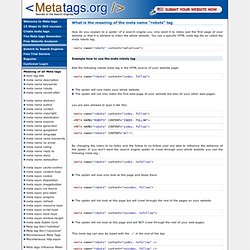
You use a specific HTML meta tag the so called the meta robots tag. Example how to use the meta robots tag Add the following robots meta tag in the HTML source of your website page: The spider will now index your whole website. Color gradient generator. At first, I was using the hexagonal color-cube in WORD to create gradients, but that didn't have the resolution nor flexibility that I wanted.
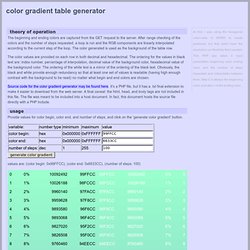
This PHP app takes 3 input parameters: beginning color, ending color, and the number of steps requested and interpolates between them. Step 0 is always the beginning color, and step n is the ending color. theory of operation The beginning and ending colors are captured from the GET request to the server. After range checking of the colors and the number of steps requested, a loop is run and the RGB components are linearly interpolated according to the current step of the loop. Hex Color Code Generator - Bookmark this Chart.
HTML color codes. HTML color codes are hexadecimal triplets representing the colors red, green, and blue (#RRGGBB).
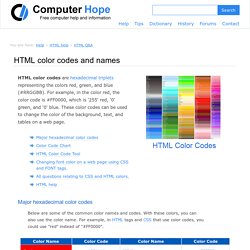
For example, in the color red, the color code is #FF0000, which is '255' red, '0' green, and '0' blue. These color codes can be used to change the color of the background, text, and tables on a web page. Major hexadecimal color codes Below are some of the common color names and codes. With these colors, you can also use the color name. HTML Code Tutorial - Free Reference Guide for Help with HTML Tags Including Form, Frames, Tables, and more! HTML Tutorial. HTML 4.01 / XHTML 1.0 Reference. World Wide Web Consortium (W3C)
Creating your first website, basic HTML for beginners. Path // → MY FIRST SITE We’ll begin very easily here, because I’m assuming you are just starting out.
No one likes to look back on My First Site, but hopefully your experience can be made slightly less traumatic with a push in the right direction. HTML Codes - Table of ascii characters and symbols.