
60 ressources CSS pour vos prochains Webdesign - ressources. Nous avons regroupé des ressources utiles et tendances pour compléter le CSS de vos réalisations et vous rapprocher encore un peu plus des tendances dans le webdesign !
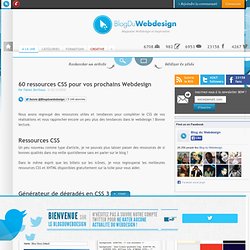
Bonne lecture. Un peu nouveau comme type d'article, je ne pouvais plus laisser passer des ressources de si bonnes qualités dans ma veille quotidienne sans en parler sur le blog ! Dans le même esprit que les billets sur les icônes, je vous regrouperai les meilleures ressources CSS et XHTML disponibles gratuitement sur la toile pour vous aider. Gradient Editor Border Radius Button Maker Text Shadow. LESS - The Dynamic Stylesheet. You might have heard until now of LESS and you might know it has something to do with CSS and styling websites, but I am quite sure that not many people really know what LESS actually is and why is it so special that it got its own name.
Unlike CSS, LESS is an open-source dynamic stylesheet language, with its first version being written in Ruby, but replaced by JavaScript later on. LESS is more complex than CSS is, providing variables, nesting, mixins (reusable classes), operators and functions and allows real-time compilation via LESS.js by the browser in use. LESS can run on both client- and server-side and can even be compiled into normal, plain CSS. Using LESS would allow writing CSS in a programming way instead of static, as CSS is by default.
However cool and simple this might seem, using LESS is clearly more difficult than using plain CSS, simply because it is built on JavaScript and you have to know a little bit of it in order to use it. Again, as simple as it can get. Stylish Image Bars jQuery plugin. Catalogue - Catalogue des scripts. 70+ Must Have jQuery Tutorials. Welcome to day 7, the last installment of tutorial week on Designrfix.

Today we have assembled an awesome collection of some wicked jQuery tutorials from around the Web. I am confident that these web design and development tutorials will arm you with all the necessary techniques in-order to achieve those latest web design trends. Lastly, it’s been an amazing 7 days and we are confident that these tutorials will arm you with all the latest tips and tricks to help you in evolving your design creations. Enjoy! Want more articles from tutorial week? HTML5 Tutorials: 30+ Useful Tips And Tricks To Get You Started. Le BlogDuWebdesign boost l'inspiration des intégrateurs #4 - inspiration-integration. Découvrez sur le Blog du Webdesign 10 animations CSS3 sans javascript !

The ultimate CSS tools for web designers. Lorempixel - placeholder images for every case. Codrops. Fancy Input - CSS3 text typing effects for input fields. CSS Colors. Créer un menu horizontal centré en CSS (sans JavaScript) Cet article a 3 années.
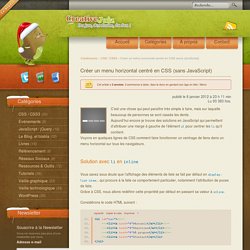
Il commence à dater, lisez-le donc en gardant son âge en tête ! Merci publié le Lu 93 383 fois. C’est une chose qui peut paraître très simple à faire, mais sur laquelle beaucoup de personnes se sont cassés les dents. CSS Hat turns Photoshop layer styles to CSS3 with a click - PSD CSS - Convert PSD to CSS3. Collection of Free and Premium HTML5/CSS3 Templates - 50 Examples. There are numerous high quality templates available in the internet.
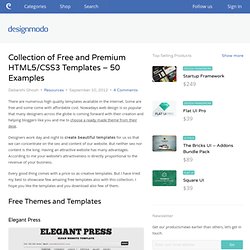
Some are free and some come with affordable cost. Nowadays web design is so popular that many designers across the globe is coming forward with their creation and helping bloggers like you and me to choose a ready made theme from their desk. Designers work day and night to create beautiful templates for us so that we can concentrate on the seo and content of our website. But neither seo nor content is the king. Having an attractive website has many advantages. Creating a Slick Auto-Playing Featured Content Slider. I love the Coda Slider plugin for jQuery.
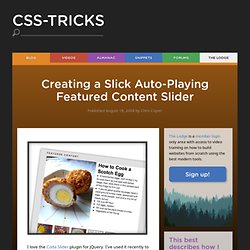
I've used it recently to build a couple of tabbed "widgets". One here on CSS-Tricks in the sidebar to show Script & Style links, Featured Posts, and Popular Posts. Just kind of a fun way to show lots of content in a small area. I also used it on an article for NETTUTS for a similar purpose. 50 Excellent CSS3 Techniques and Tutorials for Beautiful Design. CSS3 has got a huge potential to create very elaborate and complicated details by strictly using CSS and no images.
It can carry out a lot of functions as it is based on motion techniques. Many designers all over the world believe that CSS3 is a technique which has unbelievable potentiality which will be used to create wonderful designs in the years to come. At present, it is not being used varied all over the world due to a number of limitations – obsolete browsers being one of them. HTML5 Bookmarks - daily news articles and bookmarks.
HTML5 & CSS3 Tutorials. 50 Excellent CSS3 Techniques and Tutorials for Beautiful Design. CSS3 has got a huge potential to create very elaborate and complicated details by strictly using CSS and no images.
It can carry out a lot of functions as it is based on motion techniques. Many designers all over the world believe that CSS3 is a technique which has unbelievable potentiality which will be used to create wonderful designs in the years to come. At present, it is not being used varied all over the world due to a number of limitations – obsolete browsers being one of them. HTML5 : structure globale du document.
Pour débuter sereinement avec une nouvelle intégration HTML5 et comprendre ses implications, nous allons commencer par le début : la structure globale d'un document.
La conception d'une page web en suivant la philosophie du standard HTML5 spécifié par le W3C (ou du standard vivant tel que désigné par le WhatWG) répond à quelques réflexes de base. La structure d'un document (l'imbrication des balises à la racine) est simplfiiée pour répondre aux attentes pragmatiques des intégrateurs et webdesigners. Un document HTML5 minimal Sans surprise, les bases d'un code HTML5 ressemblent beaucoup à celles rédigées à l'aide des précédentes versions HTML 4 et XHTML 1.x. Free PSDs and Resources for Designers. Extensions et Bookmarklets #1: Présentation - ressources.
Premier article d'une série sur les extensions et bookmarklets. Aujourd'hui, présentation et quelques exemples. Tout le monde connaît les extensions que l'on peut installer sur son navigateur. Popularisées grâce aux premières versions de firefox, elles permettent d'ajouter des fonctionnalités à son navigateur, ou bien (au départ grâce à greasemonkey pour firefox, nativement pour chrome et firefox maintenant) permettre de modifier directement la vision que l'on a de certains sites. Mais avez-vous déjà croisé un bookmarklet? Ce sont de petits codes que l'on place dans la barre de favoris du navigateur (généralement par copier coller), et qui, au lieu d'ouvrir une autre fenêtre, modifie la page actuel. Ces deux technologies sont très proche, par les possibilités mais aussi par la construction : Leur langage principal est le javascript, agrémenté de html et css.
Exemples Voilà quelques exemples de bookmarklets. Readability disponible en bookmarklet et en extension sur leur site. CSS3 Transitions And Transforms From Scratch. There are some amazing examples of CSS transforms and transitions, and whilst you may be blown away by them, there's a good chance that you're also overwhelmed and a bit intimidated! This tutorial will take you back to the very basics. We're going to create some fundamental CSS3 transitional movements, step by step. A Quick Note on Browser Support: Support across browsers is already pretty reasonable. Firefox 3.5, Chrome, Opera 10.5, Safari 3.1, and Internet Explorer 9.0 have you covered where transforms are concerned. The Axes and Grid. CSS Drive: Image to Colors Palette Generator. Le Kit du parfait Webdesigner #1 - webdesign. Votre navigateur ne prend pas en charge Javascript, vous ne pourrez profiter de toutes les fonctionnalités de ce site web.
Magazine Webdesign, Inspiration et tutoriels. Ultimate CSS Gradient Generator - ColorZilla.com. Background: #1e5799; /* Old browsers */ background: -moz-linear-gradient(top, #1e5799 0%, #2989d8 50%, #207cca 51%, #7db9e8 100%); /* FF3.6+ */ Horizontal JavaScript Accordion 1kb. Apple-like Slideshow Gallery. Via Ad Packs Apple-like GallerySlideshow View the original tutorial » This is a tutorialzine demo. View the original tutorial to read and download the source files.
The gallery features artwork from rambocre, pickupjojo and codenamebender. Osez HTML5 et CSS3 ! Un site perso en fil rouge Pour étayer cet article, nous allons nous servir d'un fil rouge : mon site personnel Goetter.fr dont l'intégration a été réalisée en plusieurs étapes, et destiné à servir de passerelle entre mes différentes activités. Generateur de popup - Webmaster, tutoriaux et ressources Dreamweaver, Flash, Photoshop, CSS, Javascript. Layer Styles. Ressources HTML 5 & CSS 3 par Développeur front-end : intégration HTML5 et CSS3 de sites Internet 25/01/2012 - 15:39:23.