
How can I download all the information from my Google account? Un GoogleSite para hacer GoogleSites. 40 usos de las herramientas de GOOGLE en Educación. Colaborar en las programaciones didácticas Mantener un registro de las reuniones Crear un repositorio compartido de unidades didácticas Mejorar el proceso de escritura del alumnado Publicar le trabajo de los y las alumnas Coordinar los partes de asistencia Personalizar los boletines Recopilar, analizar y compartir datos, tanto el alumnado como el profesorado Crear y guardar diapositivas Plus Escuela20.com: Utilizando el historial de revisiones de los documentos compartidos, podemos ver los cambios hechos por los y las diferentes participantes en la elaboración de, por ejemplo, un trabajo escrito.
Crear formularios Enseñar al alumnado a presentar respuestas y analizar sus resultados Adminsitrar las evaluaciones Encuestar a los alumnos y alumnas Realizar evaluaciones diagnósticas Seguimiento de las dificultades y problemas más comunes en el aula (p.g., comportamiento) Generar formularios automáticamente con Flubarro. Google URL Shortener. Posted by Michael Hermanto, Software Engineer, Firebase We launched the Google URL Shortener back in 2009 as a way to help people more easily share links and measure traffic online.
Since then, many popular URL shortening services have emerged and the ways people find content on the Internet have also changed dramatically, from primarily desktop webpages to apps, mobile devices, home assistants, and more. To refocus our efforts, we're turning down support for goo.gl over the coming weeks and replacing it with Firebase Dynamic Links (FDL). If you're a teacher, you're nuts not to use Google+ This week I gave a talk on Web 2.0 and teaching to a group of higher-education faculty ("cloud" isn't yet pervasive in academia).

I won't bore you with the details, but I made the basic argument that using cloud-based tools could help educators create better learning environments for their students through the collaboration, mobility and engagement opportunities the cloud affords. I gave examples of several different tools that could help do this, like collaborative documents, mobile video broadcasting, and group citation indexes. Then I ended with what they all really wanted to talk about: social media. In addition to being the hottest iteration of cloud computing to the general public, social media holds much potential for education. Social media allows for effortless individual and collective communication between teacher and student(s). Yet social media also has some serious drawbacks, especially when it is mixed into the professional world of education.
Privacy. Search using your terms, verbatim. Behind the simplicity of Google search is a complex set of algorithms that expands and improves the query you’ve typed to find the best results. Automatic spelling correction ([vynal] to “vinyl”) and substituting synonyms (matching [pictures] to “photos”) are just two examples of the improvements we make. In most cases, Google’s algorithms make things better for our users - but in some rare cases, we don’t find what you were looking for.
In the past, we provided users with the “+” operator to help you search for specific terms. However, we found that users typed the “+” operator in less than half a percent of all searches, and two thirds of the time, it was used incorrectly. A couple of weeks ago we removed the “+” operator, encouraging the use of the double quotes, which are more likely to be used correctly. Tutorial - Crear una revista digital.
Google Docs. Why Google Docs?
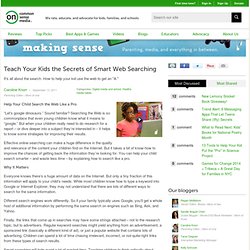
Google Apps is a tremendous platform for facilitating online collaboration in your classroom, or beyond. It is freely available on the Web and if you are familiar with other word processors, spreadsheets, and presentation programs, you can easily use Google Docs. The chat feature on presentations makes it possible to create a "permeable classroom" by bringing experts into a lesson to interact with students online. Here are some benefits of Google Docs: It is available from anywhere and anytime with an Internet connection. 15 trucos útiles para enseñar a tus alumnos a buscar en Google de forma profesional. Teach Your Kids the Secrets of Smart Web Searching. Help Your Child Search the Web Like a Pro “Let’s google dinosaurs.”
Better control in Google Sites with page-level permissions - Docs Blog. Today we’re introducing page-level permissions, a new feature that will allow you to control who can view and edit your Google Site on a page by page basis.

Using page-level permissions, you can make some pages private for certain users while keeping other pages public for everyone to see. 100+ Google Tricks for Teachers. It's Google's world, we're just teaching in it.

Now, we can use it a little more easily. With classes, homework, and projects–not to mention your social life–time is truly at a premium for all teachers, so why not take advantage of the wide world that Google has to offer? The Google+ Guide For Educators. Home » Education, Social Media Written by Grace2 August 2011 Unless you've been living under a rock the last month, undoubtedly you've heard of the new social networking site everyone has been raving about: Google+.
All this buzz has generated some great articles (my to-read pile just keeps growing!) So it's been hard to find just one favorite Google+ area to discuss...that's why I've decided to share some of my favorite articles to help get educators started. GoDropBox. Google Features That Make Teachers' Lives Easier Part 1 – Google 411, SMS, and Book Search. Today’s post is the first in several that will give you an insight to some Google tools you may not have not had the chance to previously explore.
Yes, we all Google in one form or another, but most of us are unaware of little tools and great updated features that make Google more than a basic search engine. Plus, with the newest features of Google Squared, the Timeline, and the Wonder Wheel, students and teachers have a way to navigate through information more efficiently and effectively. I don’t know about you, but I’m a big fan of getting results quickly rather than wandering in the web for hours. Today I’ll talk about two free Google phone applications and the Google Book Search. Though I’m pretty confident these tools were not invented with teachers in mind, they do feature great applications for educators. Find results at the right reading level. You may have had the experience while searching on Google of finding results that are either too simple or too complex for the task at hand.

A new feature in Advanced Search lets you display the reading level of results and filter based on level. To use the new feature, click “Advanced search” next to the search box and make a selection under “Reading level.” If you choose to “annotate results with reading levels,” you’ll start seeing a handy bar graph showing the range of content for a particular topic at the top of the results page. Google Apps for Education K12 Demo. How To Make Digital Flashcards With Google Docs Spreadsheets [Web & iOS/Android] Got some free time? Why not immerse yourself in a new subject or perfect your knowledge of, say, the Spanish language? MakeUseOf has rounded up several educational sites, like MIT and Yale‘s OpenCourseWare sites, as well as Youtube channels for you to get started with a subject to learn. Google is Gigantic! This Infographic Proves It.
Google docs Related Resources. 14 Mar 2014 How to Scrape Google with Google Sheets Learn how to scrape Google pages and extract search results and keyword ranking data using simple ImportXML functions inside Google Spreadsheets. 11 Mar 2014. Google Sites: Simple, secure group websites. Apps K-12 Lesson Plans using Docs, Sites, and Calendar. Lets you custom-print millions of books. (WIRED) -- What's hot off the presses this week? Want an out-of-print book? With the help of Google, a machine may be able to print one for you. Any one of the more than 2 million books old enough to fall out of copyright into the public domain.
Over the last seven years, Google has scanned millions of dusty tomes from deep in the stacks of the nation's leading university libraries and turned them into searchable documents available anywhere in the world through its search box. And now Google Book Search, in partnership with On Demand Books, is letting readers turn those digital copies back into paper copies, individually printed by bookstores around the world. Or at least by those booksellers that have ordered its $100,000 Espresso Book Machine, which cranks out a 300 page gray-scale book with a color cover in about 4 minutes, at a cost to the bookstore of about $3 for materials.
Dane Neller, On Demand Books CEO, says the announcement flips book distribution on its head. Education News : Professional Development Articles. Mary Fran's Google Sites Tutorial. Because your site is stored "in the cloud," it is available from any device that can access the internet, and from anywhere in the world an intenet connection is available.
Why use Google Sites? It's free.It's easy to create. If you can enter text, you are on your way to creating a webpage.You can collaborate with others in creating and editing content.It is integrated with other Google tools so you can easily share video, photos, presentations, and calendars.Your site is searchable using Google Search technology. All versions of your pages are saved. You'll be able to see when revisions were made and by whom.You determine who has access to your site and the level of permission you would like users to have.Users can subscribe to changes to the announcement pages, having updates sent to their iGoogle or Google Reader pages.Your site is stored on Google's secure servers.100 MB of free online storage. Using Google Apps to make the most of group work. Taylor Bell is a Google Campus Ambassador at Boise State University and a pro at utilizing Google tools to make group projects a breeze.
He's here to share some things he's learned along the way. Ah, the dreaded group project... Luckily, I've found during my tenure at college that this oft-feared mainstay of the college experience can be easily managed with Gmail and the rest of the Google Apps suite. To help you out, I wanted to share my plan of attack for making a group process go smoothly. Student Blogging Activity 1 (Beginner): Setting Up Your Class Blog. Welcome to our second Teacher Challenge! Our “30 days to get your Students Blogging” Challenge is all about guiding you through the process of blogging with your students.
Student Blogging Activity 9 (Beginners): Add Your Student Blogs To A Folder In Google Reader. 50 time-saving Google Docs templates. Google Docs templates make life just that much easier by providing the bare skeleton of a specific document, spreadsheet or presentation – all you have to do is fill in the blank bits with your information. There are thousands of user-submitted templates to pick from - calendars, presentation designs, fax covers, invitations and business cards are just some of what's available. NewDocumentsList.pdf (application/pdf Object) Google Docs añade debates en tiempo real — ALT1040. Handy Google Search Tips: 19 Simple Tricks You Need To Know.
Google Docs Viewer ahora es compatible con 12 formatos de archivo adicionales. - Microsoft Excel (.XLS and .XLSX) - Microsoft PowerPoint 2007 / 2010 (.PPTX) - Apple Pages (.PAGES) - Adobe Illustrator (.AI) - Adobe Photoshop (.PSD) - Autodesk AutoCad (.DXF) - Scalable Vector Graphics (.SVG) - PostScript (.EPS, .PS) - TrueType (.TTF) - XML Paper Specification (.XPS) En Gmail podremos ver el contenido de este tipo de ficheros sin necesidad de tener el programa instalado, solamente accederemos al enlace “View” para poder leerlos.
Una excelente noticia que hace la web cada vez más independiente. Goggles. Templates for Student Projects - uTeach With Technology. Google publica en la web 3.000 periódicos de los siglos XIX y XX. A-Z. 100 Great Google Docs Tips for Students & Educators. How to Delete Recent Searches Without Accidentally Leaving a Trace. We’ve covered this topic a number of times already — Steve taught us how to securely delete our Internet Explorer history and Bakari went through the basic steps to clear previous Google searches. Since technology and browsers are constantly changing, it’s worth mentioning again. First up, if you are using Internet Explorer, then all bets are off. You’re using the most vulnerable browser in history, and are potentially leaving your entire computer open to malicious software, let alone just your browser history.
There is no excuse — go and download Firefox or Chrome now. Why should I care? There’s a variety of ways in which your personal search data is stored in the browser, and your internet history is just one. Earth - Google Tools for Schools. 10 Google Forms for the Classroom. Google Features That Make Teachers' Lives Easier. Las 15 mejores extensiones para Chrome y Firefox del 2010 en Bitelia (Destacadas) Todos conocemos las extensiones o addons para navegadores, complementos que cada vez están disponibles en más clientes y sin los cuales estos no serian los mismos. For Educators - Web Search #edtech20 #iste10 #edchat #elearning. Creando el backup de mi GMail y mi Google Docs. Read Later Fast. Desktopize - Give you web applications desktop power! Manage All Of Your Google Tasks With Integrated Gmail For Firefox.
eDoodz – Dibuja y garabatea en Google maps. Web 2.0 - Google Academic.