
How To Build A Slideout Feedback Form In jQuery. Demo Download You may have seen this before on many sites but it's a feature which I like and I have been asked how you would implement this feature.

In this article I am going to show you how you would create a slideout feedback form which using AJAX will send an email to your website admin email address with the feedback from the visitor. A slideout form is a good place to ask for feedback from the visitor because it's hidden from view so it doesn't spoil the look of the site and people how click on the button will actually want to give you feedback. In this tutorial we will be using both jQuery and PHP. We are will use jQuery for the slideout effect on the on-click event of the feedback button and then this will be sent to a PHP page on the server to submit the feedback to an admin email. Creating The Feedback Form The HTML for the is a simple piece of mark-up.
Positioning The Feedback Button Creating The Slide Effect $("#feedback_button").click(function(){ $('.form').slideToggle(); }); CSS3 Lightbox. Today we want to show you how to create a neat lightbox effect using only CSS.
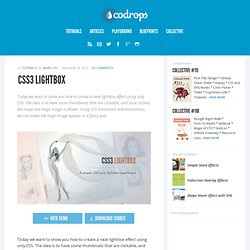
The idea is to have some thumbnails that are clickable, and once clicked, the respective large image is shown. Using CSS transitions and animations, we can make the large image appear in a fancy way. View demo Download source With the help of the pseudo-class :target, we will be able to show the lightbox images and navigate through them. The beautiful images are by Joanna Kustra and they are licensed under the Attribution-NonCommercial 3.0 Unported Creative Commons License. Please note that this will only work with browsers that support the :target pseudo class. Slopy Elements with CSS3. It's always a delight to see some non-straight elements in web design.

Angled shapes and diagonal lines can create an interesting visual flow and add some unexpected excitement. Inspired by many superb designs that use non-straight elements, I want to show you some simple examples and ways how to create slopy, skewed elements with CSS only. View demo Download source It’s always a delight to see some non-straight elements in web design. Angled shapes and diagonal lines can create an interesting visual flow and add some unexpected excitement. So, let’s begin! Example 1. Analog. Demo: Pure CSS speech bubbles. The basic bubble variants This only needs one HTML element.

For example, <p>[text]</p>. But it could be any element you want. The entire appearance is created only with CSS. Simple examples Design is directed toward human beings. Ivan Chermayeff It’s not what you look at that matters, it’s what you see. Henry David Thoreau Takes me longer to write up blog posts on experiments or projects than to create them in the first place. @necolas at 4:05 PM March 2nd 2010. Experimental CSS3 Animations for Image Transitions. Today we want to share some experimental 3D image transitions with you that use CSS3 animations and jQuery.
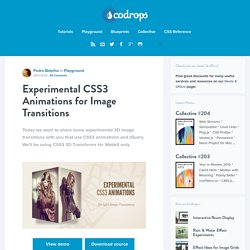
We'll be using CSS3 3D Transforms for Webkit only. View demo Download source Today we want to share some experimental 3D image transitions with you that use CSS3 animations and jQuery. We’ll be using CSS3 3D Transforms for Webkit only. Check out the Photo Transitions at the Safari Technology Demos site, some of which we got inspired by.
The images used in the demo are by Joanna Kustra. Please note that the 3D effects will only work in Webkit browsers. Page Not Found. Flux Slider Transitions Gallery » Hardware accelerated image transitions using CSS3. Creative CSS3 Animation Menus. Bring Your Forms Up to Date With CSS3 and HTML5 Validation. Let's look at how to create a functional form which validates users' data, client-side.

With that done, we'll cover prettying it up using CSS, including some CSS3! First we want to conceptualize what our form is going to look like and how it is going to function. For this example, let's create a simple contact form that asks for the following information from the user: Name Email Website Message We want to make sure the user is entering the information correctly. Let's get an idea of what we want our form to look like by creating a rough mockup.
As you can see, the following elements make up our form: Form Title Required fields notification Form labels Form inputs Placeholder text Form field hints Submit Button. CSS3 text shadows - Adobe - The Expressive Web - Beta. Elastic Image Slideshow with Thumbnail Preview. Original Hover Effects with CSS3.
The power of CSS3 is enormous and in this tutorial we will see how to exploit it in a very creative way.
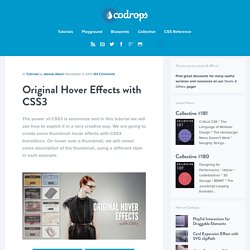
We are going to create some thumbnail hover effects with CSS3 transitions. On hover over a thumbnail, we will reveal some description of the thumbnail, using a different style in each example. View demo Download source Please note that this will only work properly in modern browsers that support the CSS3 properties in use. The Markup The structure of markup is very simple and intuitive. Inside the view insert an element with the class mask that will be responsible for our effects driven by CSS3 and inside it we will put a title, description and a link to the full image. <div class="view"><img src="image.gif" /><div class="mask"><h2>Title</h2><p>Your Text</p><a href="#" class="info">Read More</a></div></div> The CSS After creating our markup we’re going to set our style.
And now we’ll look at the ten effects. Example 1 And now comes the heart of our effect. Typography Effects with CSS3 and jQuery. Grungy Random Rotation Menu with jQuery and CSS3. In this tutorial we are going to create a great menu with some content area that slides out.
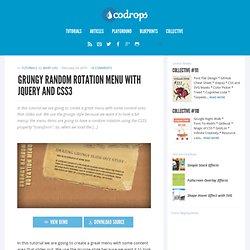
We use the grunge style because we want it to look a bit messy: the menu items are going to have a random rotation using the CSS3 property “transform”. So, when we load the […] View demoDownload source. Splash and Coming Soon Page Effects with CSS3. Animated Buttons with CSS3. CSS menu, 180 best resources.