
Brandon Aaron : Code : livequery. jQuery Fundamentals. jQuery.ScrollTo. Notice I've pretty much stopped updating this blog, but the plugin development is still on-going.

You can find the link to the Github project page at the bottom of the article. Introduction An article about animated scrolling with jQuery inspired me to make a small, customizable plugin for scrolling elements, or the window itself. How to specify what to scroll ? Simple, all the matched elements will be scrolled, for example: $('div.pane').scrollTo(); If you need to scroll the window (screen), then use: $.scrollTo(); How to specify where ?
Settings Getting the real scrollable element out of a node In order to find the real element whose attributes will be animated, you need to call $.fn. $(window). Manually finding the scrolling limit. FrameWarp – jQuery plugin for displaying pages in a neat overlay. Martin Angelov While working on an exciting new web app, I found that I needed a way to show certain pages in an overlay window. This comes handy if you want to reuse something like a sharing or a settings page in different screens of your app. Instead of hacking together something that barely got the job done, I decided to take the time, do it properly and share you with you. Of course, there is the option of using one of the numerous lightbox plugins to do this, but the plugin we will be creating in this tutorial has a lot of advantages over a generic lightbox script: Lightweight – it is created specifically for showing pages, not images;No UI, so the page feels like a dialog window;The page can close itself, and can also send messages to the parent window;Can optionally use a cache for faster subsequent page loads;Uses a neat CSS animation with a JavaScript fallback.
StickyMojo contained fixed position sticky sidebar jquery plugin. StickyMojo is a contained sticky sidebar jQuery plugin brought to you by MojoTech.
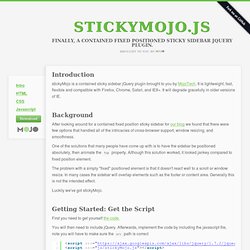
It is lightweight, fast, flexible and compatible with Firefox, Chrome, Safari, and IE8+. It will degrade gracefully in older versions of IE. Background After looking around for a contained fixed position sticky sidebar for our blog we found that there were few options that handled all of the intricacies of cross-browser support, window resizing, and smoothness. One of the solutions that many people have come up with is to have the sidebar be positioned absolutely, then animate the top property. jQuery++ A jQuery UI Growl/Ubuntu-like Notification Plugin. Update 7/6/2010: version 1.4.1 is out!

There are about a dozen other plugins out there that do this already, except most seem to come with an enormous footprint: 10-12k of code, X-number of images, and roughly 1000 options to support every plausible use case. For other minimalists like myself out there, here's one built off the jQuery UI widget factory in approx. 110 lines of code and 100% CSS. In typical widget fashion, this implementation supports the most basic (and arguably most common) uses, but is flexible enough for more advanced cases. jQuery UI Multiple Select Widget. This is the successor and port of my original jQuery MultiSelect Plugin to a jQuery UI widget.

While both will actively be maintained, I highly recommend you use this version over the plugin version. It has a more robust feature set, is faster, and is much more flexible. MultiSelect turns an ordinary HTML select control into an elegant drop down list of checkboxes with themeroller support. This version inherits all the benefits from the jQuery UI widget factory that are not available in the plugin version. The most requested feature was the ability to call methods on instances after initialization (e.g., statefullness), and now there are 10 to choose from! Current version: 1.13 (08/19/2012 - changelog)View demos.Download source or minified, and the CSS file.Follow this project on GitHub.Run the unit tests.Please report any bugs on the issue tracker.
Demo. Tutorial: Creating A Sticky Sidebar Using jQuery. DesignWoop welcomes this guest post by Alexandre Smirnov a web designer and developer who lives and works in California.

Today, I will be showing how to create a jQuery sticky sidebar script. Now, I’m sure many of you have a question: Why can’t I just use “position:fixed”? Well, you can, but then the element with that style will stay where it is relative to the top of the viewport. This means, if the element you are “fixing” in place is in the center of the page, it will stay in the center of the page as you scroll down. Sticky Sidebar jQuery plugin with Demo. Create a jQuery Plugin For Social Networking. So I was thinking about making a jQuery plugin for a while now, and then the opportunity to guest write here showed up, and I thought I would combine the two and write a tutorial on making a jQuery plugin!
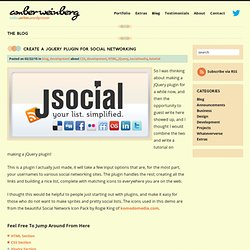
This is a plugin I actually just made, it will take a few input options that are, for the most part, your usernames to various social networking sites. The plugin handles the rest; creating all the links and building a nice list, complete with matching icons to everywhere you are on the web. I thought this would be helpful to people just starting out with plugins, and make it easy for those who do not want to make sprites and pretty social lists.
The icons used in this demo are from the beautiful Social Network Icon Pack by Rogie King of komodomedia.com. jQuery Grid & Data Presentation Plugins. Jquery is becoming increasingly known in the web designers and developers community.

Why not take advantage of its magic? In this collection we showcase some really cool jquery plugins and resources to enhance data presentation in grid layout design. Some are practical plugins that will definitely provide a fond user experience. As well, some refined resources that will help layout the span of data beautifully. jQuery Plugins to work with Data Grid. jQuery Custom Events: They Will Rock Your World! Ok, maybe they won’t exactly “Rock Your World” but they might completely change the way you look at your jQuery development.

At the very least, I hope this simple technique will help you build clean, reusable and extendable front-end code. A Quick ‘n’ Dirty Overview If you are the “just the facts” type of person, here is the 20 second overview. ClueTip: A jQuery Tooltip Plugin. The clueTip plugin allows you to easily show a fancy tooltip when the user's mouse hovers over (or, optionally, clicks on) any element you designate in your script.

If the element includes a title attribute, its text becomes the heading of the clueTip. If you like this plugin and you're feeling generous, perhaps you'd also like to visit my amazon.com wish list? Showing the most basic clueTip can be achieved in two easy steps. Add HTML markup to your page for elements that you want to invoke a clueTip. By default, the clueTip plugin will use the rel attribute to load contents into the tooltip body via AHAH. Rcarousel – continuous jQuery UI carousel. Rcarousel development is discontinued at the moment.

Maybe If I have more time and feel like it I will resume the work on the project. Anyway I encourage you to share it, fork it and whaterver you feel like. But please – respect the licence. simple to use Now rcarousel is very simple to use. jQuery News Ticker. BBC style news ticker. You can download it, or read on for the demo and documentation. In action. jScroller for jQuery by Markus Bordihn. ElRTE - open source WYSIWYG editor for Web. qTip - The jQuery tooltip plugin - Home. Event Pooling with jQuery Using Bind and Trigger: Managing Complex Javascript. Managing Complexity in the UI As everyone knows, the more dependencies you have in a system, the harder maintaining that system is. Javascript is no exception- and orchestrating actions across complex user interfaces can be a nightmare if not done properly. Luckily, there’s a great pattern for orchestrating complex interaction in a disconnected way. No, it’s not the Observer pattern. The Difference Between jQuery’s .bind(), .live(), and .delegate() - Alfa Jango Blog.
01 February 2011 The difference between .bind(), .live(), and .delegate() is not always apparent. Having a clear understanding of all the differences, though, will help us write more concise code and prevent bugs from popping up in our interactive applications. The jQuery team have announced in v1.7 a new method for binding events called on. This method combines the functionality of live, bind, and delegate described below, allowing you to specify the binding method based the arguments passed rather than by using different function names. The basics The DOM tree First, it helps to visualize the DOM tree of an HTML document.
Tiny Carousel: A lightweight jQuery plugin. Infinite Carousel. jCarousel - Riding carousels with jQuery. Visual Lightbox JS: Free Visual Generator for Lightbox 2 Script for jQuery or Prototype. jQuery Lightbox. SimpleSli.de: A Super-Simple jQuery Slideshow Plugin. Fancybox - Fancy lightbox alternative. jQuery lightbox for images, videos, YouTube, iframes, ajax. 37 Fresh jQuery Image And Gallery Display Solutions. jQuery is already very popular because it is very fast and concise Javacript library simplifing and different event handling, smooth animation with very little code. With jQuery you can enjoy new way of web development and image galleries are the best way to use it effectively! Here you’ll have more than 35 different unique jQuery Javascript solutions for beautiful image galleries and great ways to display your images with light code.
To make it even easier for you to choose, I also added live demo link under every jQuery plugin! This article has been updated on May 17,2012 and we just have put together fresh 2012 list of image sliders and galleries. Canadian based web developer eh » Blog Archive » Gritter for jQuery (Growl) How to check and uncheck a checkbox with jQuery. Posted November 14th, 2008 in Javascript (Updated September 14th, 2010) jQuery is a Javascript framework which can simplify coding Javascript for a website and removes a lot of cross browser compatibility issues. Checkbox - jquery Loop through checkboxes and count each one checked or unchecked. jQuery Plugin Tutorial, In-Depth for Absolute Beginners - Authentic Society.
jQuery Plugin Development – 10 Tutorials To Get Started. jQuery, one of the most popular JavaScript library, has a huge selection of plugins which makes it more powerful. On the other hand, there are much more codes/modules, from simple alert functions to complex galleries/form validation methods, that are hard-coded inside websites & not converted to plugins. Webentwicklung: jQuery Plugin How-to – am Beispiel des „virtual pages“-Plugins. DataTables (table plug-in for jQuery) Beautiful Slide Out Navigation: A CSS and jQuery Tutorial. Today I want to show you how to create an amazing slide out menu or navigation for your website. The navigation will be almost hidden – the items only slide out when the user hovers over the area next to them. Codrops - useful drops of code.
JSizes ― jQuery extension plugin for CSS properties - bramstein.com. JSizes ― jQuery extension plugin for CSS properties JSizes is a small plugin for the jQuery JavaScript library which adds convenience methods for querying and setting the CSS min-width, min-height, max-width, max-height, border-*-width, margin, and padding properties. Styling Buttons and Toolbars with the jQuery UI CSS Framework. We got lots of requests in jQuery UI discussion groups for ThemeRoller-ready buttons when we launched our most recent version of ThemeRoller, so we've created some button examples here that demonstrate how to incorporate the power of the CSS framework classes in a custom widget. 53 Jquery Tutorials, Resources, Tips And Tricks: Ultimate Collection. If for whatever reason you don’t know jQuery, it is a “write less, do more” JavaScript library.
It has many Ajax and JavaScript features to allow you enhance semantic coding and user experience. jQuery Resources for One-Page Portfolios. Die 15 besten jQuery Lightbox-Skripte.