
Mindomo (mind mapping) Exploitez le potentiel de vos idées avec les cartes mentales.
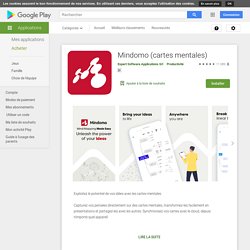
Capturez vos pensées directement sur des cartes mentales, transformez-les facilement en présentations et partagez-les avec les autres. Synchronisez vos cartes avec le cloud, depuis n'importe quel appareil. Mindomo Cloud est disponible sur Desktop est disponible pour Windows et Mac sur Mise à jour (07.03.2020): Application entièrement repensée, adaptée à toutes les tailles d'écran.
MIT App Inventor. Répertoire des applications Android #2. Tablette Android et école. File Manager HD (Honeycomb) L'Agence nationale des Usages des TICE - Tablettes tactiles : premier bilan de l’expérimentation dans l'académie de Grenoble. Depuis le début de l'année scolaire 2010-2011, l'académie de Grenoble est le siège d'une expérimentation nationale portant sur les usages pédagogiques des tablettes tactiles.
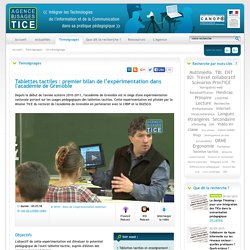
Cette expérimentation est pilotée par la Mission TICE du rectorat de l'académie de Grenoble en partenariat avec le CRDP et la DGESCO. Objectifs L'objectif de cette expérimentation est d'évaluer le potentiel pédagogique de l'outil tablette tactile, auprès d'élèves des premier et second degrés. L'objectif est également d'identifier des usages novateurs de l'outil tablette et d'observer son appropriation au sein des établissements, tant par les élèves que par les équipes d'enseignants. Comment empêcher vos enfants d’acheter sur le Play Store sans votre autorisation. Publié le 17 septembre 2012 à 19:30 par Jean-Louis Avec l’arrivée du « in-app payment » et des abonnements sur le Play Store, nombre de parents ont eu la désagréable surprise de se retrouver avec des factures faramineuses car leurs bambins achetaient sans le savoir (?)

Des items ou des applis sur le Play Store. Heureusement, il existe un moyen pratique de bloquer les achats sur le Market au moyen d’un code. On vous explique comment faire ici. Pour maîtriser les achats sur le Play Store, rien de plus simple. Il vous suffit ensuite de cocher la case « utiliser PIN pour achats » afin de demander un code secret avant toute dépense via le Market. Android 4 Schools. Les Applications Android.
Le TOP des applications Android. Voici notre TOP Applications Android à travers cinq catégories.
Beaucoup d’applications sont des « must-have », d’autres des perles. A vous de voir quelles seront celles qui vous accompagnerons sur votre androphone. Avant toute chose, voici appXoid qui regroupe de très nombreux plans d’applications Android, c’est notre petit must-have à nous ;). La dose d’apps quotidienne : coup de cœur, promotions, etc. Search Android OS Apps. AppBrain - les meilleurs applications et jeux pour Android dans le Android Market. Time Lapse. Lapse It is an award-winning full featured app for capturing amazing time-lapse and stop motion videos with your Android camera.

It is simple, fast and intuitive.No need for expensive photography equipment, you just need Lapse It. ★ Featured on the English TV Show "The Gadget Show" ★ You can watch a great video review at. Enseignement secondaire — Éduscol Numérique, le site des professionnels de l'éducation. Bilan de l’expérimentation "Classe mobile" en 2009-2010 TNS-Sofres a réalisée une étude qualitative de l’expérimentation de la classe mobile qui a débuté en novembre 2009 au collège Victor Grignard dans le Rhône.

Ce collège fait partie des établissements qui ont participé à l’expérimentation « Manuel Numérique et ENT ». Le contexte. Clés de forêt. Apprenez à identifier les arbres et les animaux forestiers Grâce à cette clé simplifiée de détermination proposée par L'Office national des forêts, le ministère du Développement durable et la fondation GoodPlanet, apprenez à identifier facilement les principales espèces forestières françaises.

Cette application a pour but d’initier à la reconnaissance des arbres et des animaux et n’a pas une vocation encyclopédique, même si de nombreuses informations y sont présentées. Elle est entièrement embarquée. Il est préférable de la télécharger en wifi ou sur ordinateur. Mais une fois en forêt, pas besoin de réseau, toutes les fonctionnalités et tous les contenus sont accessibles en permanence.
Indices :Un cheminement par étapes vous guidera jusqu’à la fiche de présentation de l’espèce que vous observez, ou dont vous observez les empreintes. Un moteur de recherche permet également de trouver une fiche à partir du nom de l'espèce. Million moments. Comparatif des suites bureautiques Android. [Mise à jour 25 janvier 2012] Suite à de nombreuses demandes, nous venons de publier un comparatif des solutions bureautiques sur notre Wiki.

Il regroupe aujourd’hui 8 solutions disponibles (2 restent à tester). OpenOffice Document Reader - Applications sur l'Android Market. Work from anywhere: View, edit, and create Microsoft® Office files & view Adobe PDF® files on your Android smartphone and/or tablet with the original & #1 selling mobile Office suite of all time. PicSay - Photo Editor. Cymera is simply the best camera application for portraits.
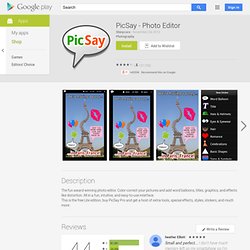
It has everything you need in a selfie camera and photo editor to help you capture and create photos worth awards. It offers a huge variety of lenses and shooting modes, hand-picked filters and the best beauty effects, run through our own face detection technology.All of this plus more than 800 decoration options and the most amazing collage effects.Our All-in-One features include: Sandbox Famigo pour les enfant. Évalué l'App # 2 famille par le Time Magazine, Famigo fournit un verrouillage du téléphone d'enfant qui tourne smartphones et tablettes en sûrs, terrains de jeux mobiles éducatives.

Prix ** **7 jours d'essai gratuit, puis choisissez votre abonnement:De base: 0,99 $ (verrouillage du téléphone, Famigo TV, Kid Navigateur Web)De plus: 4,99 $ (toutes les fonctions de base, plus 20 $ d'applications adaptées à l'âge de chaque mois) **** Clients AT & T Seulement ******verrouillage du téléphone est gratuitPremium Abonnement: 7,99 $ (verrouillage du téléphone, Famigo TV, Kid Navigateur Web, des applications et Video Premium) 3D and Aerial Imagery Comes to Google Earth for Android. Sight Words. Une application éducative exceptionnelle qui sert à apprendra chaque jour des mots de base aux enfants. Cette application les aidera à avoir un niveau plus avancée lorsqu’ils dialoguent et leurs permettra de lire avec plus de commodité. Le rôle de cette application ne s’arrête pas au fait d’apprendra aux enfants un nouveau vocabulaire mais elle favorisera chez ces jeunes esprits leur réflexion et leur niveau de compréhension.
L’application donnera l’opportunité aux enfants de découvrir jour après jour, de nouveaux mots et en plus de cela ils seront capables de reconnaitre les objets et ce à travers des images, du texte et des endroits où elles ont été repéré. Cette application comprend différents endroits tel qu’une chambre, une salle de bain, etc. Access Interior Museum Maps on Google Maps for Android. Take Screenshots on Your Android Device with Dolphin Screen Cut. Create a Child-friendly Android Phone with Kytephone. Url?sa=t&rct=j&q=emuler%20android%20mac&source=web&cd=11&ved=0CF8QtwIwADgK&url=http%3A%2F%2Fwww.youtube. EtiGliss : Accueil.
Ardoise pédagogique. °Les Arts Plastiques dans l'académie de Nice°