Informative. Interactive Graphic Organizer. Holt Interactive Graphic Organizers "Graphic organizers are tools that help your brain think.
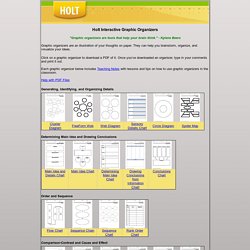
" - Kylene Beers Graphic organizers are an illustration of your thoughts on paper. They can help you brainstorm, organize, and visualize your ideas. Click on a graphic organizer to download a PDF of it. Once you’ve downloaded an organizer, type in your comments and print it out. Each graphic organizer below includes Teaching Notes with lessons and tips on how to use graphic organizers in the classroom. Help with PDF Files Generating, Identifying, and Organizing Details Determining Main Idea and Drawing Conclusions Order and Sequence Comparison-Contrast and Cause and Effect Process and Cycle Diagrams Evaluating and Making Decisions Persuasive and Supporting a Position Vocabulary Miscellaneous Organizers Graphic Organizer Teaching Notes.
NLVM 3 - 5 Manipulatives. Website Suggestions. Intellectual.
Social Learning. Auditory. Kinesthetic. Teacher, speaker, workshop facilitator. Fun, fast, effective learning. The Open University. Accelerated Learning. TED: Ideas worth spreading. . Aktivierende LernSysteme. Für Trainer: Lernen Sie die Möglichkeit von AL kostengünstig kennen.

Beide Produkte können über das Internet (mit Vorauszahlung) bezogen werden. Für Personalentwickler, Leiter von Trainingsabteilungen: Der fast nackte Mensch - ein 1,5-Stunden-Konzept zur Datensicherheit.30seitiger, detaillierter Trainerleitfaden mit allen Abbildungen, Hintergrunderläuterungen, ausführlichen methodischen Erläuterungen und Anleitungen, daher umsetzbar auch für nichtprofessionelle Trainer wie z.B. Datenschutzbeauftragte.Dieses Trainingsmodul entwickelten wir zunächst als Auftragsarbeit für ein bekanntes, international agierendes Unternehmen.
Testen Sie AL und erfüllen Sie tatsächlich die gesetzliche Vorschrift, Ihre Mitarbeiter in Sachen Datensicherheit zu schulen: Denn nach diesem Training wissen die TN wirklich, wie sie Daten wirksam schützen können. Im Preis inbegriffen sind bis zu drei Stunden Telefon-Coaching für Rückfragen zur Durchführung. "Accelerated Learning"
CAL. Colin Rose's Accelerated Learning. Freetech4Teachers. This page is where you can find resources related to my presentations about creating effective blogs and websites to complement instruction.

How to create a Blogger blog. How to turn on comment moderation in Blogger. How to add or subtract contributors to your Blogger blog. How to create an Edublogs blog. How to create a Wordpress.com blog. How to create a Posterous blog. The Basics of Creating and Editing a Wikispaces Wiki.More, including a video tutorial, about using Wikispaces. Creating a Google Sites website. Ten Options for Creating Websites. Yola (formerly Synthasite) is the tool that I am currently using to build websites for my department and other departments in my high school. Webs (formerly Free Webs) is another service that I have first-hand experience with in a school setting because my girlfriend (a teacher in another school district) uses it for her classes. Snap Pages provides a free service as well as a premium service for creating your custom website.
5 Tools To Monitor Website Changes. Want to know when prices drop at shopping sites?

When someone posts a new message in a forum? When your favorite website updates that is not offering an RSS feed? All of these usage scenarios and many more cry for programs that can monitor website changes. What should a program that monitors website updates come with? It should obviously check the website in intervals and compare the active state with a previous state of the website. The following list contains five tools for monitoring websites. Check 4 Change Check 4 Change is a Firefox add-on. A few options are provided by the add-on. Update Scanner Update Scanner uses a different approach than Check 4 Change.
The interval of the checks for website changes is set to once a day by default. Available are sound and popup notifications.