
TeachMeet Georgia 2012. The Best Dropbox Apps - Do More With Dropbox. Meet some of the best Dropbox apps that add new functionality and extend the service beyond the realms of online storage.
Dropbox has made our digital lives so much easier. You put a file in your Dropbox folder and it becomes available on mobile phone, your tablet and on all your other computers. If you have shared a Dropbox folder with another person, say your mom, any files that you add to the shared folder instantaneously appear on her computer. So useful! Dropbox has 50 million users worldwide and, because of such immense popularity, an entire ecosystem of apps has been created around Dropbox that add new functionality and extend the service beyond the realms of online storage. 1. Your Dropbox has a public folder and files that you add to this folder can be accessed by anyone on the web as long as they have a link to that file. 2. Wouldn’t it be nice if you could write a document inside Google Docs and access it offline inside your Dropbox folder. 3. 4. 5. 6. 7. 8. 9. 10.
Liked it? Free Technology for Teachers. Theultimatealphabet. The A-Z Dictionary of Educational Twitter Hashtags. Whether you’re a new or seasoned Twitter user, you likely come across confusing hashtags that probably look like a bunch of nonsense. First, What’s A Hashtag? The # symbol, called a hashtag, is used to mark keyword or topic in a Tweet. Any Twitter user can categorize or follow topics with hashtags.Those hashtags (usually) mean something and are a great way to get a tweet to appear in search results or discussion monitoring. For example, the popular #edchat hashtag is used by thousands of users every Tuesday.
It makes it easy (sort of) for people to monitor what’s happening in the conversation rather than having to try and guess what topics you should search for. How To Hide Your Hashtag Chat From Followers When having a Twitter #hashtag chat, if you want to avoid overwhelming your followers, start any tweet you want to “hide” with @HideChat or (one character shorter) @HideTag . You don’t need to do this with all your chat tweets (though you could). Sources The Most Popular Hashtags. Most Popular Posts of the Year - #3, 47 Alternatives to YouTube. St. Marys City Schools Mobile Learning Technology. Wonderful Wiimotes – how to create an IWB for £34. This guest post is written by Stuart Ayres an ICT teacher at St Brigid’s School, a state secondary in Denbighshire, North Wales.
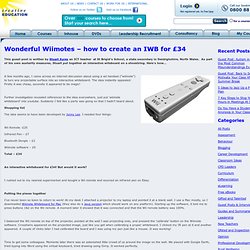
As part of his own austerity measures, Stuart put together an interactive witeboard on a shoestring. Here’s how… A few months ago, I came across an internet discussion about using a wii handset (“wiimote”) to turn any projectable surface into an interactive whiteboard. The idea instantly appealed: Firstly it was cheap, secondly it appeared to be magic! Further investigation revealed references to the idea everywhere, just put ‘wiimote whiteboard’ into youtube. Shopping list The idea seems to have been developed by Jonny Lee.
Wii Remote -£25 Infrared Pen – £7. Resourcelinkbce. The field of social media is a burgeoning area of communication, and one that educators cannot ignore.
Facebook, Twitter, LinkedIn, Diigo, GooglePlus – these platforms for communication are not going to go away; and while there is a great deal of negative media surrounding their use, they can be harnessed to create myriad possibilities for schools as learning communities. Current research only proves the dominance of Social Media as a modern communication medium: The Shadow Obstacle Course. The 350 Best Education Resources Chosen By You.