
How To… Embed This Infographic <a href= "><img src=" title="10 How Tos" alt="How To Infographic" border="0" class="nopin" /></a><br />Source: <a href=' title='Interesting Facts'><a href=' title='Interesting Facts'>Today I Found Out</a></a> 1) How to drastically increase the life of your shaving razor Before or after you shave (I prefer before so that the blades are dry), place your jeans on a hard flat surface; then run the razor up the pant legs about 10-15 times quickly; then repeat running it down the pant legs 10-15 times quickly.

No need to press that hard, but a little pressure is necessary. necessary. Exciting Links for Boring Days. Average Faces From Around The World. Added on Feb 08, 2011 / Category : StrangeNews / 228 Comments Finding the average face of people across the world was a tough job but someone had to do it.

This guy basically takes a thousands and thousands images of everyday people from any city and the software makes an 'average' of the people, giving one final portrait. 106 of the most beloved Street Art Photos ? Year 2010. More info.

More info. More Banksy on Street Art Utopia. More info. More 3D on Street Art Utopia. Human World. Human World The women of the Tiwi tribe in the South Pacific are married at birth.

When Albert Einstein died, his final words died with him. The nurse at his side didn't understand German. St Patrick, the patron saint of Ireland, was not Irish. The lance ceased to be an official battle weapon in the British Army in 1927. St. Kitten riding tortoise. ChopinPlayer. Aerogel: See-Through, Strong as Steel & Ligher than Air.
27 lessons I?ve learned in 27 years. The 101 Most Useful Websites on the Internet. Here are the most useful websites on the Internet that will make you smarter, increase productivity and help you learn new skills. These incredibly useful websites solve at least one problem really well. And they all have cool URLs that are easy to memorize thus saving you a trip to Google. Also see: The Best Android Apps Also see: The Best Mac Apps and Utilities seatguru.com – consult this site before choosing a seat for your next flight.webmakerapp.com — an offline playground for building web projects in HTML, CSS and JavaScript. See: The Most Useful Tools for Programmers Also see: The Best Add-ons for Gmail, Docs and Sheets whereami — find the postal address of your current location on Google maps.sway.com — create and share interactive reports, newsletters, presentations, and for storytelling.
Also see: The Best Websites to Learn Coding. Film Techniques of Alfred Hitchcock - suspense, camera angles, style,... - StumbleUpon. 12 Critical Things You Should Never Tolerate. There is so much in life that we just tolerate.

Some of it we have to deal with (taxes, bad weather, traffic). But there’s a good portion of stuff that we tolerate even when we don’t have to. We step around things, overlook irritations, and mindlessly accept energy drains. Perhaps we’ve become so immune to these tolerations that we don’t recognize the negative impact they have on us. Sometimes just recognizing the things we are tolerating in life gives us a renewed sense of hope and energy. However, when you address some of your bigger tolerations, you can completely change the course of your life and open doors to a world of happiness and inner peace that you didn’t know existed. Invisible things (18 pictures. Code of Conduct. Photoshop CS4: A Picture Worth a Thousand Words - Layers Magazine. I love Photoshop techniques that offer all kinds of possibilities for experimentation—and the following tutorial is a perfect example of one of those techniques.

In this issue, we’re going to take a portrait and replace the person’s image with text (think 2009 Grammy posters). Pick a portrait that offers good contrast—a photo that’s very dramatic and dark probably won’t work as well. I’ve had the best success with straight-on head and shoulder shots, but again, feel free to experiment with all types of photos. For the best results, choose a photo that has a light background (or select the background around the person and make it lighter). Create a new document (File>New) in a size that’s smaller than your photo: the specifics don’t really matter. Switch back to the photograph. Then, press Command-J (PC: Ctrl-J) to copy the selected pixels onto a new layer. Go back to the Select menu and choose Color Range again.
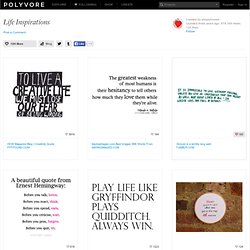
Click the Create a New Layer icon at the bottom of the Layers panel. Life Inspirations. 3919 164 160 618 1223 124 1130 443 1204 266 416 688 123 290 171 1012 111 126 1767 1806 134 3125 1424 1998 473 273 2152 538 1736 841 516 451 758 811 5021 2764 2246 3018 2375.
Do you see it now.