
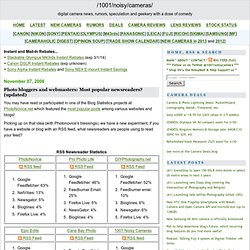
Photo bloggers and webmasters: Most popular newsreaders? (updated. You may have read or participated in one of the Blog Statistics projects at PhotoNovice.net which featured the most popular posts among various websites and blogs!
Feeds basics 101: using Feedburner - why, how, & more ways to publicise your blog (part 3) Find the Best Twitter Apps - oneforty. A Better Twitter Feed for Your Web Site. FeedBurner BuzzBoost: RSS to Javascript. Are you using FeedBurner? You should be! How To Make An RSS Feed. Twitter: Now more than 1 billion tweets per month. Posted in Tech blog on February 10th, 2010 by Pingdom Over the past few months there has been plenty of speculation around the Web that Twitter’s growth has stalled, but if we look at activity on Twitter in terms of the number of tweets, this is far from the truth.
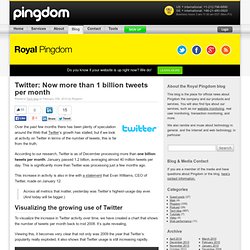
According to our research, Twitter is as of December processing more than one billion tweets per month. January passed 1.2 billion, averaging almost 40 million tweets per day. This is significantly more than Twitter was processing just a few months ago. This increase in activity is also in line with a statement that Evan Williams, CEO of Twitter, made on January 12: Across all metrics that matter, yesterday was Twitter’s highest-usage day ever. Visualizing the growing use of Twitter To visualize the increase in Twitter activity over time, we have created a chart that shows the number of tweets per month back to mid 2008. How to Blog Effectively. A blog is a great tool with which to express your opinions, build a community, network with others and drive traffic to your website.
However, a lot of designers are not sure how to get started or what to blog about. I’ve been blogging for a couple of years now, but I’ve been blogging effectively (in my opinion) for only several months. My blog posts used to go unnoticed, and I’ve now realized that this was because of a lack of structure and commitment. So, what’s involved in the process of writing an effective blog post? 1. Choosing a Blogging Platform. 039;s State of the Blogosphere. Welcome to Technorati's State of the Blogosphere 2010 report.
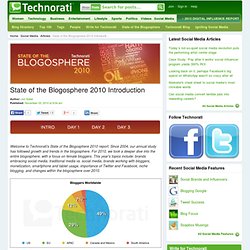
Since 2004, our annual study has followed growth and trends in the blogosphere. For 2010, we took a deeper dive into the entire blogosphere, with a focus on female bloggers. This year's topics include: brands embracing social media, traditional media vs. social media, brands working with bloggers, monetization, smartphone and tablet usage, importance of Twitter and Facebook, niche blogging, and changes within the blogosphere over 2010. The 2010 edition of State of the Blogosphere finds blogs in transition—no longer an upstart community, now with influence on mainstream narratives firmly entrenched, with bloggers still searching for the next steps forward.
Bloggers’ use of and engagement with various social media tools is expanding, and the lines between blogs, micro-blogs, and social networks are disappearing. The significant growth of mobile blogging is a key trend this year. RSS Resources Directory. Encyclopedia for Twitter Hashtags. The myth of RSS compatibility. Change update interval of Live bookmarks in Firefox. If you are a fan of the Live Bookmarks feature, you might wonder how to make them update quicker since the default update time is once per hour, and there isn’t a place in the interface to configure this.

You can always manually right-click on the bookmark and choose Reload Live Bookmark, but that’s hardly efficient if you have dozens of feeds bookmarked. You can change the default interval for all live bookmarks with a config setting. Just type about:config into the address bar, and then filter by the following key: browser.bookmarks.livemark_refresh_seconds If it doesn’t exist, which is most likely the case, then right-click in the blank area and choose New \ Integer.
Copy in the key from above as the name, and then set the default value to 1800, which is 30 minutes in seconds. RFC 822. 039;s RSS Page. RSS (Rich Site Summary); originally RDF Site Summary; often dubbed Really Simple Syndication, uses a family of standard web feed formats[2] to publish frequently updated information: blog entries, news headlines, audio, video.
An RSS document (called "feed", "web feed",[3] or "channel") includes full or summarized text, and metadata, like publishing date and author's name. RSS feeds enable publishers to syndicate data automatically. A standard XML file format ensures compatibility with many different machines/programs. RSS feeds also benefit users who want to receive timely updates from favourite websites or to aggregate data from many sites. Mozilla Firefox: RSS and Live Bookmarks. Since public release 1.0 (also known as version 0.10) Mozilla Firefox has a very nice feature: Live Bookmarks.
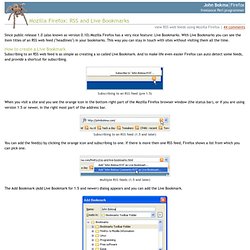
With Live Bookmarks you can see the item titles of an RSS web feed ("headlines") in your bookmarks. This way you can stay in touch with sites without visiting them all the time. How to create a Live Bookmark Subscribing to an RSS web feed is as simple as creating a so called Live Bookmark. Most Popular Feeds. RSS 2.0 at Harvard Law. Internet technology hosted by Berkman Center Tuesday, July 15, 2003.
Hashtags. Weblogs. Many libraries and librarians publish weblogs (also called "blogs").
For more information on blogs in general, see the Blog entry in Wikipedia. Blogs with a Google PageRank of 7 or more are listed in bold. See also 2006 Best Blogs for another selected list, and Weblogs - Medical Librarianship for a topical subsection. Individuals[edit] Below is a list of blogs related to libraries or librarianship alphabetized by blog title. 0–9[edit]
Royal Pingdom's The blog platforms of choice among the top 100 blogs. Posted in Tech blog on January 15th, 2009 by Pingdom We all know that WordPress is popular among bloggers, and Movable Type as well.
But HOW popular? And what other platforms are being used? To find out, we went through the Technorati top 100 blogs and investigated what blog platforms they are using. It turned out to be a highly interesting survey with plenty of surprises along the way. As a by-product we also found out some interesting things about the more popular blog networks. When you read this article, you might want to keep in mind that we have chosen to make a distinction between blogging services and self-hosted blog software. By blogging services we mean services like Typepad, WordPress.com and Blogger, where a third-party service is handling the blog software and hosting for you.By blog software we mean the software you use when you set up and host the platform yourself (using WordPress, Movable Type, etc). Perfect 3-Column Liquid Layout.
Download this layout (25kb zip file).

RSS Resources. Listgarden. Software Garden ListGarden™ Program: ListGarden Product Description New Version 1.3 Now Available! Features: Creates and maintains RSS feeds Produces both XML and optional human-readable companion HTML Runs either on your PC or on a web server Windows, Mac OS X, and Linux Open source Requires no knowledge of XML or the RSS data format Tuned for quick manual additions of new items and simple editing Supports enclosures (New in Version 1.3) How to Explain RSS the Oprah Way. Today, I’m going to explain how RSS can help you live your best life online.
We all have busy lives with very little time. Web surfing is fun but can take hours going to visit every single website and blog you enjoy. Wouldn’t it be fabulous if you could just get all the headlines of the most current stories from all your favorite websites and blogs in one place? Well now you can, and it is called RSS feed. RSS in Plain English. The Internet has problems. Implement RSS feeds on your site.
RSS 2.0 specification. Cut n' Paste JavaScript RSS Feed. Weblogs Directory.