Photoshop

FacebookTwitter
In this tutorial we will create a clean Twitter app interface in Photoshop using layer styles and basic vector shapes. Let’s get started! This tutorial was a collaboration with Syarip Yunus Step 1: Make New File Start by making a new file with canvas size 1,050 x 700 pixel.

Create a Clean Twitter App Interface in Photoshop

http://psd.tutsplus.com/tutorials/interface-tutorials/twitter-app-interface/

How to Prepare for a Digital Art Project

Photoshop is an excellent tool for manipulating photographs but it can also be used as a means to create stunning digital art. This tutorial is part of a 25-part video tutorial series demonstrating everything you will need to know to start producing digital art in Photoshop. Digital Art for Beginners, by Adobe Certified Expert and Instructor, Martin Perhiniak will begin by teaching you how to draw in Photoshop. At the conclusion of this series you will know all you need to produce your own concept art and matte paintings in Photoshop. The following assets were used during the production of this tutorial. http://psd.tutsplus.com/tutorials/tools-tips/prepare-for-a-digital-art-project/
http://psd.tutsplus.com/tutorials/tutorials-effects/shoelaces-in-photoshop/

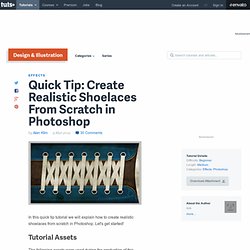
Create Realistic Shoelaces From Scratch in Photoshop

In this quick tip tutorial we will explain how to create realistic shoelaces from scratch in Photoshop. Let’s get started! Tutorial Assets
30 Days to Learn Photoshop

http://psd.tutsplus.com/articles/news/30-days-to-learn-photoshop/ Do the tutorials on Psdtuts+ go a little bit over your head sometimes? Not to worry. We’ve released a 30 day course that will help you feel comfortable and confident using all of Photoshop’s most important functions, like layers, the brush tool, blend modes, smart objects, and lots more! In one month, you’ll have well and truly learned how to use Photoshop.