
Knowledgebase - Updating your Server and Client to Minecraft 1.9 Pre-release. Portal Home > Knowledgebase The knowledgebase is organized into different categories.
Either choose a category from below or search the knowledgebase for the answer to your question. Search Categories Most Popular Articles RedstoneHost.com FAQ What is a RAMDisk and how does my server benefit from it? Accessing your Server via SSH & FTP SSH and FTP are the two main methods to access your server. Installing Bukkit & Mods Installing Bukkit and Mods on your RedstoneHost Server Installing Bukkit, alongside your favored mods is simple with RedstoneHost, and...Views: 43927 Resolving Minecraft Server lag issues Problem: Minecraft Server experiencing lag Checklist: Plugins/Mods Multiple Worlds Overflowing Log files Running additional...Views: 37124 RedstoneHost.com Terms of Service The use of services from RedstoneHost.com, LLC [hereafter referred to as "RedstoneHost"] constitutes agreement to these terms. 1.)
9 Best Minecraft Adventure Maps. Minecraft is an amazing game with unlimited creative potential, but what do you do when you don't feel like building a wizard's spiral, or recreating the Roman aqueduct system?
The beauty if Minecraft is that the community often creates mods and maps that allow for unlimited potential if you know where to look. Maps are a dime a dozen on the Minecraft official forums, created by anyone who has taken the time to learn the ins and outs of MCEdit. So how can you pick out the true diamonds in the rough? Check out these nine maps made by community members, as they're fan favorites. 6.6] OptiFog and Optimine F_HD (FPS Boost) HD Textures Minecraft 1.5 and above comes with general support for HD textures.
![6.6] OptiFog and Optimine F_HD (FPS Boost)](http://cdn.pearltrees.com/s/pic/th/optifine-textures-minecraft-81317595)
OptiFine fixes many bugs, adds support for new features and fixes the performance of larger texture packs. Custom Animations Minecraft 1.5 and above supports animations for blocks and items (info). OptiFine additionally enables the animation of all other textures. To create a custom animation for any texture in the game create a ".properties" file in the anim/ folder of your texture pack. In it, supply the source and destination texture, along with coordinates of the area you wish to animate. From=/anim/mypainting.pngto=/art/kz.pngx=0y=0w=16h=16 - "from" is the location of the custom animation. - "to" is the texture you wish to animate. - "x, y, w, h" are the coordinates of the rectangular area of the destination texture.
The source texture should be a vertical strip of separate frames. 503 Service Temporarily Unavailable. [MECH/DEV] ItemCraft 1.4.4 - More Blocks, Items, Recipes, Entites - Mo's Creatures!! [860] MineCraft - Mo' Creatures Mod. MineCraft - Modloader Utility. MineCraft - Audio Mod. How to Install Bukkit (Newb-Friendly!) [MECH/DEV] ItemCraft 1.4.4 - More Blocks, Items, Recipes, Entites - Mo's Creatures!! [860] Mod Downloads - SSP Mods - NetherCraft [1.6.6] [FAQ] Extremely Common Problems (Read Before Posting) - Minecraft Forums.
JUST SO EVERYONE KNOWS the point of this thread is to fix common problems, not fix every problem everyone has.
![[FAQ] Extremely Common Problems (Read Before Posting) - Minecraft Forums](http://cdn.pearltrees.com/s/pic/th/extremely-problems-minecraft-15590084)
If your question isn't in the faq or our answer to your question doesn't fix your problem, use the search to see if someone else has had/solved the same problem, and if nobody has, make a thread about it. I haven't been ignoring any posts here, I'm just busy. flyingcodfish said: for some reason, half the time (or more) i run minecraft, it works perfectly for a while. then, the right mouse thingy stops working. ... i also cant get wool from sheep, ... if its lag, which is probably it, how can i stop it? Well, first of all, you get wool from sheep by punching them, not right clicking. I'd start by doing a force update. if you have any mods installed, this will remove them. If you aren't using mods, force updating will repair the game files if they are broken somehow (this does seem to happen a lot) if you still have a copy of the old launcher, you might give that a shot.
Official Corrupted Save Recovery Thread - Minecraft Forums. Minecraft Seed Index - Minecraft Forums. Minecraft Seed Index: Ok, so a seed is the starting of a HUGE mathematical formula, which creates the world.
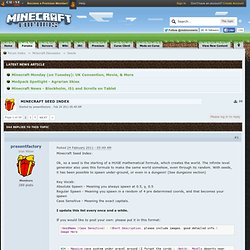
The infinite level generator also uses this formula to make the same world somehow, even through its random. With seeds, it has been possible to spawn under-ground, or even in a dungeon! (See dungeons section) Key Vocab: Absolute Spawn - Meaning you always spawn at 0.5, y, 0.5 Regular Spawn - Meaning you spawn in a random of 4 pre determined coords, and that becomes your spawn Case Sensitive - Meaning the exact capitals. I update this list every once and a while.
If you would like to post your own: please put it in this format: (SeedName [Case Sensitive] - (Short Description, please include images, good detailed info.)Image Here 404 - Massive cave system under gravel around (I forgot the cords ;_:Notch:. Mc.42nex.us › minecraft level tools. [V1.3_01]FalseBook - Your CraftBook for Bukkit (MC Beta 1.3) - Minecraft Forums. [MOD-DEV] dynCraft - CS Mods on SMP! (Client/Server mod) - Minecraft Forums. DynCraft Client and Server Modding API // Allows for any kind of mods in SMP AND SSP!
![[MOD-DEV] dynCraft - CS Mods on SMP! (Client/Server mod) - Minecraft Forums](http://cdn.pearltrees.com/s/pic/th/dyncraft-modding-minecraft-16027478)
Forums // Code Examples // Javadocs! Well I'm releasing it due to pressure. I lost the source and I had to recode it all. If you want more information, click the link for the original thread, it's in that giant spoiler. Anyway, the point is this is a very rushed version of it that has alomst no support for anything. Basically, in other words, I lost it and I'm releasing the mod as I go this time. This is meant to have SSP support, support for blocks and a much larger API supporting almost everything in Minecraft. MineCraft Server & Mo Creatures? - Minecraft Forums. 1.
Wait for MCP to update. 2. Put Mo's creatures in your minecraft.jar (Without modloader) 3. Unpack Minecraft.jar with MCP, hope no errors pop up because of the new stuff you put in it. 4. Make another MCP folder somewhere, and make a vanilla minecraft.jar. 5. Unpack the vanilla minecraft.jar 6. Oh, and I forgot to say you should edit mo's creatures first to make it work without modloader, so its on vanilla minecraft pretty much. Assigning more RAM to a server GUIDE! LB Photo Realism (64x128x256) x64 Beta Ready x128 update 3/2 - Minecraft Forums. Supporting the Union.
. ^^ Sudden Server Lag after update(s) - Minecraft Forums. Dear experienced minecraft server administrators, Pre-beta I used to host a private server for some friends whenever we felt like playing.
After beta it started lagging a lot for them, I checked if it was anything I but couldn't find anything. So for the time I assumed it was a bug. So I waited for a few updates, but now it's still lagging(up to the point that chests can't be opened and blocks respawn back when you hit them). I haven't installed anything new, software or hardware. Setting up a server - BukkitWiki. Preliminary notes Note: In this guide we refer to the server file as craftbukkit.jar but the file you download may be named differently.
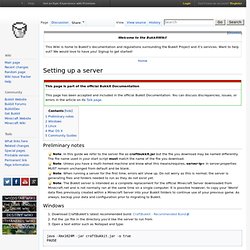
The file name used in your start script must match the name of the file you download. Note: Unless you have a multi-homed machine and know what this means/requires, server-ip= in server.properties MUST remain unchanged from default and be blank. Note: When running a server for the first time, errors will show up. Do not worry as this is normal; the server is generating files and folders needed to run as they do not exist yet. Miners Need Cool Shoes.
How to Make a Minecraft Beta Server (EASIEST WAY)