
Defending Your Privacy: Is Twitter More Secure Than Facebook? [INFOGRAPHIC] MinorMonitor: Protect Your Children By Monitoring Their Facebook Activity. While the Internet can be a fun place, it is also where children face threats like cyber-bullying.

Here to help you protect your children from such threats is a tool that lets you monitor their social activity on Facebook. This tool is called MinorMonitor. Minor Monitor is a free and simple to use web service that connects with your child’s Facebook account and displays the account details to you. These details include status updates, friend lists, photos, an activity graph, checked in places, and alerts. The site also automatically analyzes and identifies possible bullying, drug use, solicitation, and profanity. Features: Every Teacher’s Must-Have Guide To Facebook. You can’t swing a stick in social media without hitting something on Facebook . Same goes for education . You can’t talk about how technology is revolutionizing education without mentioning Facebook. It’s a simple service to figure out but what about once you become a regular user?
If you’re a teacher, you would be well served by spending 3 minutes to read through this must-have guide. (We timed it out and it’s a bit under 3 minutes. Don’t start scrolling down just yet! Security on Facebook - How to Have a Safe & Pleasant Experience. The last couple of Security for Everyone episodes, introduced two Facebook applications that help protect you by warning against threats on Facebook, specifically those found in your wall or news feed.
Today we are going to introduce a couple more utilities that help protect you and also take a look at the privacy settings in Facebook. My intention is not to discourage you from using Facebook but to encourage you to enter into it wisely and re-evaluate your activity and settings on a regular basis. The Facebook numbers Facebook regularly publishes statistics regarding their number of users, supported languages, applications and the like. The company identifies an active user as one that logs in at least once a month. Facebook Guide Book - How To, Tips and Instructions by Mashable. Using Facebook in the Classroom. Juliette and Stephen Heppell Whether it is Facebook, MSN Messenger, Bebo, iChat, Skype, YouTube or any other form of social networking - we know our young people are, and will be, using it.
As with all new media, research projects have shown time and again that if young people see a vacant space, they will fill it (and perhaps not always in the most positive way). As the blurring between social and work continues, organisations from universities to work places are using social networks increasingly effectively for work. They often seek for evidence that potential employees or students can be effectively collegiate and understand mutuality - that they can use these new social tools for work and for the workplace.
What NOT To Post On Facebook: 13 Things You Shouldn't Tell Your Facebook Friends. For Those Facebook Left Behind. Facebook Privacy Chart for Teens. 20 awesome Facebook new tips and tricks : A Virtual Exit. With everybody and their moms being on Facebook these days, we felt it’s time to highlight 20 new FB tips that you might not be aware of.
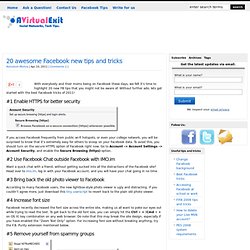
Without further ado, lets get started with the best Facebook tricks of 2011! #1 Enable HTTPS for better security If you access Facebook frequently from public wi-fi hotspots, or even your college network, you will be surprised to know that it’s extremely easy for others to snoop on your Facebook data. To avoid this, you should turn on the secure HTTPS option of Facebook right now. Go to Account –> Account Settings –> Account Security, and enable the Secure Browsing (https) option. Using Facebook in the Classroom. Facebook 'Delete' Can Take 16 Embarrassing Months. Facebook: Five things to avoid. 16 June 2011Last updated at 01:57 By Marie Jackson BBC News Joanne Fraill, the juror who contacted a defendant on Facebook, is facing a spell in jail for contempt of court when she is sentenced later on Thursday.
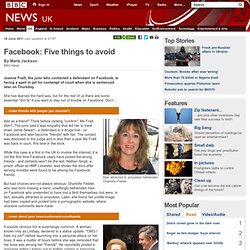
She has learned the hard way, but for the rest of us there are some essential "don'ts" if you want to stay out of trouble on Facebook. Don't... Men attracted to amputees befriended Charlotte Fielder Add as a friend? While this case is a first in the UK to involve the internet, it is not the first time Facebook users have picked the wrong friends - and certainly won't be the last. But bad choices are not always obvious. Warring parties should keep it political on Facebook, not make it personal It sounds obvious but is surprisingly common. Virgin was also filling out P45s after airline cabin crew called their passengers "chavs" and said Virgin planes were full of cockroaches and engines were replaced four times a year.
Politicians, in particular, seem prone to this pitfall. 764_YHGfL_Guide_to_Using_Facebook_Safely. The essential CPD event of the year is back again, serving teachers and leaders from across the region and beyond.
Improving learner outcomes, making more effective use of resources and funding and inspiring teachers to be the best that they can be are the core values of the Digitally Confident conference. Only the most respected and valued members of the UK's education sector are invited to lead the fast paced, information and ideas rich workshops designed to ensure teachers and leaders from all key stages gain maximum benefit from this important and trusted event. Who should attend? Digitally Confident is a leading cross phase professional development event in the UK with outstanding speakers with proven success in primary, secondary and special schools.