
Colourgradient mesh by slope evaluation. Displacement map (height map) / heightfield from image without good results... Black/White Image from Magnetic Field - Perpendicular Display (FPerp) Hi there grasshoppers!
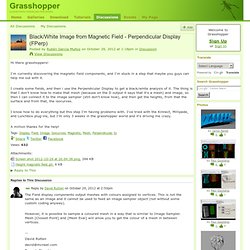
I'm currently discovering the magnetic field components, and I'm stuck in a step that maybe you guys can help me out with it. I create some fields, and then i use the Perpendicular Display to get a black/white analysis of it. The thing is that I don't know how to make that mesh (because on the D output it says that it's a mesh) and image, so then I can connect it to the image sampler (still don't know how), and then get the heights, from that the surface and from that, the isocurves. I know how to do everything but this step I'm having problems with.
I've tried with the Kinnect, Millipede, and Lunchbox plug-ins, but I'm only 3 weeks in the grasshopper world and it's driving me crazy. A million thanks for the help! Tags: Display, Field, Image, Isocurves, Magnetic, Mesh, Perpendicular, to Attachments: ▶ Reply to This. Closest point on mesh. IsoCurveSurface 04 ///////////////////////////////////////////// Dec07// Master degree at Politecnico di Torino with a computational design thesis TMD_tsunami memorial design competition, network as design tool::: prof.Roberto Apostolo, prof.Mario Grosso, Arch.Andrea GrazianoJan08// Join at studioGriffa, Turin as project architectFeb08// at DRL TEN exhibition, Architectural Association, London with K_pavilion project ::: visiting Zaha Hadid Architects London, attends co|de lecture: Shajay Booshan, Danilo Arsic Feb08// K_pavilion publicated at DRL TEN book.Mar08// UIA infopoint competition.May08// MCA, Mario Cucinella architects "Una stanza di luce" workshop at Cavallerizza Chiablese, TurinJun08// Workshop “Parametric Architecture” tutors Ludovica Tramontin Asp(e)x and Erich Schoenenberger(Su11 architecture+design, Pratt Insitute, NY, USA)Jul08/// Torino World Design Summer School “Prototyping the city” assistant tutor of EcologicStudio-Architectural Association, NSU-GSAPP-Columbia University and Politecnico di Torino+ Configuration 0 project.
Blurry paths : [GH tutorial] Field over surfaces. Some days ago a friend asked me about how I calculated field lines over surfaces for this images: The process is very easy but before play with the definition I’m sharing with you will need to ensure that Rhino4 or Rhino5, Grasshopper 0.9.0006, and Millipede plugins are correctly installed in your system.
![blurry paths : [GH tutorial] Field over surfaces](http://cdn.pearltrees.com/s/pic/th/tutorial-field-surfaces-blurry-42940507)
Ok, now we are ready to go. Download links and explanation after the jump ;) The definition is really simple: it only takes a generated (and merged if needed) field and evaluate it using mesh points (that points were taked from the surface-mesh conversion made before); then the field values are used to generate mesh contours using Millipede component (Mesh Contour Field). Because of the the methods used by Millipede to calculate that lines some post-process could be necessary to achieve perfect results (closest points to surface, joining & rebuilding curves,…). With some tweaking is not hard to obtain this other kind of representation that adds a field gradient over the mesh: Download files.