
SELinux News » Blog Archive » SE Android Released. Exclusive: Google Launches Style Guide for Android Developers. LAS VEGAS — Matias Duarte is a man who loves a challenge.
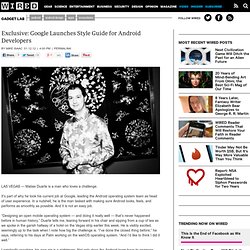
It’s part of why he took his current job at Google, leading the Android operating system team as head of user experience. In a nutshell, he is the man tasked with making sure Android looks, feels, and performs as smoothly as possible. And it is not an easy job. “Designing an open mobile operating system — and doing it really well — that’s never happened before in human history,” Duarte tells me, leaning forward in his chair and sipping from a cup of tea as we spoke in the garish hallway of a hotel on the Vegas strip earlier this week.
He is visibly excited, seemingly up to the task when I note how big the challenge is. Logistically speaking, his new gig is a nightmare. Duarte wants to remedy this. In theory, it will help developers better understand just how the Android team thinks about layout and implementation, while simultaneously giving suggestions to interaction designers on how to maintain visual integrity. How Amazon picked Android’s lock. Legal challenges and royalties aside, Google's official stance on Android has long been that it's open and free.

And yes, by some definitions of the words "open" and "free," that's true. Anyone - any individual or company - can simply point their browser to the Android Open Source Project, download the source code, and use it however they please. They're very upfront about it: "Here you can find the information and source code you need to build an Android-compatible device," AOSP's home page reads. The practice of successfully building and selling an "Android-compatible device" is much different than the theory, however.
First off, there's the fact that Honeycomb has never been open-sourced. But third - and this is key - Android is significantly devalued as a consumer platform if you don't have Google's blessing to ship your product. Or is there? Amazon now stands poised to take one of Google's most critical assets - Android - and turn it against them. Android Google Maps Tutorial.
The Android platform provides easy and tight integration between Android applications and Google Maps.
The well established Google Maps APIis used under the hood in order to bring the power of Google Maps to your Android applications. In this tutorial we will see how to incorporate Google Maps into an Android app.Installing the Google APIs In order to be able to use Google Maps, the Google APIs have to be present in your SDK. In case the Google APIs are not already installed, you will have to manually install them. This is accomplished by using the Android SDK and AVD Manager. Launch the manager and choose the “Installed Options” section to see what is already installed and the “Available Packages” to download the additional APIs.
You can find more information about this procedure in the following links: Setting up an Eclipse project Now that the appropriate tools are installed, let’s proceed with creating a new Android project in Eclipse. Google Maps API Key Generation Adding map overlays. Styles and Themes. A style is a collection of properties that specify the look and format for a View or window.

A style can specify properties such as height, padding, font color, font size, background color, and much more. A style is defined in an XML resource that is separate from the XML that specifies the layout. Styles in Android share a similar philosophy to cascading stylesheets in web design—they allow you to separate the design from the content. For example, by using a style, you can take this layout XML: And turn it into this: All of the attributes related to style have been removed from the layout XML and put into a style definition called CodeFont, which is then applied with the style attribute. A theme is a style applied to an entire Activity or application, rather than an individual View (as in the example above). Defining Styles To create a set of styles, save an XML file in the res/values/ directory of your project.
The root node of the XML file must be <resources>. <? Inheritance. Holo Everywhere. [This post is by Adam Powell, an Android Framework engineer who cares about style.

—Tim Bray] Android 4.0 showcases the Holo theme family, further refined since its debut in Android 3.0. But as most developers know, a new system theme for some Android devices isn’t a new or uncommon event. For developers new system themes mean more design targets for their apps. Using system themes means developers can take advantage of a user’s existing expectations and it can save a lot of production time, but only if an app designer can reliably predict the results.
Theme.Holo If you’re not already familiar with Android’s style and theme system, you should read Styles and Themes before continuing. Compatibility Standard.