
CssPreProcessor. Social Facebook. WebHosting. Css. 10 online tools to simplify HTML5 coding. Initializr Starting anew HTML5-based website?
Just visit Initializr to get started. Initializr will generate for you a clean customizable template based on Boilerplate with just what you need to start.→ visit Initializr HTML5demos Want to know if Firefox supports HTML5 canvas? HTML5 Tracker Want to stay connected with HTML5? HTML5 visual cheat sheet Need to quickly find a tag or an attribute? Switch To HTML5 Switch To HTML5 is a basic but efficient template generator. Cross browser HTML5 forms Forms are indeed an important part of any website. HTML5 Test Is your browser ready for the HTML5 revolution? HTML5 Canvas cheat sheet The canvas element is a very important and interesting part of HTML5 as it allow you to draw on the screen. Lime JS LimeJS is a HTML5 game framework for building fast, native-experience games for all modern touchscreens and desktop browsers. HTML5 Reset. Web Development Tools. Royal Theme has only just been launched, in September, and managed to get everyone’s attention in a very short space of time.
The reasons why web designers are over the moon about this WordPress theme might take you by surprise… in the best of ways, I assure you. InkyDeals is the place to go if you want to buy premium resources at unbeatable prices, whether you’re a graphic or web designer, developer, or business owner looking to improve yourself and your work.
Today, let’s have a close look at InkyDeals 3rd birthday. I am happy to announce another great giveaway! Grid design basics: Grids for Web page layouts. By CraigGrannell Introduction Since tables were co-opted for layout purposes, columns have become key to many Web design layouts, and this thinking continued when CSS took over from tables (at least in the minds of savvy designers) for Web-page presentation.
However, other fields of layout design don’t think in arbitrary columns, they work with grids, and these form the basis for the structure of page designs. This article will provide the lowdown on grid design for Web pages. Thinking modular Grids are a template, a framework within which creativity can flourish. Instead of arbitrarily picking column sizes, grids enable you to create a common visual language throughout an entire Web site, rather than deciding things on a page-by-page basis.
Creating a layout grid Unlike in print, there’s no set canvas size for a Web page. With the majority of users now having monitors capable of a resolution of 1024 x 768 or higher, the tendency for layouts is towards a width of about 950. Further thoughts. Absolute Positioning Inside Relative Positioning. A page element with relative positioning gives you the control to absolutely position children elements inside of it.
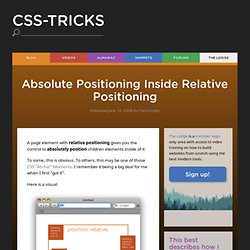
To some, this is obvious. To others, this may be one of those CSS "Ah-ha! " Moments. I remember it being a big deal for me when I first "got it". Here is a visual: The relative positioning on the parent is the big deal here. Might not look like a big deal in this small example, but it really is a significant change. Once you "wrap" your head around this concept (rim-shot) you will find little uses for it all over the place, and start noticing examples of other places using it. How about some examples? 960 Grid System Streamline Web Development Workflow. The 960 Grid System is an effort to streamline web development workflow by providing commonly used dimensions, based on a width of 960 pixels.

There are two variants: 12 and 16 columns, which can be used separately or in tandem. The premise of the system is ideally suited to rapid prototyping, but it would work equally well when integrated into a production environment. There are printable sketch sheets, design layouts, and a CSS file that have identical measurements. All modern monitors support at least 1024 × 768 pixel resolution. 960 is divisible by 2, 3, 4, 5, 6, 8, 10, 12, 15, 16, 20, 24, 30, 32, 40, 48, 60, 64, 80, 96, 120, 160, 192, 240, 320 and 480. This makes it a highly flexible base number to work with. Head JS Speeds Up, Simplifies & Modernizes Your Site. Can I use... Support tables for HTML5, CSS3, etc. 20 videos HTML5 & CSS3 Fundamentals: Dev for Absolute Beginners.