
Files.simplek12.com/ebooks/20Printables. Popcorn Maker. Cybersafety. Five-Minute Film Festival: Copyright and Fair Use for Educators. I absolutely love it when teachers and students create, remix, and mash up media; it's a fantastic way to encourage deeper learning and media literacy.
But one issue that complicates digital freedom of expression is copyright law. While many would argue that copyright law is outdated and badly in need of an overhaul, it's still critical that adults and kids alike have a basic understanding of what's legal and ethical while playing with other people's intellectual property. Here's a list of videos I collected to help you navigate the murky waters of copyright law in educational settings. Video Playlist: Understanding Copyright and Fair Use Watch the player below to see the whole playlist, or view it on YouTube. Understanding "Fair Use" in a Digital World (06:14) This excellent video by Common Sense Media and Teaching Channel shows students evaluating video remixes during a lesson in fair use. 6 Open Educational Resources. There's a subtle but steady shift happening in classrooms across the nation.
More and more, schools are seeking efficient, cost-effective alternatives to using paper and supporting over-priced textbook companies. One way is by supporting technology in schools. Open Educational Resources (OER): Resource Roundup. Resources by Topic: OER, a part of the global open content movement, are shared teaching, learning, and research resources available under legally recognized open licenses -- free for people to reuse, revise, remix, and redistribute.
Why are OER important? High-quality OER can save teachers significant time and effort on resource development and advance student learning inside and outside the classroom. Further, open sharing of resources has the potential to fuel collaboration, encourage the improvement of available materials, and aid in the dissemination of best practices. For more about the potential of OER, check out "5-Minute Film Festival: Why Open Education Matters," by Edutopia's VideoAmy. Engage To Learn. Livebinder. Behavior Management Software - ClassDojo. BigHugeLabs: Do fun stuff with your photos. WebQuest.Org: Home. WeVideo - Free Online Video Editor & Maker. iPiccy: Free Online Photo Editing for You. Dig...
Home. GeorgiaNETS - home. Apps/Web 2.0 Tools and Highly Effective Instructional Strategies. 23 Excellent Professional Development Tools for Teachers. Today we are sharing with you some web tools to help you grow professionally.
These are probably the best you can ever find online. Check out the list below and share with us your suggestions and additions. This is a work in progress. Enjoy 1- Education World This is a great website that offers all the resources you need to grow professionally. 2- Classroom2.0 In this networking group, you can get connected with other educators who are interested in Web 2.0, social media, and more in the classroom. 3- Diigo Collect, highlight, remember, and share all of the great resources you find online with your PLN on Diigo, and annotation and online bookmarking tool. 4- Discovery Education There is no way that you did not hear about this awesome website. 5- Google Rss With Google Reader or any other great RSS tool, you can subscribe to blogs and stay on top of it all. 6- Twitter 7- Staff Develop 9- Ed Week Ed Week is a also one of the leading websites in education. 11- Educators Professional Development. ROCCSALT 2012: Tools for Blooms. Free web apps & blog and website widgets.
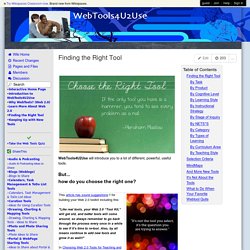
Finding the Right Tool. WebTools4U2Use will introduce you to a lot of different, powerful, useful tools.But... how do you choose the right one?
By Task This mindmap by Toy Waterman provides a basic list of webtools from which to choose those most appropriate to different kinds of classroom activities. Click on the + near each type of activity to see some of the best tools for that task. (Click and drag the image in the box to reveal more.) Check out Project Bamboo's Digital Research Tools(Bamboo DiRT), Created and maintained by a partnership of several U. By Product By Cognitive Level By Learning Style Brian Gray created this ThingLink image that links to lists of recommended tools for each learning style. 101 Web 2.0 Teaching Tools.
Online tools and resources have made it easier for teachers to instruct students, and for students to collaborate with those teachers and with other students and parents.
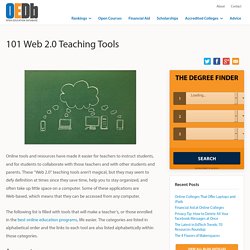
These “Web 2.0” teaching tools aren’t magical, but they may seem to defy definition at times since they save time, help you to stay organized, and often take up little space on a computer. Some of these applications are Web-based, which means that they can be accessed from any computer. The following list is filled with tools that will make a teacher’s, or those enrolled in the best online education programs, life easier.
Web 2.0 Tools. While the Web has always been a tool for collaboration, only in the last few years has software permitted individuals to use it as a platform for true collaborative activities.

Web 2.0 is about users and content, instead of just surfing on the Internet. It's about what the Internet can do for an active collaborator, rather than a passive viewer. 50 Web 2.0 Tools Your Students Want You to Use. Online tools and applications - Go2web20. Web 2.0 Tools for Educators. Cooltoolsforschools - home. Top 10 Web 2.0 Tools for Young Learners. The 35 Best Web 2.0 Classroom Tools Chosen By You. 100 Web 2.0 Tools Every Teacher Should Know About 44.24K Views 0 Likes We're always trying to figure out the best tools for teachers, trends in the education technology industry, and generally doing our darnedest to bring you new and exciting ways to enhance the classroom.
But I wanted t... Discovery Education Web2012 : Web 2.0 Tools. The 100 Best Web 2.0 Classroom Tools Chosen By You. The Wordle of this list! (Click image to enlarge) Web 2.0 e-Publishing Tools: A Quick Guide. Web 2.0 Tools in Education Series E-Publishing Tools: A Quick Guide Wouldn't it be nice if there was a resource that explained, in detail, everything you needed to know about e-publishing: what tools were available, how to sign up, getting started, etc.?

There are a lot of great publishing tools out there today, and many can save you a lot of time. Publishing electronically can be easy and affordable for teachers and students alike, and there is a certain level of accomplishment that a student will feel when they see their works published. Personally, I'm an avid user of many different platforms for e-publishing.