
Top 10 USB Thumb Drive Tricks. Tiny USB business card. How to Start a Computer Repair Business. If you are like me you grew up always being interested in Computers.
I was always reading thick computer books for fun and tinkering with all the computers we had at home and started collecting more and more until I had enough to setup my own home network. I felt like I could fix anything with the computer and I was not too far from the truth. Then it started, my friends and family and acquaintances started wanting help with their computer. Being the generous guy that I was I help them out and didn’t charge them anything. But then it started happening more and more and I thought about charging but had no idea how much or when or anything. Like most things in life to get anything out of it you first have to put something into it. Most people try to promote their computer repair business by word of mouth. The vast majority of people that I have helped have been old retired people. Since I have started I have fixed many different kinds of problems.
Related posts: On-Site Computer Services. Turn Your Underused (or Unused) Thumb Drives into Awesome, Indispensable Tools This Weekend. Top 10 Uses for Wi-Fi (That Aren't Just Connecting to the Internet) Create The Ultimate USB Rescue Drive. Ever been at a friends house and needed to edit a photo, but all they have is MS Paint?
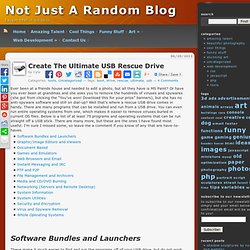
Or have you ever been at grandmas and she asks you to remove the hundreds of viruses and spywares (she got from clicking the “You’ve won! Download this for your prize” banners), but she has no anti-spyware software and still on dial-up? Well that’s where a rescue USB drive comes in handy. There are many programs that can be installed and run from a USB drive. You can even run entire operating systems from one, which makes it easier to remove viruses buried in current OS files.
These make it much easier to find and run the programs off of your USB drive, but do not work with every program. Use these programs to edit images and view them. Microsoft Word does not come installed on most computers and WordPad just doesn’t cut it so here are some document based portable programs. My favorite section!
These are must haves for uploading and downloading a lot or large files. Here are some system utilities. How to Burn OS X Mountain Lion to a DVD or USB Flash Drive. Boost your pc’s performance in 5 secs. Have you ever noticed how you pc tends to slow down near the end of the day?

Well there is a way you can put it back in its fresh start state without a restart! First up, why do you need a booster? Well, it’s not so much a question of why because we all want a faster PC. This is more a question of WHEN. If you’ve been running a large application (or several large applications, maybe a game, Photoshop, something like that) the RAM can get taken up quickly. You’ll notice this effect at the end of the day. So, here’s what you need to do. Step One: Open up Notepad (it’s in Accessories) Step Two: Type in MYSTRING=(80000000) Step Three: Save the file as MEMORY.VBE (or RAM.VBE if you like…just remember the .VBE) Step Four: Make sure you save the file to your DESKTOP. Step Five: Just double-click the newly created file on your desktop whenever your PC seems sluggish.
If you have less than 128mb of RAM. That’s it.