
AJAX-Like File Uploads with jQuery. Ajax Upload; A file upload script with progress-bar, drag-and-drop.
AJAX file upload tutorial. jQuery Form Plugin. The following code controls the HTML form beneath it.
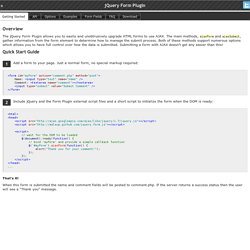
It uses ajaxForm to bind the form and demonstrates how to use pre- and post-submit callbacks. AJAX response will replace this content. The following code controls the HTML form beneath it. It uses ajaxSubmit to submit the form. This page gives several examples of how form data can be validated before it is sent to the server. The following login form is used for each of the examples that follow. Form Markup: <form id="validationForm" action="dummy.php" method="post"> Username: <input type="text" name="username" /> Password: <input type="password" name="password" /> <input type="submit" value="Submit" /> </form> First, we initialize the form and give it a beforeSubmit callback function - this is the validation function.
Validate Using the formData Argument Validate Using the jqForm Argument Validate Using the fieldValue Method Note You can find jQuery plugins that deal specifically with field validation on the jQuery Plugins Page. A tool for uploading files using Flash, Silverlight, Google Gears, HTML5 or Browserplus. Queued Photo Uploader » FancyUpload - Swiff meets Ajax Showcase. Swiff meets Ajax for powerful and elegant uploads.

FancyUpload is a file-input replacement which features an unobtrusive, multiple-file selection menu and queued upload with an animated progress bar. It is easy to setup, is server independent, completely styleable via CSS and XHTML and uses MooTools to work in all modern browsers. Showcases: Showcase “Queued Photo Uploader” Showcase with converted FancyUpload. The Action Happens Here Don’t think that the uploader can handle only images! What happens? The PHP script does not save the files but logs every request. Select one or more images.The images are uploaded one by one, overall progress and file progress is updated.The server-side PHP script logs the upload (see .log).A JSON response is returned, containing some information about the images like mime-type, width and height.This information is added to the completed file element.
Do Not: Copy this example and ask why it doesn’t upload the files. Please Do: JavaScript & MooTools. Ajax Image Upload without Refreshing Page using Jquery. Are you looking for ajax file/image upload and preview without refreshing page using Jquery.

I had implemented this ajax form submitting using jquery.form plugin and used Arun Shekar's image cropping PHP code for uploading images. Just five lines of JavaScript code, Using this you can upload files, image and videos. Download Script Live Demo Javascript Code$("#photoimg").live('change',function(){})- photoimg is the ID name of INPUT FILE tag and $('#imageform').ajaxForm() - imageform is the ID name of FORM.
Index.php Contains simple PHP and HTML code. <form id="imageform" method="post" enctype="multipart/form-data" action='ajaximage.php'> Upload image <input type="file" name="photoimg" id="photoimg" /></form> Sample database design for Users. Users Contains user details username, password, email, profile_image and profile_image_small etc. ajaximage.php Contains PHP code. <? Db.php Database configuration file, modify username, password, database and base url values. FileUploader. Type: widget release: N/A priority: none status: in planning documentation: N/A.

MULTI-UPLOAD FACILE AVEC JQUERY ET UN PEU DE PHP multiupload, multi-upload, multi upload, jquery, Source N°44633 PHP. Le multi-upload, j'avais tendance à penser que c'était une légende de développeurs ! Après avoir fait quelques recherches sur Internet (communautés de développeurs, sites spécialisés, ...), je n'ai trouvé que des projets en cours de développement ou des scripts difficiles à mettre en oeuvre ... Vous trouverez également un fichier CSS à adapter (je propose une CSS très basique). J'ai découvert un framework Ajax : JQUERY ! JQUERY permet de faire du multi-upload mais il manquait un fichier pour pouvoir enregistrer les fichiers ...
Je vous propose donc JQUERY et la gestion du multi-upload par du PHP ... J'ai écrit une classe PHP dans laquelle j'ai prévu des méthodes, j'ai énormément commenté mon script dans le cas où vous auriez besoin de le modifier ... Bonne mise en oeuvre, Cordialement, Zeo34/Damien. jQuery File Upload Demo. Ewen's Files, Ewen Elder; jQuery JavaScript PHP CSS xHTML MySQL Developer.
Well, it's not really Ajax uploading considering file upload with ajax is not possible, but the end result is similar.
This jQuery ajax upload plugin creates a hidden iframe and sets the form's target attribute to post to that iframe. When the form is submitted, it is posted (including the file uploads) to the hidden iframe. Finally, the plugin collects the server's response from the iframe. You can of course easily upload multiple files simply by including more file fields. Changelog Version 1.1 Bug Load event would get attached each time the form was submitted, resulting in the event being attached multiple times. New Feature Treat the server response as a JSON object and parse using jQuery.parseJSON(). Returning false in the post : function () callback function will abort the submission of the form. Jquery: upload en drag and drop. De retour pour un article, après quelque mois d’absence bien occupés au boulot Ici je vais vous parler de nouvelles possibilités javascript liées aux drag’n'drop ainsi qu’aux traitements de fichiers.

Le but est de pouvoir drag’n'drop un fichier depuis votre explorateur de fichier, vers le navigateur, et d’en lancer ainsi un upload automatique avec suivi de progression, le tout en asynchrone Je vais d’ailleurs essayer de mettre un maximum de jQuery, comme à mon habitude ! J’aurais pu pousser le développement jusqu’à monter un plugin jQuery, mais finalement, à vous de jouer Cet article n’a pas pour objectif de vous fournir une solution, mais plutôt de vous expliquer son fonctionnement. Allez, une fois n’est pas coutume, une petite démo !