
How to Create Accordion Menu (CSS3+jQuery) [Tutorial] Topic: jQuery / CSS3Difficulty: IntermediateEstimated Completion Time: 30 mins As you may noticed a few days ago we released a tutorial about How to Create an Accordion Menu in Pure CSS3.
![How to Create Accordion Menu (CSS3+jQuery) [Tutorial]](http://cdn.pearltrees.com/s/pic/th/create-accordion-menu-jquery-24143996)
As this pure CSS3 Accordion Menu will not work on all browsers because the :target selector in not supported in the oldest browsers we decided to create a jQuery version of this menu. Also jQuery offers more stability and cross browser compatibility support so if you want to provide to your visitors/client a better product you may consider use this jQuery version. Before you start reading this tutorial I recommend you to read the CSS3 Version as we will not cover all the steps and will focus only on the changes that need to be done for the jQuery version. Step 1 – HTML Markup The HTML is the same as the CSS3 version, a nested unordered list which will contain all of our links. Step 2 – CSS Styling The changes in the CSS code are very basic. Step 3 – jQuery. JavaScript WYSIWYG Editor – TinyEditor. Orman Clark’s Vertical Navigation Menu: The CSS3 Version. Next in the Orman Clark's coded PSD series is his awesome looking Vertical Navigation Menu.
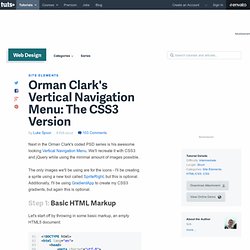
We'll recreate it with CSS3 and jQuery while using the minimal amount of images possible. The only images we'll be using are for the icons - I'll be creating a sprite using a new tool called SpriteRight, but this is optional. Additionally, I'll be using GradientApp to create my CSS3 gradients, but again this is optional.
Step 1: Basic HTML Markup Let's start off by throwing in some basic markup, an empty HTML5 document: Gallery Plugin. Browser Cacheable PHP Scripts » pjdietz. Apprise - The attractive alert alternative for jQuery. The initial release of Apprise has been a major success and is often what this site is most commonly associated with.
As far as I've been able to track, Apprise has been downloaded over 23,000 times and has been mentioned in over 46,000 blogs. Which is fantastic, especially for something that I've never been very proud of. I've wanted to update, and change the UI, of this for over a year now. Time has finally permitted and it's, finally, ready. jReject - jQuery Plugin for Simple Browser Rejection. Masked Input Plugin. First, include the jQuery and masked input javascript files.
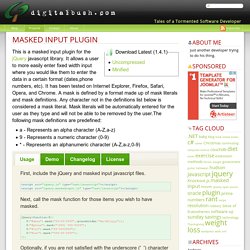
Next, call the mask function for those items you wish to have masked. Optionally, if you are not satisfied with the underscore ('_') character as a placeholder, you may pass an optional argument to the maskedinput method. Optionally, if you would like to execute a function once the mask has been completed, you can specify that function as an optional argument to the maskedinput method. You can now supply your own mask definitions. jQuery(function($){ $.mask.definitions['~']='[+-]'; $("#eyescript").mask("~9.99 ~9.99 999");});
ColorBox Examples. jQuery treeTable Plugin Documentation. Download the latest release from the jQuery Plugin Registry or grab the source code from Github.
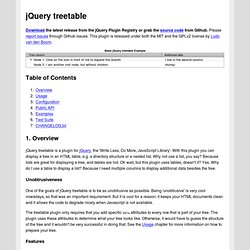
Please report issues through Github issues. CLEditor - WYSIWYG HTML Editor. Table Drag and Drop JQuery plugin. Why have another plugin?

Dragging and dropping rows within a table can’t be handled by general purpose drag and drop utilities for a number of reasons, not least because you need to move the whole row, not just the cell that receives the mouse events. Re-parenting the row also requires specific code. Sadly also, effects like fadeIn and fadeOut don’t work well with table rows on all browsers, so we have to go for simpler effects. What does it do? Flexigrid. Untitled. « Back to main page A full featured real life example of how to use this plugin.

It uses the PRE_EDIT function to change a field to a predefined selection. Client side validation is then injected on input during POST_EDIT -- watch that invalid email! jQuery charToTable plugin demo. Free web resources for designers and web developers. Here we developed several frequently-used jquery ui plugins.
Brandon Aaron : Code : mousewheel : Demos. The Lightbox Clones Matrix. Source javascript. JavaScript image combobox v2.37.5. Are you tired with your old fashion dropdown?

Try this new one. Image combo box. Chosen - a JavaScript plugin for jQuery and Prototype - makes select boxes better. Chosen is a jQuery plugin that makes long, unwieldy select boxes much more user-friendly.

Downloads Project Source Contribute Standard Select. FullCalendar - Full-sized Calendar jQuery Plugin. jQuery UI Spinner Example. Nodstrum. AutoCompleter Tutorial As always, links to a demo and ZIP at the bottom, Enjoy! I thought i would write this tutorial because most of the auto completer applications i have seen just dump the code into a zip and tell you how to use it rather than how and why it works, knowing about this enables you to customise it a lot more (this has been demonstrated with the other apps i have written here)!
And so we begin:JavaScript JS Explaniation Ok, the above code it the guts to the script, this allows us to hook into the rpc.php file which carries out all the processing. The Lookup function takes the word from the input box and POSTS it to the rpc.php page using the jQuery Ajax POST call. How to Build Cross-Browser HTML5 Forms. In this tutorial, we're going to take a look at how to serve HTML5 forms to modern browsers, while compensating for older browsers by using a mix of Webforms2, Modernizr, jQuery UI and assorted jQuery Plugins.
Introduction HTML5 powered forms provide a great deal of semantic markup, and remove the need for a lot of JavaScript. One of the first efforts toward HTML5 was WHATWG's Web Forms 2.0, originally called XForms Basic. The spec introduced new form controls and validation, among other things. Later, it got incorporated into HTML5, and was subsequently stripped of the repetition model, resulting in what we know today as HTML5 Forms. The ever-present issue, backward compatibility, still remains a headache though, unfortunately.