
CSS Generators. The Skinny on CSS Attribute Selectors. CSS has the ability to target HTML elements based on any one of their attributes.
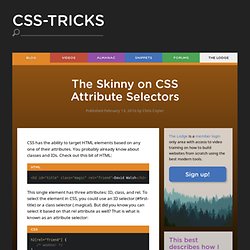
You probably already know about classes and IDs. Check out this bit of HTML: <h2 id="title" class="magic" rel="friend">David Walsh</h2> This single element has three attributes: ID, class, and rel. To select the element in CSS, you could use an ID selector (#first-title) or a class selector (.magical). h2[rel="friend"] { } There is a lot more to attribute selectors though, so let's look closer at all the different options and try to cover some "real world" scenarios on when they might be useful.
Attribute Exactly Equals Certain Value In the example we used above, the attribute of the h2 element was "friend". <h1 rel="external">Attribute Equals</h1> A great real world example of this is styling a blogroll. CSS Box Shadow. Perfect Full Page Background Image.
Learn Development at Frontend Masters This post was originally published on August 21, 2009 and is now updated as it has been entirely revised.
Both original methods are removed and now replaced by four new methods. The goal here is a background image on a website that covers the entire browser window at all times. Let’s put some specifics on it: Fills entire page with image, no white spaceScales image as neededRetains image proportions (aspect ratio)Image is centered on pageDoes not cause scrollbarsAs cross-browser compatible as possibleIsn’t some fancy shenanigans like Flash Image above credited to this site. Awesome, Easy, Progressive CSS3 Way We can do this purely through CSS thanks to the background-size property now in CSS3. Works in: Safari 3+Chrome Whatever+IE 9+Opera 10+ (Opera 9.5 supported background-size but not the keywords)Firefox 3.6+ (Firefox 4 supports non-vendor prefixed version) View Demo CSS-Only Technique #1 Big thanks, as usual, to Doug Neiner for this alternate version.
HTML5 & CSS3 Support, Web Design Tools & Support - FindMeByIP - CSS3 & HTML5 Browser Support. CSS3 Browser Support and Information. Beautiful CSS3 Search Form. Lately I've been playing around with CSS3 and discovered some new CSS tricks.

Did you know you can make a round circle with border-radius and create inner shadow effect with box-shadow inset? Check out this beautiful search form demo that I've created with CSS gradient, border-radius, and box-shadow. It displays perfect in CSS3 browsers and degrades gracefully in non-CSS3 browsers. View Demo Search Form Round Circle Trick You can create a round circle by specifying a very large value with the border-radius property.
Inner Shadow Effect Specifying inset values with the box-shadow property to create a inner shadow effect. Search Form Example The following search form demo is created with CSS gradient, border-radius, and box-shadow with inset values (view the demo with Chrome 4+ or Firefox 3.5+).
Little Boxes. 960 Grid System. CSS Tools: Reset CSS. The goal of a reset stylesheet is to reduce browser inconsistencies in things like default line heights, margins and font sizes of headings, and so on.
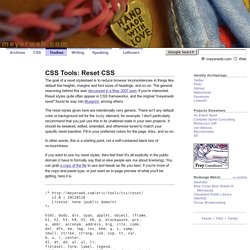
The general reasoning behind this was discussed in a May 2007 post, if you're interested. Reset styles quite often appear in CSS frameworks, and the original "meyerweb reset" found its way into Blueprint, among others. The reset styles given here are intentionally very generic. There isn't any default color or background set for the body element, for example. I don't particularly recommend that you just use this in its unaltered state in your own projects. In other words, this is a starting point, not a self-contained black box of no-touchiness. If you want to use my reset styles, then feel free! Previous Versions v1.0 (200802) Acknowledgments Thanks to Paul Chaplin for the blockquote / q rules. CSS Menu Maker. CSS Layout: A collection of 224 Grid and CSS Layouts. 20 Super Techniques For CSS Page Layouts. Its our constant endeavor to bring the best of resources for our resources.

This article is yet again an effort to do the same by collecting a huge list of CSS Page Layouts. If you are short of time, you can download ready made CSS Page layouts and if you want to add certain personalized touch, we have listed few websites below where you can make a CSS (Cascading Style Sheet), on your own without adding too much effort. As a developer, you know the importance of respecting the hard work others have put in making these CSS Page layouts. So kindly go through the terms of use before downloading the content. Have a knowledgeable week ahead. If you like this article, you might be interested in some of our older articles on Tips for Writing CSS, What’s Exciting In CSS3, CSS3 Animation Demos and Tutorials, and Comparison Tables.
Advertisement Nice and Free CSS Templates This site contains free css templates for your website – Just copy and paste and there you have a stunning website.