
Photoshop Tutorials. How to Create a Child Theme for WordPress - WordPress plus me. Making a child theme for WordPress is probably easier than most people think, and good theme devs will even give you a head start and provide a child theme file template to even begin with.
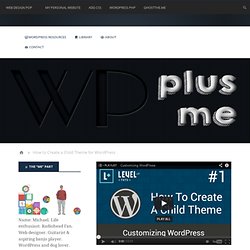
That gets you up and running fast, and if you use the underscores theme framework or whatever you want to call it, you’ve got a huge head-start. The answer of how to eat an elephant holds true with learning to build child themes, though: One bite at a time. There are a numerous tutorials available that carry you all the way through in one take, but I would recommend breaking it down and really understanding what, and why, you’re doing what you’re doing. Learn CSS Layout. DigitalOcean Community.
Design a Beautiful Website From Scratch. Have you ever wanted to design a beautiful website but just didn't know how?
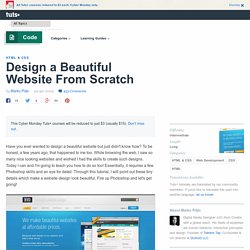
To be honest, a few years ago, that happened to me too. While browsing the web, I saw so many nice looking websites and wished I had the skills to create such designs. Today I can and I'm going to teach you how to do so too! Essentially, it requires a few Photoshop skills and an eye for detail. Through this tutorial, I will point out these tiny details which make a website design look beautiful. The designs I create are nearly all based on the 960 Grid System. Before we open our PSD grid template and begin drawing, we first need to define the structure of our site. After we've defined our site structure we're ready to move on.
Now pick the Rectangle Tool and draw in a rectangle the full canvas width and about 80px high. Create a new layer above the rectangle and set Layer mode to Overlay. New layer. With the Rectangle tool selected, draw in a big box around 500px underneath the top rectangle. Add the shadow. Photoshop Web Design Layout Tutorials from 2010 - Noupe Design Blog.
Aug 12 2010 Web layouts are crucial for every web design.
Whether it is a simple design or an advanced one, Photoshop can often come handy in creating such layouts. Servicing All of Los Angeles County, South Bay Torrance, and more. Most Useful Ajax Tools And Tutorials. According to wikipedia, “Ajax, sometimes written as AJAX (shorthand for asynchronous JavaScript and XML), is a group of interrelated web development techniques used on the client-side to create interactive web applications or rich Internet applications.
With Ajax, web applications can retrieve data from the server asynchronously in the background without interfering with the display and behavior of the existing page.” No need to search all over the net for ajax tools and tutorials i have rounded up the best AJAX tools and tutorials for you. So those who are very new to Ajax can follow the tutorial links to know about it and others can start using ajax tools. Do let us know which tool, or if i missed any, is very useful by commenting here. Create a Letterpress Effect with CSS Text-Shadow. The letterpress effect is becoming hugely popular in web design, and with a couple of modern browsers now showing support for the text-shadow CSS3 property it’s now simple and easy to create the effect with pure CSS.
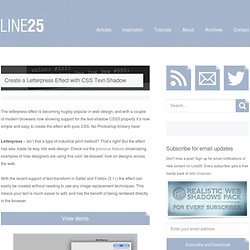
No Photoshop trickery here! Letterpress – Isn’t that a type of industrial print method? That’s right! But the effect has also made its way into web design. Check out the previous feature showcasing examples of how designers are using this cool ‘de-bossed’ look on designs across the web. With the recent support of text-transform in Safari and Firefox (3.1+) the effect can easily be created without needing to use any image replacement techniques. View demo Start out by creating a simple background. <! <h1>Line25</h1> <h2>Pure CSS Letterpress Effect</h2> Set up a plain HTML document, then add a few lines of text to test the effect on.
Style up the text using the usual CSS properties to edit the size and basic appearance. Now we’re ready to apply the text-shadow property. Simple! Features. 54 Awesome Tutorials To Satisfy The Appetite Of Any Web Develope. When a roundup of tutorials is done, they usual focus on one specific area of design, development or coding.
However we at Pelfusion know that a lot of our web developers have their fingers in more then one area of development. So, we’ve dedicated this article to the development of fantastic blogs and website. We have focused on finding articles based on the following areas of web development: WordPress Jquery. 10 Best Tutorials To Learn CSS3. 50 Useful Coding Techniques (CSS Layouts, Visual Effects and For. Advertisement Although CSS is generally considered a simple and straightforward language, sometimes it requires creativity, skill and a bit of experimentation.
The good news is that designers and developers worldwide often face similar problems and choose to share their insights and workarounds with the wider community. This is where we come in. Web Design Library — One-stop Web Design Resource. Awesome Inline Form Labels - ZURB Playground - ZURB.com.
45 jQuery Navigation Plugins and Tutorials - Noupe Design Blog. Jan 25 2010 By Paul Andrew As many of us know, the initial 15-20 seconds of a new user’s visit to a web site will have a large impact on whether on not they are going to like or dislike the site, prompting them to decide whether they will stay or go. This means it’s vital that you follow usability rules with common design practices and layout your site, especially the navigation, in a style that the user can either learn easily or already understands. The biggest part of this process is developing a menu that is both easy to use and intuitive, as well as styling it to fit into your site’s design. Having said all that, an easy-to-use menu should not put the shackles on creativity.