
ExifTool by Phil Harvey. Read, Write and Edit Meta Information!
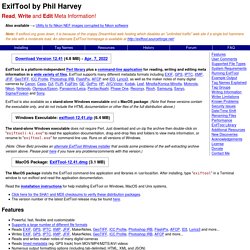
Also available --> Utility to fix Nikon NEF images corrupted by Nikon software ExifTool is a platform-independent Perl library plus a command-line application for reading, writing and editing meta information in a wide variety of files. ExifTool supports many different metadata formats including EXIF, GPS, IPTC, XMP, JFIF, GeoTIFF, ICC Profile, Photoshop IRB, FlashPix, AFCP and ID3, as well as the maker notes of many digital cameras by Canon, Casio, DJI, FLIR, FujiFilm, GE, GoPro, HP, JVC/Victor, Kodak, Leaf, Minolta/Konica-Minolta, Motorola, Nikon, Nintendo, Olympus/Epson, Panasonic/Leica, Pentax/Asahi, Phase One, Reconyx, Ricoh, Samsung, Sanyo, Sigma/Foveon and Sony. ExifTool is also available as a stand-alone Windows executable and a MacOS package: (Note that these versions contain the executable only, and do not include the HTML documentation or other files of the full distribution above.) The stand-alone Windows executable does not require Perl. The XMP Revolution is Here. I was testing some MPEG4-AVC playback code the other day and ran into a Flash Player runtime exception I hadn’t ever seen before: Hmph.

An onXMPData callback–that piqued my interest. I’ve long been a fan of metadata and XMP in particular (it takes a special type of nerd to have the meta love), so when I saw this error the wheels began to turn immediately. I had been testing a lot of video files lately, but this particular piece of content was created with After Effects CS4. This made me think that the long and slow roll out of XMP into the Adobe suite was finally here and I wanted to know what exactly they were doing. Fist things first, I fired up Flex, set a breakpoint and loaded the After Effects created video file into my MPEG4-AVC player. But wait, there’s more, using XMP extends beyond standard file info and saving a video file’s editing history.
Now if only I can wrangle a few devs at work into writing XMP into the video files that TechSmith tooling creates. P.S. Comment classer ses photos ? L'excellent logiciel Pixvue que je recommandais depuis plusieurs années a brusquement disparu de l'Internet*.

En même temps, est sorti un logiciel gratuit de Microsoft : Pro Photo Tools. Il a une très grande ressemblance avec une partie des fonctions de Pixvue. Ceux qui ont conservé une copie du logiciel Pixvue peuvent continuer à s'en servir. Les autres peuvent installer Pro Photo Tools.* un lecteur me signale qu'on peut encore le trouver ici . Cet article est la suite de l'article Photos et images numériques dont la lecture préalable est recommandée. La photo numérisée de bout en bout envahit votre ordinateur. Le stockage et le nommage des photos,La description des photos,Les outils pour la recherche,La constitution des albums sur le PC ou pour une publication sur CD, DVD ou sur le Web Avant de passer à la pratique, je vais dévoiler le plus simplement possible un des secrets les mieux gardés de l'Informatique : l'utilisation des métadonnées en particulier dans les photos numériques.