
Howto. Windows. Software. Webcam. Iso. Active. Screensaver. Puppy. Gpart. Automated. Banish your daemons for a faster Linux PC. In common with other parts of the early Unix operating system, the term 'daemon' gives little away about what its function might be. A daemon is a task that runs in the background, and there's a small army of them that are started when you fire up your machine. There are daemons for controlling automated tasks, daemons for managing power and CPU use, daemons for printing and daemons for writing the system logs. Build a centralized log management and monitoring system. Seasoned system administrators know that routinely reading system logs is an important task, but reading endless lines from logs is both time-consuming and boring, especially if you are responsible for a large number of busy servers.

In this article I will show you how to set up a system that gathers and archives system logs from many network hosts and emails only important or irregular system events to administrators. The majority of GNU/Linux distributions uses the good old syslogd system logger by default, which is based on the original 4.3BSD syslogd daemon. Syslogd is a fine system logger, but it lacks some advanced features modern alternatives offer. We will use syslog-ng instead, which provides all the functionality of the traditional syslogd along with some nice enhancements. Among others, it provides powerful filtering capabilities based on message content, and can also be used in a firewalled environment without problems.
DeveloperWorks : Linux Professional Institute (LPI) exam prep. Limiting Linux Logins. I'm sometimes surprised at the complex solutions administrators come up with to keep out users whenever that course becomes necessary when a simple, built-in solution to their problem already exists.

In this article, we'll look at a few different mechanisms used to keep out intruders either temporarily, or on a more permanent basis. Most obviously, Linux offers single user mode, in which only the system administrator can log on. You can get to single user mode in a number of ways. Typing init 1 at a shell prompt as root will do it nicely, and do it immediately. As per the shutdown man page, if you don't explicitly tell the command to halt or reboot (using the -h or -r flags, respectively), it'll put you into single user mode.
The other way to get into single user mode is at boot time, either by having a GRUB entry for single user mode, or by editing the GRUB "kernel" line at boot time. More permanent lockouts. Excellent Adventures with Redhat 7.3 on a Thinkpad 600 Laptop. Workbench Linux distro is a workhorse for software developers. By Mayank Sharma on September 18, 2008 (9:00:00 AM) Workbench is based on Xubuntu, the Xfce-powered Ubuntu flavor, but unlike Xubuntu it doesn't fit on a standard 700MB CD.

With all its development tools and productivity apps, Workbench weighs in at 1.4GB. You can download the distro from either a low-speed direct download server or BitTorrent. aDesklets: Eye candy for the Linux desktop. I'm going to use aDesklets with Ubuntu Linux for this example, but it shouldn't be too difficult to install aDesklets on other Linux distributions.

Look up the installation instructions for your distribution at the aDesklets site's documentation section. Back to Ubuntu. Make sure your apt-get sources are up-to-date, then apt-get install adesklets. Once this gets through, you're ready to populate your desktop with status meters, calender, icon bars, weather updates, and news tickers. Launch the aDesklets installer with the command adesklets_installer. Calender desklet In the aDesklets installer, select the Calender desklet, then click the Install button. Linux Kernel Documentation. Custom Search Based on kernel version 3.5 .
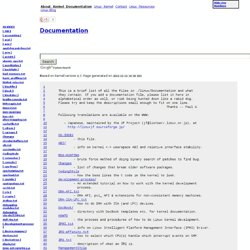
Page generated on 2012-07-30 09:20 EST . 1 2 This is a brief list of all the files in . /linux/Documentation and what 3 they contain. . [ accounting ] [ acpi ] Csync - file synchonization. For those "oops" moments: ext3undel. By Kurt Edelbrock on July 10, 2008 (4:00:00 PM) Files on the ext3 filesystem have two parts.

The file's metadata -- that is, the file name, size, and creation and access dates -- is stored in a Unix data structure called an inode. The actual file data is stored in blocks on the hard drive. Deleting a file destroys the link between the metadata and the filesystem blocks, eliminating the association between the file's information and content. Both the inodes and the data blocks are marked as free, and the operating system will use them to write new data when it needs to. Centralized Syslog Server Using syslog-NG with web Interface using php-syslog-ng. Centralized Syslog Server Using syslog-NG with web Interface using php-syslog-ng Central Log Management System is a simple web based logging system which allows logging all syslog messages from various Network Devices, Unix, Linux, Solaris and Windows Servers. This allows the visibility of logs from all these devices in one single interface. What is Syslog-NG ?
Syslog-ng© is the world's most flexible and scalable audit trail processing tool for organizations of any size. It provides a centralised, securely stored log of all devices on your network, whatever platform they run on. Downloads and Documentation. New AntiX distro makes older hardware usable. I've been a fan of SimplyMEPIS for years.

The distribution was one of the early pioneers in the field of user-friendly Linux development, and to this day offers a system that usually "just works. " Earlier this month the MEPIS site announced a community variation for older computers based on SimplyMEPIS. AntiX is an installable live CD that features a modern kernel, recent X server, and lighter applications for use on computers with as little as 64MB RAM. I tried it, and liked what I found. 10 Of The Best Linux Desktop Customization Screenshots To Inspire Your Creativity.
Reincarnating a discarded laptop with Linux. By Howard Fosdick (Aug. 1, 2006) I recently picked up an old discarded laptop... straight out of a corporate garbage bin, as a matter of fact. Could it be useful? What could it do? As an IT professional, I thought I'd find out. Rebooting the Magic Way. If you have ever had a hard drive fail on a remote server you may remember the feeling you had after trying to issue the following commands: # reboot bash: /sbin/reboot: Input/output error # shutdown -r now bash: /sbin/shutdown: Input/output error Obviously, there is a problem with your drive.

These commands are failing because the kernel is unable to load the /sbin/reboot and /sbin/shutdown binaries from the disk so that it can execute them. A fsck on the next boot might be able to correct whatever is wrong with the disk, but first you need to get the system to reboot. Rotating Linux Log Files. Howto: Enable circular scrolling and more on your laptops synaptics touchpad.
Do you love the way you scroll on your ipod?

Ever wished to enable it in your laptop? Wait no more...follow the below instructions... Turn your launch bar into eye candy with wbar. Wbar contains icons that move around, grow in size, and jump up when you move your mouse over them.

Clicking an icon invokes the appropriate program. The effects are hard to describe in words, so check them out for yourself. wbar won't interfere with your standard menu bar and icons, so you can have both. It runs in all environments, including KDE, GNOME, and Xfce, and is released under the General Public License (GPL). Its current version, 1.3.3, was released in late September. Installing and configuring wbar You could probably install wbar with your distribution tools (I did it that way with openSUSE), but you can also easily install it from source. Free AVG 7.1 for Linux is a must have. Product: AVG Antivirus for desktop Linux Company: Grisoft Packaged for:Mandriva, RedHat/ Fedora, SusePrice: Free for home use Web Site:free.grisoft.com MUCH LESS Linux viruses exist when one compares the numbers to ones on the ubiquitous Windows, but with compatibility libraries like WINE to run windows software on Linux, and and "windows-on-Linux" virtualisation products like Win4Lin an antivirus on Linux is essential.
AVG for Linux working, once properly installed My favourite antivirus on Windows systems is AVG from Grisoft, as it's one of the more lean and it's not a CPU hog, the company also offers a free edition for non-commercial, home use. ColdFusion 7.x Installation on Debian Sarge (3.1r1) Linux. Version 1.1 Author: Oğuz Demirkapı <howto@demirkapi.net> Last edited 10 January 2006 I will try to explain here a clean Debian Sarge 3.1r1 and ColdFusion MX 7.0.1 installation. Why This Tutorial? How to extract an RPM package without installing it. Linux Live Homepage.