
The hoverFlow Plugin - A Solution to Animation Queue Buildup in. 14 Free Mac Apps for Web Designers on a Budget. We all know that Macs aren’t the most affordable computers on the market.

Purchasing one can take a big chunk out of a web designer’s budget and leave little to purchase software. Thankfully, there are alternatives to the expensive software that we need to do our job. Here are 14 Mac applications that will have you doing everything from editing images to writing code, and they won’t cost you a dime. The abbreviation “MAMP” stands for: Macintosh, Apache, Mysql and PHP.
With just a few mouse clicks, you can install Apache, PHP and MySQL for Mac OS X. GIMP is a versatile graphics manipulation package. Cyberduck Cyberduck is an open source FTP, SFTP, WebDAV, Cloud Files and Amazon S3 browser for the Mac. SvnX SvnX is an open source GUI for most features of the svn client binary. Paparazzi Paparazzi! FileZilla FileZilla is a free open source ftp application.
TextWrangler TextWrangler is the powerful general purpose text editor, and Unix and server administrator’s tool. Inkscape KompoZer Simple CSS. 30 Useful Open Source Apps for Web Designers - Six Revisions. There are plenty of open source applications that can help you tremendously as a web designer.
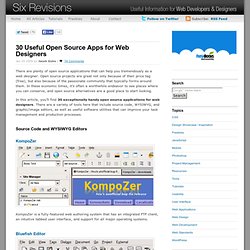
Open source projects are great not only because of their price tag (free), but also because of the passionate community that typically forms around them. In these economic times, it’s often a worthwhile endeavor to see places where you can conserve, and open source alternatives are a good place to start looking. In this article, you’ll find 30 exceptionally handy open source applications for web designers. There are a variety of tools here that include source code, WYSIWYG, and graphic/image editors, as well as useful software utilities that can improve your task management and production processes. A conversation about journalism a. Editor’s Note: Today’s guest writer is Rick Martin, a Tokyo-based freelance writer. Read more from Rick at www.1rick.com/blog and follow him on Twitter at @1rick . I’m not a programmer. But these days I’m starting to see how some programming skills can really make a big difference to my productivity as a writer.
As I pretty much live inside my RSS readers, I find myself bouncing around between different websites copying and pasting feed links far more than I should. For example, if I want to create RSS feeds for the keyword ‘obama’, I don’t want to have to go to Google News, Yahoo News, Delicious, Flickr, Bing, Youtube and all those other services to retrieve those feeds. This was a problem. Solution : I decided to try to program such a tool on my own. In a nutshell, my tool would take the link structures for RSS feeds like this: and replace the ‘keyword’ with a term that you would like to monitor using a simple string replacement command.
Step 1. Step 2: Add a search form to index.html.