
» convert encoding with iconv. Make a Drive Image Using an Ubuntu Live CD. Cloning a hard drive is useful, but what if you have to make several copies, or you just want to make a complete backup of a hard drive?
Drive images let you put everything, and we mean everything, from your hard drive in one big file. With an Ubuntu Live CD, this is a simple process – the versatile tool dd can do this for us right out of the box. We’ve used dd to clone a hard drive before. Making a drive image is very similar, except instead of copying data from one hard drive to another, we copy from a hard drive to a file. Drive images are more flexible, as you can do what you please with the data once you’ve pulled it off the source drive. Your drive image is going to be a big file, depending on the size of your source drive – dd will copy every bit of it, even if there’s only one tiny file stored on the whole hard drive.
ZetCode, tutorials for programmers. Date and time in Java. During the course of my career I have met (too) many developers who are not familiar enough with issues revolving around time and date.
I am pointing all developers with knowledge deficiency in that area to this page. This absence of knowledge can manifest in different statements: You want a time zone in the date format? No problem, I'll just always append +01:00 to the string. We don't need time zone information because we don't have overseas customers. Underground programming: Functional Programming in PHP. Configure Samba Sharing between Ubuntu and Windows (Screenshot Tour) Install Samba on Ubuntu 12.04/11.10/11.04/10.10/10.04/Linux Mint/other Distro's and share files with samba from Ubuntu to Windows and Windows to Ubuntu I wrote tutorials on samba a while ago but some people found that is not helpful for them or the method couldn't work properly for them, I also made video on samba sharing.
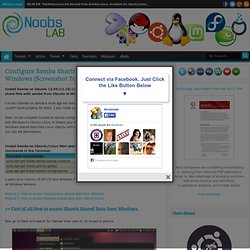
Now I wrote complete tutorial on samba configuration to share data from Ubuntu Linux to Windows and also Windows to Ubuntu Linux, It means you can access your Ubuntu shared data from Windows and Windows shared data from Linux Ubuntu with/without permissions. Permissions are up to you, if you want you can set permissions. Install Samba on Ubuntu/Linux Mint open Terminal (Press Ctrl+Alt+T) and copy the following commands in the Terminal: I used Linux Ubuntu 10.04 LTS and Windows 7 in this tutorial, it works for all Linux Ubuntu versions and all Windows Versions.
Using Eclipse as Node Applications Debugger · joyent/node Wiki. First, there is new Nodeclipse project, that lets to create, edit and debug Node.js application in fully integrated way.
It uses modified Eclipse debugger plugin for V8 (with some bugs below fixed). The usage is much simplified (right-click .js file Debug As→ Node Application). Old information below is left for referenced as node is the same. Eclipse debugger plugin for V8 can be easily used to debug node scripts. (On OSX 10.5 the plugin requires an Eclipse 64 bit Version, started with Java SE 6). Node --debug[=port] NodeApp.js node --debug-brk[=port] NodeApp.js The --debug option will just enable remote debugger connection on given port and then start the application normally. The Node Beginner Book » A comprehensive Node.js tutorial. Update IP addresses at dynamic DNS services Using ddclient
If you're new here, you may want to subscribe to my RSS feed and if you have questions related to your ubuntu system post question to our forums.
Thanks for visiting! Sponsored Link If you are using zoneedit.com or dyndns.org for your DNS service so that you can access your server using a URL, then you might have to update your DNS record at the service periodically whenever the IP address of your computer changes.Now here is simple solution for this ddclient. Update IP addresses at dynamic DNS services.A perl based client to update your dynamic IP address at DynDNS.com (or other dynamic DNS services such as Hammernode, Zoneedit or EasyDNS), thus allowing you and others to use a fixed hostname (myhost.dyndns.org) to access your machine.
This client supports both the dynamic and (near) static services, MX setting, and alternative host. Install ddclient in ubuntu sudo aptitude install ddclient This will complete the installation Configuring ddclient dpkg-reconfigure ddclient use=web. Get Into LESS: the Programmable Stylesheet Language. I don't like CSS.
Plain and simple. It makes the World go round on the web, yet the language is restrictive and hard to manage. It's time to spruce up the language and make it more helpful by using dynamic CSS with the help of LESS. Let me illustrate my point with an example right away. Instead of using #FF9F94 to get a dark peach color, wouldn't it be easier to store that color value inside a variable and just use that variable? In other words: it would be awfully nice if we could use some programming and logic inside CSS to make it a more powerful tool. What Is LESS?