
Integrating Javascript Unit Tests with Visual Studio – Testing your Javascript « Big Nick's Blog. First, let’s pause…the point of this post series is how to integrate your javascript unit tests with Visual Studio, not to teach you how to use the frameworks I’m discussing.

The rest of this post is going to assume you’re familiar with KnockoutJS and Qunit. Knockout is a framework in javascript that let’s you create javascript viewmodels for your html page. When done correctly, your view model simply maintains it’s own state and is blissfully unaware of the existence of any HTML elements. This is one of the death knells of your javascript unit tests. When your javascript knows about html structure and elements it forces you to mock your view out when unit testing otherwise you can’t properly test it. JavaScript BDD, with Jasmine, without a browser. I’ve been test driving the domain of my build radiator, XFD with the lovely Jasmine BDD framework for JavaScript.

Jasmine is lovely. Browsers aren’t. Spawning a new browser to run your tests has issues for me: Spawning a browser takes time and ruins my flow, I’m trying to drive out logic – having a browser present will lead my design to un-natural couplings, andIt makes Continuous Integration that much harder So I started investigating what I could do with Rhino and Envjs to make testing with Jasmine more awesome. Step 1: Check that Jasmine is working I would have saved so much time if I’d started with this bit. <! In my real project I generate this file at build time from an ERB template, to make sure I get all the source files and tests.
Step 2: Get the bits that you need In my lib directory I have: js.jar – which is the Rhino implementation of JavaScript. Step 3: Wire up Jasmine Reporters You can have many Jasmine reporters wired up in the SpecRunner.html. RestFixture. So most of the tests I'm writing now in Fitnesse are using RestFixture.

Being able to do all this black box style testing has helped me get a lot of tests up and running without having to change the existing code base. Now I've taken a step future with my own little fork so I can use scenarios and build nice BDD style scripts. But first I want to give me own quick guide to using RestFixture Step 1: Installing You can dive straight in by grabbing the latest jar files for RestFixture here If you know what you're doing can get the nodep version to work nicely along side other libraries you may be including in Fitnesse.
But I grabbed the 'full' version and unzipped it into a RestFixture folder alongside my FitNesseRoot folder.Step 2: Write your first test I took advantage of the built in Fitnesse api as a basic test and wrote a page called RestFixture with the following contents If that runs and passes then congratulations! FitNesse. FitNesse is a web server, a wiki, and an automated testing tool for software.
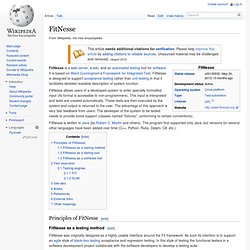
It is based on Ward Cunningham's Framework for Integrated Test. FitNesse is designed to support acceptance testing rather than unit testing in that it facilitates detailed readable description of system function. FitNesse allows users of a developed system to enter specially formatted input (its format is accessible to non-programmers). This input is interpreted and tests are created automatically. These tests are then executed by the system and output is returned to the user. Principles of FitNesse[edit] FitNesse as a testing method[edit] FitNesse was originally designed as a highly usable interface around the Fit framework. FitNesse testing is based around the notion of black-box testing, in which a system under test is considered to be a black box and is tested in terms of the outputs generated in response to predetermined inputs. Multi-Language/ Multi-Browser Software Testing Tools. Installing FitNesse, Selenium and Xebium. As I mentioned in my last post, this post will discuss installing FitNesse, Selenium and Xebium.

Xebia maintains good installation instructions at Xebium’s Github site, which I recommend you start with. You will download the code, compile and run it. This will get you running quickly. So why write an extra installation post? Because I think compiling the code every time you start Xebium is a bit much, and of course to provide some extra quick hints and tips. Quick start with FitNesse and Selenium. Several months ago I used Selenium for web application testing, writing all my tests in Java.

That was a nice experience except that writing tests in Java is somewhat verbose. So, after reading nice things about FitNesse I decided to give it a try. My idea was to stay with Selenium’s engine for running tests but to keep all test scripts nicely organized as wiki pages on a FitNesse server. I’ve found an excellent post by Gojko Adzic about connecting FitNesse and Selenium but it was a bit advanced for me.
The other documentation I’ve found was also weak in that sense. Ingredients To connect FitNesse and Selenium you’ll need the following: Download the latest FitNesse jar.Download WebTest Fixtures extension for FIT/FitNesse. That’s maybe more components than expected but you’d need all of these as each one has a separate role: All these tools are written in Java so you’ll need Java installed as well. Setting up FitNesse with WebTest Fixtures, etc. That’s it. Running Selenium RC Few more things: Automating web tests with FitNesse and Selenium. UPDATE: My thinking on this has changed significantly in the years following this post, but according to Google it’s still quite popular.

If you’re interested in combining FitNesse and Selenium, make sure to read this post as well: How to implement UI Testing without shooting yourself in the foot. It explains how to avoid some of the most common problems.