
Fixie. HoverAlls v1.3. Www.lemonsanver.com/jQuery/easingAnimationPlugin.html. jQTwitter - TechFul Tuts. jQuery.Smart3D « Info for Coders. ExpressionEngine & CodeIgniter Hosting featuring 24/7 Support. FlexSlider - The Best Responsive jQuery Slider. Namespace: "flex-", //{NEW} String: Prefix string attached to the class of every element generated by the plugin animation: "fade", //String: Select your animation type, "fade" or "slide" easing: "swing", //{NEW} String: Determines the easing method used in jQuery transitions. jQuery easing plugin is supported!

Direction: "horizontal", //String: Select the sliding direction, "horizontal" or "vertical" reverse: false, //{NEW} Boolean: Reverse the animation direction animationLoop: true, //Boolean: Should the animation loop? SmoothHeight: false, //{NEW} Boolean: Allow height of the slider to animate smoothly in horizontal mode startAt: 0, //Integer: The slide that the slider should start on. Slideshow: true, //Boolean: Animate slider automatically slideshowSpeed: 7000, //Integer: Set the speed of the slideshow cycling, in milliseconds animationSpeed: 600, //Integer: Set the speed of animations, in milliseconds initDelay: 0, //{NEW} Integer: Set an initialization delay, in milliseconds. Tubular, a YouTube Background Player jQuery Plugin. Video controls:Play | Pause | Volume Up | Volume Down | Mute Tubular is a jQuery plugin that lets you set a YouTube video as your page background.
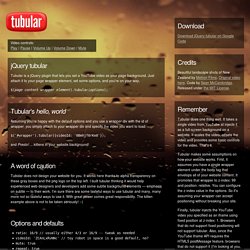
Just attach it to your page wrapper element, set some options, and you're on your way. $(page content wrapper element).tubular(options); Tubular's hello, world Assuming you're happy with the default options and you use a wrapper div with the id of wrapper, you simply attach to your wrapper div and specify the video you want to load: and Presto! A word of caution Tubular does not design your website for you. Options and defaults ratio: 16/9 // usually either 4/3 or 16/9 -- tweak as needed videoId: 'ZCAnLxRvNNc' // toy robot in space is a good default, no? VideoJS - HTML5 Video Player for WordPress. A video plugin for WordPress built on the Video.js HTML5 video player library.

Allows you to embed video in your post or page using HTML5 with Flash fallback support for non-HTML5 browsers. View videojs.com for additional information. Video Shortcode Options mp4 The location of the h.264/MP4 source for the video. [videojs mp4=" ogg The location of the Theora/Ogg source for the video. [videojs ogg=" webm The location of the VP8/WebM source for the video.
[videojs webm=" youtube The location of the YouTube source for the video. [videojs youtube=" poster The location of the poster frame for the video. [videojs poster=" width. HTML5 Video Player.