
CSS3 Gradient Buttons. Last week I talked about Cross-Browser CSS Gradient.
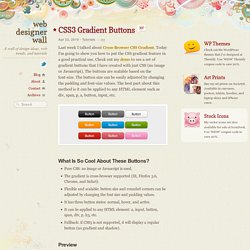
Today I'm going to show you how to put the CSS gradient feature in a good practical use. Check out my demo to see a set of gradient buttons that I have created with just CSS (no image or Javascript). The buttons are scalable based on the font-size. The button size can be easily adjusted by changing the padding and font-size values. The best part about this method is it can be applied to any HTML element such as div, span, p, a, button, input, etc.
What Is So Cool About These Buttons? Pure CSS: no image or Javascript is used. Preview The image below shows how the button will display in different browsers. Button States normal state = gradient with border and shadow styles. hover = darker gradient active = gradient is reversed, 1px down, and darker font color as well. General Styles For The Button The following code is the general styles for the .button class. Color Gradient Styles The code below is the CSS styling for the orange button. Set up Ubuntu 10.04 Server PV DomU at Xen 4.0 Dom0 (pvops 2.6.32.12 kernel) Dom0 on top of Ubuntu 10.04 Server « Xen Virtualization on Linux and Solaris. The procedure bellow in general follows Thiago’s Martins submission [1] to xen-devel mailing list.

However,sequence of steps has been changed and also option of pvops kernel build via make-kpkg was added , /dev/xen/evtchn device hard linked with with pvops kernel, git checkout procedure is more straight forward and one Change-set from xen-4.0-testing.hg back ported to Xen 4.0 to support grub2 notation ‘(hd0,1)’ specific for Ubuntu 10.04 aka Lucid Lynx. Several suggestions have been also made regarding to have libvirt ,virtinst and related packages to work with Xen 4.0 on 10.04 Server. With config bellow there is no need to touch /etc/modules at all. Option “userspace grant access device driver is set to” <*> to make virt-install handy at Xen guests installs cd /usr/src At this point creare grub2-fix.patch1 as raw content of Changeset 21112 pygrub: Fix Grub2 support for Ubuntu 10.04 gunzip xen-4.0.0.tar.gz tar -xvf xen-4.0.0.tar cd xen-4.0.0 patch -p1 -s -i ..
[HOWTO] Move the Minimize, Maximize, Close buttons to the Right in Ubuntu 10.04 Lucid Lynx. I am using Ubuntu 10.04 Lucid Lynx in my PC.
![[HOWTO] Move the Minimize, Maximize, Close buttons to the Right in Ubuntu 10.04 Lucid Lynx](http://cdn.pearltrees.com/s/pic/th/minimize-maximize-buttons-14691361)
The Ubuntu Design Team has decided to move the Minimize, Maximize and Close buttons to the left of the title bar. Not exactly like Mac OS X, which looks like the following: Close, Maximize, Minimize in Mac OS X while Ubuntu button layout is as follows: Maximize, Minimize, Close in Ubuntu Lucid The difference is the order in which they appear. UPDATE April 2: The button order in Lucid will now follow Mac OS X style. The head of Ubuntu Design Team does not give out any particular reasons for that and Mark Shuttleworth says he wants to use the right part for something else, probably in the 10.10 release. I agree that moving that to the right might have some benefits as it takes less mouse movement to get there rather than the right side, but I am always looking for one of those on the right side, because of my habit. To . Alternately, this can also be done by executing the following command from the terminal or from the Run Application Dialog (Alt+F2):