
Data Visualization. Web-based visualisation tools. Bocoup OpenVis Conf. Visualising Data. 10 significant visualisation developments: January to June 2013. To mark the milestone of each mid-year and end of year I try to take a reflective glance over the previous 6 months period in the data visualisation field and compile a collection of some of the most significant developments.

These are the main projects, events, new sites, trends, personalities and general observations that have struck me as being important to help further the development of this field. At the end of 2012 I published a collection for the final 6 months of 2012 and now I’d like to mark the first half of 2013 with my latest perspective. I look forward to hearing from you with suggestions for the developments you believe have been most significant. And so, as ever, in no particular order… 1. During this period we have seen the emergence of a number of projects that portray emotive subject matter. 2. Last time out I raised the idea that I felt quality infographics were starting to reclaim the agenda, after a few years of trash. 3. iPlots - High interaction graphics for R. Graphviz - Graph Visualization Software.
GGobi data visualization system. Ramiro Gómez - Web Development and Data Visualization Services. 关于我们 - dataV数据可视化分享平台. Kitware Inc. - leading edge, high-quality software. Relation Browser / Visualisations showing relations. Relation Browser - Moritz Stefaner Different types of relations, different type of entities. Number of relations should not get bigger then ~25. Nice animations. "Flat" - every relation is equal. No sorting, or filtering. Ask Ken - Michael Aufreiter (Linz) In contrast to the "relation browser" (by moritz s.) here a whole graph opens. InfoGraphics.
50 Great Examples of Data Visualization. Wrapping your brain around data online can be challenging, especially when dealing with huge volumes of information.
And trying to find related content can also be difficult, depending on what data you’re looking for. But data visualizations can make all of that much easier, allowing you to see the concepts that you’re learning about in a more interesting, and often more useful manner.
20 Fresh JavaScript Data Visualization Libraries. There are plenty of JavaScript libraries out there for rendering your otherwise plain and boring numerical data into beautiful, interactive, and informative visualizations.

The beauty of using JavaScript for data visualization is that, if created correctly, your data will be highly accessible (usually via HTML tables). A long time ago (2008), I wrote about JavaScript solutions for graphing and charting data and this article revisits the topic with twenty more JavaScript libraries that you can use to bring your data to life. 1. Highcharts Highcharts is one of the most promising JavaScript charting libraries to hit the scene recently, with its large array of features including seven charting types (line, pie, and bar among them), the ability to zoom in and out of charts, and tooltips for offering more information about data points. 2. gRaphaël gRaphaël is a charting library based on Raphaël, a vector graphics drawing JavaScript library.
Looking 4 data visualization: Charts. . www.datavisualization.com et on tombe sur Dundas Software - Editeurs de solutions de tableaux de bord.

Sur leur page d'accueil on trouve des exemples de dashboards - normal - certains des visuels affichent un composant graphique tres connu et qui - malgre sa mauvaise 'presse' - est aujourd'hui toujours mis en avant par les marketeux de la plupart des editeurs de solutions BI. Ce composant graphique est le speedometre a.k.a jauge. 10 significant visualisation developments: July to December 2012. To mark the milestone of each mid-year and end of year I try to take a reflective glance over the previous 6 months period in the data visualisation field and compile some of the most significant developments. These are the main projects, events, new sites, trends, personalities and general observations that have struck me as being important to help further the development of this field. The Best Tools for Visualization.
Visualization is a technique to graphically represent sets of data.
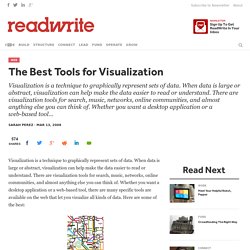
When data is large or abstract, visualization can help make the data easier to read or understand. There are visualization tools for search, music, networks, online communities, and almost anything else you can think of. Whether you want a desktop application or a web-based tool, there are many specific tools are available on the web that let you visualize all kinds of data. Data visualisation DIY: our top tools. What data visualisation tools are out there on the web that are easy to use - and free?
Here on the Datablog and Datastore we try to do as much as possible using the internet's powerful free options. That may sound a little disingenuous, in that we obviously have access to the Guardian's amazing Graphics and interactive teams for those pieces where we have a little more time - such as this map of public spending (created using Adobe Illustrator) or this Twitter riots interactive. But for our day-to-day work, we often use tools that anyone can - and create graphics that anyone else can too.
So, what do we use? Google fusion tables This online database and mapping tool has become our default for producing quick and detailed maps, especially those where you need to zoom in. Datavisualization.ch Selected Tools. Data visualisation tools. Data Visualization. Data Visualization. Data Visualization: Modern Approaches. About The Author Vitaly Friedman loves beautiful content and doesn’t like to give in easily. When he is not writing or speaking at a conference, he’s most probably running … More about Vitaly Friedman … Data presentation can be beautiful, elegant and descriptive.
There is a variety of conventional ways to visualize data - tables, histograms, pie charts and bar graphs are being used every day, in every project and on every possible occasion. However, to convey a message to your readers effectively, sometimes you need more than just a simple pie chart of your results. Data presentation can be beautiful, elegant and descriptive.
So what can we expect? Let’s take a look at the most interesting modern approaches to data visualization as well as related articles, resources and tools. 1. Trendmap 2007 Informationarchitects.jp presents the 200 most successful websites on the web, ordered by category, proximity, success, popularity and perspective in a mindmap. 22 free tools for data visualization and analysis. You may not think you've got much in common with an investigative journalist or an academic medical researcher.
But if you're trying to extract useful information from an ever-increasing inflow of data, you'll likely find visualization useful -- whether it's to show patterns or trends with graphics instead of mountains of text, or to try to explain complex issues to a nontechnical audience. There are many tools around to help turn data into graphics, but they can carry hefty price tags. The cost can make sense for professionals whose primary job is to find meaning in mountains of information, but you might not be able to justify such an expense if you or your users only need a graphics application from time to time, or if your budget for new tools is somewhat limited. The Best Tools for Visualization. 10 Best Data Visualization Projects of the Year – 2010. Data visualization and all things related continued its ascent this year with projects popping up all over the place.
Some were good, and a lot were not so good. More than anything, I noticed a huge wave of big infographics this year. It was amusing at first, but then it kind of got out of hand when online education and insurance sites started to game the system. Although it's died down a lot ever since the new Digg launched. That's what stuck out in my mind initially as I thought about the top projects of the year. One of the major themes for 2010 was using data not just for analysis or business intelligence, but for telling stories. So here are the top 10 visualization projects of the year, listed from bottom to top. Data-Driven Documents. Gephi, open source graph visualization and manipulation. Make your own infographics.
Infographics (or Information Graphics) are graphic visual representations of data or information, presented in a way to make it easier to consume information.
Infographics gained popularity in the mid-2000′s with the advent of sites like Digg and Reddit, and have quickly become one of the most popular methods to display researched data. There are three main types of infographics – where data is presented in a timeline, where statistical data is presented in graphs or with icons, or where data is presented on a map. In order to create an infographic which will be widely shared, think about your typography, colours, and layout. Make it easy for people to understand the information that’s being provided. Sometimes it’s best to keep things simple. You can also get very creative with how you display your information, and do something completely unconventional.
Infographics.