
Añade voz a tu web. El usuario podrá seleccionar libremente un texto de la página web.
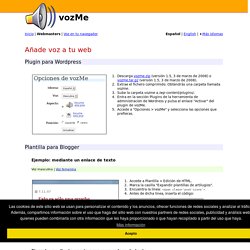
Para obtener un mp3 con el audio, el usuario pulsará un botón, un enlace, una imagen o cualquier otro elemento para el cual hayamos añadido la función: <script type="text/javascript" src=" [...] onclick="get_selection('es','mlfm');" Si el idioma de tu web es el inglés, substituye es por en. Si en tu web utilizas tanto el español como el inglés, no indiques ningún idioma. La aplicación intentará detectarlo automáticamente. Onclick="get_selection('','mlfm');" Ejemplo: mediante un botón de texto Ejemplo: mediante un botón de imagen y texto Cuando el usuario pulse un enlace, un botón o cualquier otro elemento convenientemente habilitado, se generará un mp3 del elemento que el webmaster haya identificado mediante el atributo id.
<script type="text/javascript" src=" [...] onclick="get_id('ESCRIBE_AQUI_LA_ID','es','mlfm');" onclick="get_id('ESCRIBE_AQUI_LA_ID','','mlfm');" The Truth About Vizualization and Goal Achievement. Ever wonder what the real deal is with visualization?

Whether you call it visualizing, simulating, vision-boarding or something else, the technique has been the talk of the personal-development town for years. Problem is, many proponents: Overlay a metaphysical basis for it, leaving all who do not buy into the woo-factor skeptics, andFocus exclusively on something called “outcome” visualization that’s been shown in university studies to be less effective than the rarely discussed “process” visualization. Time for a bit of debunking and pulling back the curtain on how to do it right… [The following is excerpted and slightly adapted from the book, Career Renegade: How to Make a Great Living Doing What You Love] Simple fact, without clarity and belief, there is no action.
If you don’t know where you are going, you don’t know what actions to take. Clarity allows you to create vivid mental simulations. Repeating those simulations leads to belief. The results were eye-opening: Plain and simple. Gmail: 90 Tools And Tips To Make You A Gmail Pro. Google Mail is without doubt one of the most popular online email services.
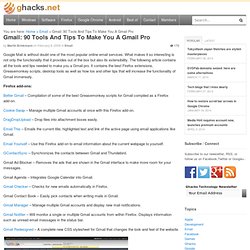
What makes it so interesting is not only the functionality that it provides out of the box but also its extensibility. The following article contains all the tools and tips needed to make you a Gmail pro. It contains the best Firefox extensions, Greasemonkey scripts, desktop tools as well as how tos and other tips that will increase the functionality of Gmail immensely. Firefox add-ons: Better Gmail – Compilation of some of the best Greasemonkey scripts for Gmail compiled as a Firefox add-on. Cookie Swap – Manage multiple Gmail accounts at once with this Firefox add-on. DragDropUpload – Drop files into attachment boxes easily. Email This – Emails the current title, highlighted text and link of the active page using email applications like Gmail. Email Yourself – Use this Firefox add-on to email information about the current webpage to yourself.
GContactSync – Synchronizes the contacts between Gmail and Thundebird. Eduardo Arcos » Mi método personal para ser más productivo con el email. Practicamente trabajo sumergido en el email, y probablemente la mitad de mi día me la paso enviando y recibiendo correos, características de trabajar en una empresa que funciona 100% en internet y sin oficinas. Yo tengo un método muy particular para trabajar e intentar ser lo más productivo posible con el email. Probablemente no le sirva a todos porque trabajo bajo ciertos parámetros muy particulares: Recibo unos 150 a 200 emails diarios, la mayoría de mis pendientes salen de mensajes de correo que envío o recibo y hago mucha administración de la empresa por medio del correo.
Quienes tengan un volumen de correo mucho menor o usen software instalado en sus computadoras (como Outlook o Mail.app) probablemente no encuentren utilidad mayor en lo que sigue, pero tal vez alguno de mis 3 lectores encuentre algún buen consejo en lo que sigue: Lo que se necesita , lo porque me da una flexibilidad que ningún cliente de correo que pueda instalar en mi Mac me ofrece. Offline Tasks Quick Links.