
NComputing's L300: Exploring the Server and Client Side of VDI. Implementing a virtual desktop infrastructure (VDI) requires both a hardware and a software solution.

On the software side, there are a multitude of players including Citrix, Red Hat and VMware. With the right server hardware, you can also implement a VDI solution using Microsoft's Windows Server 2008 R2 SP1. Microsoft's Remote FX technology has specific requirements on the server to fully support its implementation. From a hardware perspective, you have several possible paths, including the repurposing of old client machines or purchasing new thin-client hardware. Introduction to the nComputing L300 access device. If you would like to be notified of when Scott Lowe releases the next part in this article series please sign up to our VirtualizationAdmin.com Real Time Article Update newsletter.

Introduction Virtual Desktop Infrastructure (VDI) is all the rage with companies across the globe studying the technology to determine a potential fit for individual business needs. On the vendor side of the equation, competition is great with such stalwarts as VMware, Microsoft and Citrix selling popular solutions. Client ultra léger pour le partage d'ordinateur via le réseau Ethernet. How to Enable Multiple Concurrent User in Remote Desktop Windows 7. If you ever get this in Windows 7 Logon Message:Another user is currently logged to this computer.

If you continue, this has to disconnect from this computer. Do you wish to continue ? That’s because by default Windows 7 doesn’t allow concurrent user access through RDP. When you are trying to log in to a windows 7 machine that already has a user signed in, you will not be able to log in and will get the warning message shown as above. But there are ways getting around this. You can download the termsrv.dll here (see update blew) Run the install batch file. and If you are not running RC, change this line in the batch file to match your version number. However, the batch file didn’t install it correctly for me, so I had to manually replace the termsrv.dll file in the directory. If you are running 64 bit OS make sure to replace the 64 bit one. Once this is done, you should be able to see multiple users in the Task Manager > Users Tab.
Web Review » Blog Archive » Windows XP Multiuser Remote Desktop - A blog by Riccardo Raneri - Raneri Web Design. NComputing lance vSpace 6 compatible avec Windows 64 bits pour délivrer l'environnement de plateforme de virtualisation des postes de travail le plus important de l'industrie. Top Five Thin Client Hardware Vendors. With the rise of cloud computing, it's a good time to be a thin client vendor.

According to Global Industry Analysts, the global thin client market will expand to 14.36 million units shipped by 2015. Meanwhile, IDC believes that more than a 1.2 million thin clients will ship in 2010, an increase of 20 percent over 2009. Sounds great if you have a short memory. Anyone paying attention to this market sector has heard this before. IDC made many similar bold predictions in the past. For instance, in 2003 IDC predicted that the market would expand to 3.4 million units by 2007. Windows 7 booting from iSCSI (no HDD installed) Diskless Cloud Computing Michaelsoft DDS For Corporate Edition- Part Three.avi. Thin Client NComputing L300. Written by Maxim Klimanov Introduction The idea of using a thin client isn’t exactly new and their appearance is mainly related to the desire to cut costs on IT-infrastructure itself and its support.

Remote Desktop Services (Terminal Services) Team Blog. Five Reasons NOT to Implement VDI (Reason #3) « The Vaporware Blog. By Asif Khan Reason #3: End users are resistant to change Pop quiz: how many of you are using VDI today as your PRIMARY desktop?

I thought so. Don’t feel bad…I tried it over the years but quickly lost interest each time. Truth is that VDI, as it is today, pretty much sucks for most of us. It’s fine for task workers and I highly recommend to all my clients that they virtualize those desktops right away. Winning over the mobile knowledge worker is what will get virtual desktops out of it’s niche and into the mainstream. Paving Cow Paths In previous posts, I have used the analogy of “paving cow paths.” Speed Up Windows 7 - Ultimate Guide To Make Windows 7 Blazing Fast!!! Windows 7 is Engineered for speed.
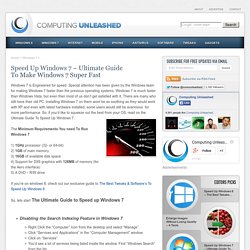
Special attention has been given by the Windows team for making Windows 7 faster than the previous operating systems. Windows 7 is much faster than Windows Vista, but even then most of us don’t get satisfied with it. There are many who still have their old PC. VDwhy? « A Collection of Bromides on Infrastructure. Please…Please Set Realistic Expectations for Your Virtual Desktop Initiative - CA on Virtualization and Automation. I’m sitting on a plane, on my way over to Copenhagen to attend VMword Europe 2011.

And if last year’s event is any indication, I expect desktop virtualization (VDI) to be a recurring topic throughout the show. Analysts and vendors have been predicting 2011 to be a break out year for desktop virtualization – and while we have seen a lot of interest in this area by customers and significant investment from vendors, the traction thus far has been a bit slower than anticipated for it to truly realize “break out” status. And there are several reasons for the lack of traction – too many for this blog – but one in particular is unforeseen challenges due to lack of experience with desktop virtualization technologies in most companies. One customer I recently talked with was planning to have 8,000 virtual desktops, but was having challenges with too many golden images.
WYSE XenClient vs HP t5570. How to license Microsoft Windows 7 for VMware View deployments. What’s the difference between a RDS CAL and a TS CAL? - Remote Desktop Services (Terminal Services) Team Blog. Hi, I’m Alex from the Remote Desktop Services (RDS) team.

I want to talk about the Windows Server 2008 RDS CAL which replaces the older Terminal Services (TS) CAL. Microsoft VDI – In-Box VDI – VDI Standard Suite – VDI Premium Suite. Microsoft Virtual Desktop Infrastructure (VDI) Explained - Yung Chou on Windows Technologies. Microsoft Virtual Desktop Infrastructure (VDI) sous tous ses angles. Criston Cox, Ph.D, CISSP, CISM, MCSE, CEH7: Virtual Desktops: The Way of the Future? Une offre VDI pour 142 euros par utilisateur et par an. SPICE. What is SPICE?

PPT VDI MS. Une appliance pour tester le VDI avant de se lancer. Partant du constat qu’il est impossible de dimensionner son infrastructure VDI à grande échelle avec un simple calcul sur le papier, l’intégrateur Vialis a eu l’idée de proposer une appliance, qui permet aux entreprises de mettre en place un POC (Proof of Concept ou test grandeur nature) avec des postes de travail virtualisés. Objectif : gagner du temps avec un déploiement très simple, et entrer dans le monde du VDI en ayant pu évaluer quelle technologie est la plus adaptée à son entreprise. “Aucun client aujourd’hui n’a le courage de se lancer globalement sur plusieurs milliers de postes avec une solution de virtualisation donnée sans avoir pu tester sa faisabilité.
Formation Postes de Travail - S minaire. Download 2X ThinClientServer & 2X OS. If your thin client device is listed in the Models Section download the certified OS from the the appropriate link.If your thin client is not listed in the Models Section or you are converting a PC to a thin client, please download the Generic version of the OS from the Generic section.If you want to test the 2XOS with a virtual machine please download the OS from the Virtual Machine section. Download the .ISO version for booting the client from CD and USB/HD installation. Download the .ZIP version for PXE booting and USB/HD install. R3 – This version uses an X.Org 7.5. R2 – This version uses an X.Org 7.4.